How to Check Real-Time Server Latency in the PUBG HUD

Enable PUBG’s network statistics HUD to monitor ping and packet loss in a match. See where to find it, what the numbers mean, and what they cannot diagnose.
Short answer: recent PUBG Mobile updates did not give every shotgun a sweeping damage buff. The official balance notes point the other way: developers said shotguns were too dominant at close range, lowered listed shotgun damage in V4.2, and increased shotgun damage drop-off in V4.4. A separate loot-pool change made some shotguns easier to find on Livik, which can make them feel more common without increasing their combat stats.
That distinction matters if you are trying to understand the current PUBG Mobile shotgun meta. Shotguns can still decide a room fight, but they are specialized close-range weapons. The way to win with the S12K, DBS, S686, or S1897 is to choose the right engagement, control your angle, and stop forcing shots outside the weapon's useful range.
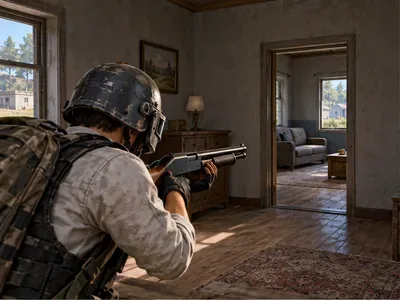
Not as a category-wide power increase. In the V4.1 update announcement, PUBG Mobile described shotguns as too dominant over other weapon types at close range. In V4.2, the published notes reduced the listed damage values for six shotguns and adjusted spread so pellet distribution became more random. In V4.4, the notes increased shotgun damage drop-off for the DBS, M1014, NS2000, S12K, S1897, and S686. Together, those changes signal tighter close-range specialization, not a blanket push to make shotguns stronger everywhere.
Here are the V4.2 damage values as listed in the update notes. They are weapon damage stats, not a promise that every trigger pull deals the same total damage: pellet hits, distance, armor, and spread all affect the result.
| Shotgun | V4.2 listed damage | Practical takeaway |
|---|---|---|
| S686 | 24 → 23 | Plan around its two-shot burst and the pause before you can fire again. |
| S1897 | 24 → 23 | Make each pump-action shot count; use cover while cycling. |
| S12K | 22 → 21 | Its semi-automatic follow-ups reward steady tracking at close range. |
| M1014 | 24 → 23 | Keep the fight close and avoid relying on long-lane damage. |
| DBS | 24 → 23 | Use its rapid follow-up shots deliberately, then reset behind cover. |
| NS2000 | 26 → 25 | Check the current mode and weapon behavior before building a loadout around it. |
The official notes also say the V4.2 spread behavior was adjusted to make pellet distribution more random. V4.4 then increased damage drop-off. Neither update supports the old claim that shotguns gained a universal damage boost or a longer effective range. Patch changes can vary by mode, so check the notes for the mode you actually play.
There are two different effects to separate: a weapon can be easier to find without becoming stronger when fired. PUBG Mobile added the DBS to Livik ground loot in V4.2 and added the S12K to Livik ground supply in V4.3. If you play Livik, those availability changes can make you see those shotguns more often. That is a loot-pool change, not a damage buff.
The practical balance goal is clearer weapon roles. A shotgun threatens a player who pushes a doorway or stairwell, while rifles and DMRs remain the safer choice across longer sightlines. The V4.1 notes explicitly cited close-range dominance; later damage and drop-off adjustments are consistent with keeping that threat concentrated nearby. Treat that interpretation as a reading of the patch history, not a quoted developer promise.
Also keep PUBG Mobile separate from PUBG: BATTLEGROUNDS on PC and console. Similar weapon names do not guarantee identical statistics or balance changes; use the PUBG Mobile patch notes for this game.
Shotguns are strongest when the map geometry brings opponents into short, predictable lanes: building entries, tight stairs, small rooms, and close cover. Avoid crossing open ground just to force a shotgun fight. If an enemy has space to hold a longer angle, use your other weapon or rotate until you can close safely.
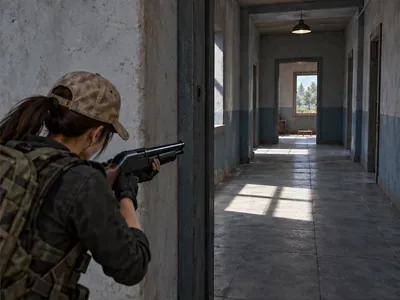
Before you cross a doorway, place your crosshair where an opponent is likely to appear. Use the doorframe or wall as cover, then peek only far enough to take the shot. This shortens the time needed to line up and reduces how long you are exposed. Do not sprint into a room with your aim pointed at the floor, and do not assume a shotgun will rescue a rushed entry.
The S12K supports quick semi-automatic follow-ups, so keep the reticle on the target rather than tapping wildly. The S686 can deliver two fast shots but leaves little room for a miss; the S1897 rewards deliberate timing between pump-action shots. With the DBS, take the follow-up only while you still have a clear target, then move behind cover to reload or switch weapons. Shotguns are not all “full auto,” and they do not share the same rhythm.
V4.4 specifically increased shotgun damage drop-off. Do not treat a shotgun as a weak rifle at medium range: a target farther down a street is a cue to switch to your rifle or reposition. At close range, center your aim on the opponent's torso and make sure the target is actually inside your pattern. Choke attachments can alter spread where supported, but they do not erase distance penalties. Check the current attachment list and test changes in the training area before relying on them in ranked matches.
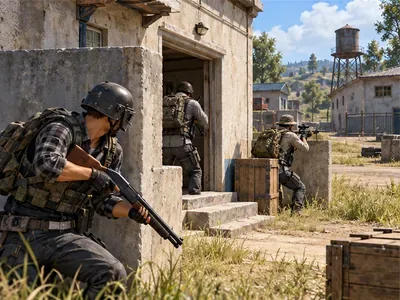
Pair a shotgun with a weapon that can handle the distances it cannot. Tell teammates which entrance you are holding, and ask a rifle player to watch the outside lane while you cover the room or stairwell. Smokes can help your team reposition across exposed ground; a grenade can pressure an opponent who refuses to leave cover. These tools create a safer approach, but they do not make a long-range shotgun duel favorable.
Use Training Ground to learn your chosen weapon's aim and timing rather than copying a sensitivity number from another player. Start with stationary targets at close range, then move to a slightly longer lane and compare how often your pellets connect. Practice firing from a doorway, peeking from cover, and moving behind cover before reloading. If your aim is inconsistent, slow down and focus on placing the crosshair before firing.
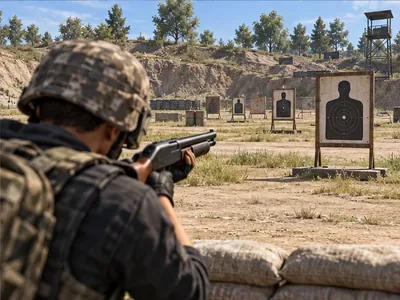
Shotguns remain powerful when you control the distance and the angle. Read the latest PUBG Mobile notes before copying old damage charts, use a rifle for longer lanes, and let the S12K, DBS, S686, or S1897 do the job they are built for: ending a close-range fight quickly.
Enable PUBG’s network statistics HUD to monitor ping and packet loss in a match. See where to find it, what the numbers mean, and what they cannot diagnose.
Learn how to import VALORANT crosshair codes, compare presets with manual settings and spectator copy, and fix common import issues.
Choose Dota 2 minimap size, hero icons, team colors, and background settings by readability, fewer misclicks, and clear results on your own display.
Fix Fortnite texture pop-in on PC with official steps for GPU drivers, file verification, DirectX 12, high-resolution textures, VRAM, SSDs, and stutter.
Learn what Heroes of the Storm minimap size and position options are verified, improve readability, and choose camera-click controls that suit you.
Set Super Smash Bros. Ultimate Quickplay to prefer hazards-off stages. Follow the Preferred Rules menu steps and learn why matchmaking may not always honor them.
Enable Server Latency and Packet Loss in Warzone to monitor connection quality, read the overlay, and use recurring spikes to guide troubleshooting.
Learn how to carry from mid lane in League of Legends by setting up waves, choosing safe roam windows, reading side lanes, and converting pressure into objectives.
Fix Minecraft Evoker spell problems with a safe vanilla test, version checks, log review, and a step-by-step way to isolate mod or datapack conflicts.
Fix PUBG stuck on Initializing on Steam with a focused checklist for PC service notices, launch options, game files, downloads, and connection issues.








