Are you torn between PlayStation Plus Essential, Extra, or Premium? As a gamer, choosing the right PlayStation Plus tier can transform your experience from basic online battles to a treasure trove of games and exclusives. In this ultimate comparison, we'll break down every benefit, helping you decide which tier fuels your gaming passion without wasting a dime. Ready to level up? Let's dive in! 🚀

Quick Overview: PlayStation Plus Tiers at a Glance
PlayStation offers three tiers in the latest lineup, each building on the last for escalating perks. Whether you're a casual multiplayer fan or a catalog connoisseur, there's a fit. Check this PS Plus benefits comparison table for instant clarity:
| Feature | Essential | Extra | Premium |
|---|---|---|---|
| Monthly Price (12-mo plan) | $80 / £60 / €70 | $135 / £100 / €120 | $160 / £120 / €140 |
| Online Multiplayer | ✅ | ✅ | ✅ |
| Monthly Free Games | ✅ (3-4 games) | ✅ | ✅ |
| Game Catalog (PS4/PS5) | ❌ | ✅ (400+ titles) | ✅ |
| Classics Catalog (PS1/PS2/PS3/PS4) | ❌ | ❌ | ✅ (300+ retro gems) |
| Game Trials & Streaming | ❌ | ❌ | ✅ (2-hr trials + cloud streaming) |
| Exclusive Discounts | ✅ (Up to 65%) | ✅ (Up to 85%) | ✅ (Highest priority) |
| Cloud Storage | ✅ (100GB) | ✅ | ✅ |
Pricing based on latest 12-month plans; check your region for exacts. Source: PlayStation.com ✅
1️⃣ PlayStation Plus Essential: The Multiplayer Must-Have
If squad-ups in Call of Duty or FIFA are your jam, PS Plus Essential is your entry ticket. At the base level, you get:
- ✅ Online multiplayer access on PS5/PS4.
- ⭐ 3-4 free monthly games to claim and keep forever (like recent hits such as RoboCop: Rogue City).
- 🎁 Exclusive discounts up to 65% on PS Store.
- ☁️ 100GB cloud save storage.
Perfect for budget gamers who play a few titles deeply. But miss the massive libraries? Keep reading – higher tiers unlock worlds more. 😎
2️⃣ PlayStation Plus Extra: Game Library Heaven
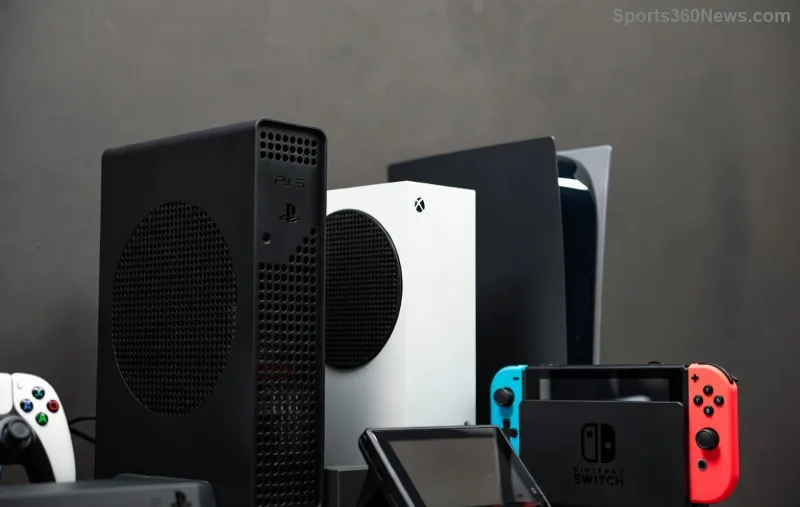
Upgrade to Extra and boom – everything from Essential plus a rotating catalog of over 400 PS5 and PS4 games! Think blockbusters like God of War Ragnarök, The Last of Us Part I, and Spider-Man 2 at no extra buy cost.
Key wins:
- 📚 Massive Ubisoft+ Classics integration for even more variety.
- 💰 Bigger discounts (up to 85%) on sales.
- 🆓 Download and play offline – no streaming needed.
Gamers rave about the value: it's like Netflix for PS exclusives. Wondering if retro classics tempt you? Premium awaits below! 👇
3️⃣ PlayStation Plus Premium: The All-in-One Powerhouse
The crown jewel, Premium (or Deluxe in some regions) piles on Extra's catalog with nostalgia and future-proofing:
- 🕹️ Classics Catalog: 300+ gems from PS1, PS2, PS3, and PSP – upscale and playable via emulation.
- ⏱️ Game Trials: Test big releases (e.g., 5+ hours of Death Stranding 2) before buying, with progress carry-over.
- 📺 Cloud Streaming: Play PS3 classics and select PS5 titles on demand, even on PC.
Ideal for collectors and streamers. Pro tip: Trials save regrets on pricey launches! 🎉
Head-to-Head: Which PS Plus Tier Wins for You?
Essential shines for pure multiplayer (great starter at ~$7/mo). Extra dominates value for library lovers (monthly games galore). Premium rules for completists craving trials and retro (worth it if you game 20+ hrs/week).
Calculate your playstyle:
- Mostly online? → Essential 👍
- Love variety without buying? → Extra ⭐
- Retro + trials fan? → Premium 👑
Stacking costs? Essential is 53% cheaper than Premium yearly, but higher tiers often pay for themselves in one game. Trial a higher tier risk-free via PS Store upgrades!
Final Verdict: Pick Your Gaming Superpower
No one-size-fits-all, but Extra strikes the sweet spot for most modern gamers with its unbeatable catalog. Feeling the FOMO on classics? Go Premium. Start with Essential and scale up – your wallet and backlog will thank you.
Which PlayStation Plus tier calls to you? Drop your thoughts below and share the hype! Game on. 🏆
Info pulled from latest PlayStation updates. Prices/regions may vary – verify at official site.



