How to Check Real-Time Server Latency in the PUBG HUD

Enable PUBG’s network statistics HUD to monitor ping and packet loss in a match. See where to find it, what the numbers mean, and what they cannot diagnose.
When a Minecraft Java Edition crash reports an IndexOutOfBoundsException, start with the newest crash report, then test a clean profile that uses the same game version. The exception means code tried to read an item at an invalid position in a list, array, or similar structure. It does not identify the faulty mod by itself, and it is not automatically a sign that your world is corrupted or that you need more RAM. Back up the world before testing, use the stack trace to narrow the cause, and change one variable at a time.
In Java, IndexOutOfBoundsException is a Java runtime exception raised when an index falls outside the valid range for a data structure. For example, a list with 12 entries has positions 0 through 11; trying to read position 12 is outside that range. The precise wording in a Minecraft report can differ by Java version and by the code that throws the exception.
The name describes the failure, not its source. A Minecraft bug, a mod, an incompatible mod combination, data loaded from a world, or a resource-loading path could be involved. Treat claims such as “add RAM,” “delete the world,” or “update Java” as guesses until the report or a controlled test supports them.
Close the game and copy the affected world folder before reopening it. Keep the copy outside the active saves directory, and do not run world-repair tools on the only copy. Write down what happened just before the crash: launching, joining a server, opening a world, changing dimensions, loading a particular area, or reloading a resource pack. That detail helps you reproduce the failure later.
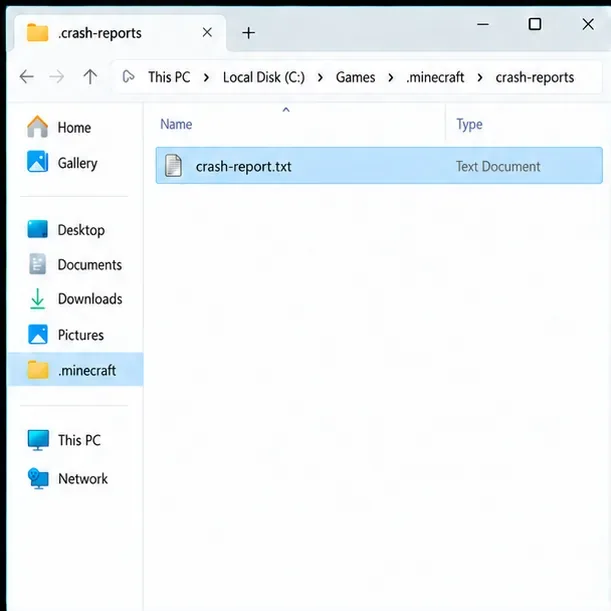
Crash reports are normally stored in the crash-reports folder inside the game directory. Common default locations are %appdata%\.minecraft\crash-reports on Windows, ~/Library/Application Support/minecraft/crash-reports on macOS, and ~/.minecraft/crash-reports on Linux. A custom game directory or third-party launcher may use a different location; open the instance folder from that launcher. If no crash report was written, preserve logs/latest.log and the launcher's console output.
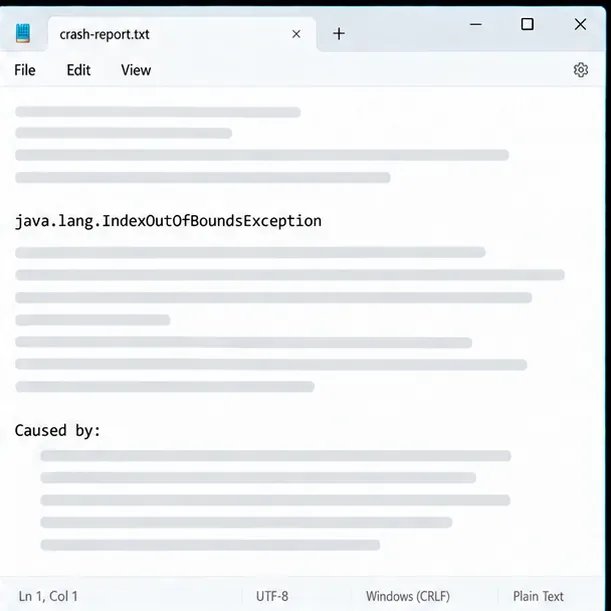
In the crash report, find the exception line and read the nearby stack frames. Also look for Caused by:, the thread or task named in the report, and any class or method that includes a mod ID. These clues can point to code involved in the crash, but a mod named in the trace is not always the sole underlying cause; another mod may have supplied incompatible data or changed the same code path.
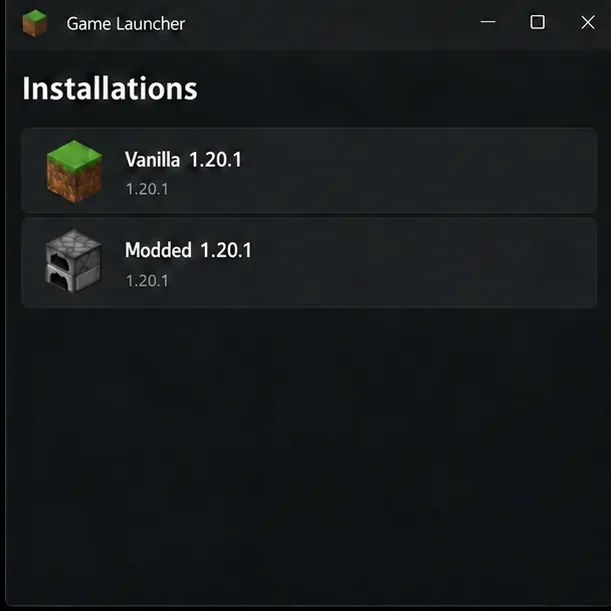
Launch an unmodded profile with the exact same Minecraft version and reproduce the same type of action in a new test world. Keep the original profile and save untouched. If the clean profile works while the modded one crashes, investigate a possible mod conflict, the loader, dependencies, and configuration. If both profiles crash, the issue may be in the game installation, graphics or resource-loading path, or a version-specific game bug; the exception alone cannot distinguish these possibilities.
If the crash happens only in one existing world, test a copy of that world and note whether the failure follows a particular location, entity, or data pack. Avoid saving a world after opening it without mods it depends on: missing mod content can be removed or altered when a world is loaded and saved.
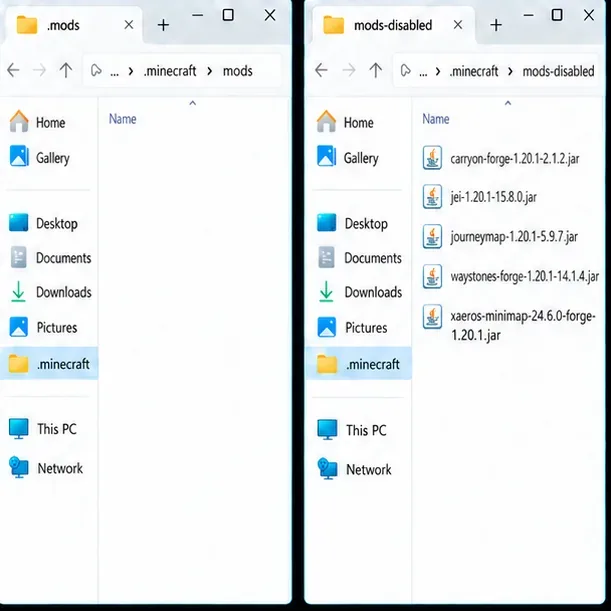
Check that every mod supports your exact Minecraft version and the loader you use, such as Fabric, Forge, or NeoForge. Required APIs and dependencies must match too. To test, move the mod JAR files from the active mods folder into a separate sibling folder such as mods-disabled; do not delete them. Launch the same profile and repeat the action. If the crash stops, restore the files in small groups until the failure returns, then narrow down the last group. Update or remove only the incompatible component, and use its author's release page or the modpack maintainer's instructions.
Do not mix mods built for different loaders, and do not assume the newest mod release is compatible with an older game version. If a resource reload is the trigger, temporarily disable the relevant resource pack on a copied profile and compare the report's reload section.
| What you observe | What to check next |
|---|---|
| The clean profile works; the modded profile crashes | Loader, mod versions, required APIs, and mod combinations. Reintroduce mods in small groups. |
| The crash follows one world but not a new test world | A copy of the save, data packs, mod-dependent blocks or entities, and the location named near the crash context. |
| The report points into rendering or resource reload | Test graphics, shader, or resource-pack components one at a time on a copied profile. |
| Only multiplayer triggers the failure | Ask the server owner to inspect the server's report and compare the client, server, loader, and mod versions. |
| No crash report appears | Save the latest game log and launcher output; they may contain the last error before the process closed. |
A Java runtime mismatch can prevent a Minecraft release or mod loader from starting, but changing Java is not a general remedy for an index exception. Follow the requirements for the exact release and launcher. For example, Mojang's Minecraft Java Edition 1.20.5 release notes state that this version requires Java 21 and includes Microsoft OpenJDK 21.0.3. That is a version-specific requirement, not proof that every Minecraft version needs the same separate Java installation. If you use the official launcher, first test its normal bundled runtime; custom launchers and servers should follow their own version requirements.
Likewise, allocating extra memory does not repair an invalid list or array index. Increase memory only when the log actually reports a memory problem such as OutOfMemoryError. Do not delete all configuration folders, remove chunks, or edit player data based only on the exception name.
When asking a mod author, modpack maintainer, or server administrator for help, include the Minecraft version, loader version, relevant mod list, the steps that reproduce the crash, and the complete crash report or latest log. Remove private information first, such as account tokens, email addresses, and personal paths. Keep an untouched local copy so you can compare later reports.
The Java API reference defines the exception, Fabric's troubleshooting guide explains where crash reports are stored and how to read their sections, and Mojang's 1.20.5 notes document that release's Java requirement:
Enable PUBG’s network statistics HUD to monitor ping and packet loss in a match. See where to find it, what the numbers mean, and what they cannot diagnose.
Learn how to import VALORANT crosshair codes, compare presets with manual settings and spectator copy, and fix common import issues.
Choose Dota 2 minimap size, hero icons, team colors, and background settings by readability, fewer misclicks, and clear results on your own display.
Fix Fortnite texture pop-in on PC with official steps for GPU drivers, file verification, DirectX 12, high-resolution textures, VRAM, SSDs, and stutter.
Learn what Heroes of the Storm minimap size and position options are verified, improve readability, and choose camera-click controls that suit you.
Set Super Smash Bros. Ultimate Quickplay to prefer hazards-off stages. Follow the Preferred Rules menu steps and learn why matchmaking may not always honor them.
Enable Server Latency and Packet Loss in Warzone to monitor connection quality, read the overlay, and use recurring spikes to guide troubleshooting.
Learn how to carry from mid lane in League of Legends by setting up waves, choosing safe roam windows, reading side lanes, and converting pressure into objectives.
Fix Minecraft Evoker spell problems with a safe vanilla test, version checks, log review, and a step-by-step way to isolate mod or datapack conflicts.
Fix PUBG stuck on Initializing on Steam with a focused checklist for PC service notices, launch options, game files, downloads, and connection issues.








