🚀 Ready to level up your Roblox game with pro-level visuals? Blender for Roblox is the game-changer every developer needs. This free, powerful 3D software lets you craft custom Roblox graphics like meshes, props, and characters that pop in Roblox Studio. No more settling for basic primitives – unleash your creativity and build assets that wow players!
In this guide, we'll cover everything from setup to export, packed with actionable steps. Whether you're a newbie or seasoned builder, you'll walk away ready to import jaw-dropping models. Let's dive in! 👇
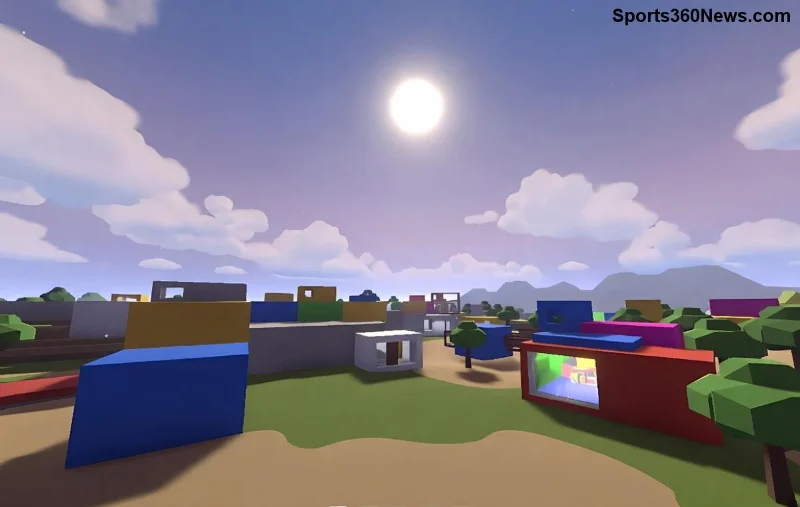
Why Choose Blender for Roblox Graphics? The Perfect Power Duo
Blender excels where Roblox Studio falls short: advanced modeling, precise UV unwrapping, and PBR texturing. Roblox supports imported FBX files up to 10,000 triangles per mesh (optimized for performance), making Blender ideal for complex Roblox graphics.
- ✅ Free & Open-Source: No cost, endless updates.
- ⭐ Non-Destructive Workflow: Edit anytime without losing work.
- 🎯 Roblox-Optimized Export: Direct FBX with correct scales and pivots.
Pro Tip: Roblox's latest importer handles Blender's node-based materials seamlessly – just bake your textures right!
Step 1: Download and Setup Blender for Roblox Workflow
Grab the latest Blender from blender.org. Install and launch – you're set in minutes.
- 1️⃣ Open Blender → Delete default cube (X key).
- 2️⃣ Set units to Metric (Scene Properties → Units → Metric, Length: Meters).
- 3️⃣ Scale for Roblox: 1 Blender unit = 1 Roblox stud. Use 0.28m height for average characters.
- 4️⃣ Enable add-ons: Import-Export: FBX (Edit → Preferences → Add-ons).
This setup ensures your models import pixel-perfect into Roblox Studio. Feeling pumped? Next, let's model!
Step 2: Modeling Your First Roblox Graphics Asset
Start simple: A futuristic sword prop. Perfect for testing Blender Roblox pipeline.
| Step | Action | Hotkey | Roblox Tip |
|---|
| 1 | Add Cube → Edit Mode (Tab) | Shift+A | Keep tris < 5k |
| 2 | Extrude faces (E) for blade | E | Bevel edges (Ctrl+B) |
| 3 | Subdivide (Ctrl+R) for detail | Ctrl+R | Decimate modifier later |
| 4 | Loop Cut (Ctrl+R) handle | Ctrl+R | Optimize loops |
After modeling, apply Scale/Rotation (Ctrl+A). Your mesh is Roblox-ready! ✨
Step 3: UV Unwrapping and Texturing for Epic Roblox Graphics
Roblox loves 1024x1024 PNG textures. Here's the pro flow:
- 5️⃣ Select all (A) → U → Smart UV Project.
- 6️⃣ Open UV Editor → Pack Islands (UV → Pack Islands).
- 7️⃣ New Material → Principled BSDF → Base Color texture (bake if needed).
- 8️⃣ Export textures: Image → Save As → PNG.
For PBR shine, use Roblox's SurfaceAppearance. Blender's baking tools create perfect maps – metallic, roughness, normal. Players will love the realism!
![UV unwrapping and texturing in <strong>Blender for Roblox</strong> assets]()
Step 4: Rigging and Animation Basics (Optional Power-Up)
Need animated props? Armature time!
- Bone setup: Add Armature → Pose Mode → Parent mesh (Ctrl+P → With Automatic Weights).
- Animate: Insert Keyframes (I) on location/rotation.
- Export: FBX with "Apply Scalings: FBX Units Scale".
Roblox Animator handles the rest. Smooth walks, attacks – your game comes alive! 🔥
Step 5: Export from Blender to Roblox – Seamless Import
The magic moment:
- 9️⃣ Select mesh → File → Export → FBX.
- 🔟 Settings: Apply Transform ✓, Forward: -Z Forward, Up: Y Up, Scale: 1.0.
- Import to Roblox Studio: Toolbox → My Models → Upload Mesh.
- ✅ Assign textures via MaterialManager or SurfaceAppearance.
Troubleshoot: Check DevForum for importer quirks at devforum.roblox.com. 99% success rate!
Optimization Tips: Make Your Roblox Graphics Fly
Performance is king in Roblox. Here's your checklist:
| Issue | Solution | Impact |
|---|
| High Poly | Decimate Modifier (0.5 ratio) | 50% fewer tris |
| Bad Normals | Merge by Distance + Recalculate | Smoother shading |
| Texture Bloat | Bake to 512x512 | Faster loads |
| Pivot Off | Set Origin to Geometry | Perfect placement |
Lod0 under 3k tris? Gold star! Test in Studio's Performance Stats.
Advanced Blender Roblox Tricks for Pros
Geometry Nodes for procedural assets? Yes! Scatter rocks on terrain. Simulations for cloth/physics? Export as multiple meshes. Geometry Nodes are Blender's secret weapon for infinite variety in your worlds.
Want more? Experiment with Eevee renders for Roblox previews – matches Studio lighting perfectly.
Wrap-Up: Your Roblox Graphics Journey Starts Now!
🎉 You've got the full Blender for Roblox blueprint! From modeling to import, create assets that make your games unforgettable. Start with that sword, then scale to maps and avatars. Share your creations in Roblox communities – feedback fuels mastery.
Stuck? Revisit steps or hit the forums. Build epic worlds, developer! What's your first project? Drop it in comments below. 👏