Are you ready to turn the tide in every Free Fire match? Alok, the DJ king, brings the party to the battlefield with his iconic Drop the Beat ability. This skill isn't just a heal—it's your ticket to unstoppable rushes, epic revives, and squad wipes. In this guide, we'll dive straight into the best way to use Alok's ability, packed with pro strategies to make you a legend. Let's amp up your game! 🎧

⭐ Alok's Ability Breakdown: Know It Inside Out
Before mastering combos, grasp the core: Drop the Beat creates a 5-meter aura for 5 seconds, granting 15% movement speed boost and 5 HP regeneration per second to you and teammates inside. Cooldown? Just 45 seconds—perfect for frequent use. Upgraded levels amplify this: at max, it's 20% speed and 9 HP/s. No wonder Alok tops pick rates in ranked!
| Level | Speed Boost | HP Regen/s | Duration | Cooldown |
|---|---|---|---|---|
| 1 | 10% | 5 HP | 5s | 50s |
| 4 (Max) | 15%% | 9 HP | 5s | 45s |
Pro tip: Activate early in fights for sustained pressure. Garena Free Fire official confirms these stats as the latest benchmark.
1️⃣ Best Scenarios to Deploy Alok's Ability
Timing is everything. Don't spam—strategize! Here's how to maximize Alok's ability:
- 🚀 Aggressive Rushes: Pop it before pushing compounds. The speed lets you close gaps fast, dodging bullets while healing chip damage. Pair with shotguns for close-quarters chaos.
- 💉 Revive Savior: Teammate down? Drop the aura on the downed player during revive. They pop up at full health + speed—clutch city! 👍
- 🛡️ Zone Rotations: Safe shrinking? Aura through the storm for safe, speedy repositions. Outrun enemies every time.
- 🔥 Third-Party Mayhem: Two squads fighting? Aura up, flank hard. Heal mid-firefight while zooming past.
2️⃣ Killer Combos: Alok Free Fire Synergies
Alok shines brighter with friends. Stack these for OP synergy:
- Alok + Skyler: Skyler's walls block sightlines; your aura heals through sprays. Ultimate entry denial.
- Alok + K: Her EP gives electro-shock; speed rush in for finishes. Electro + heal = immortal duo.
- Alok + Tatsuya: Silence enemies, then aura-push. No abilities counter your beat!
For gear: Gloo Walls + Aura = unbreakable cover heals. Medkits? Skip 'em—Drop the Beat is free sustain. 🔥
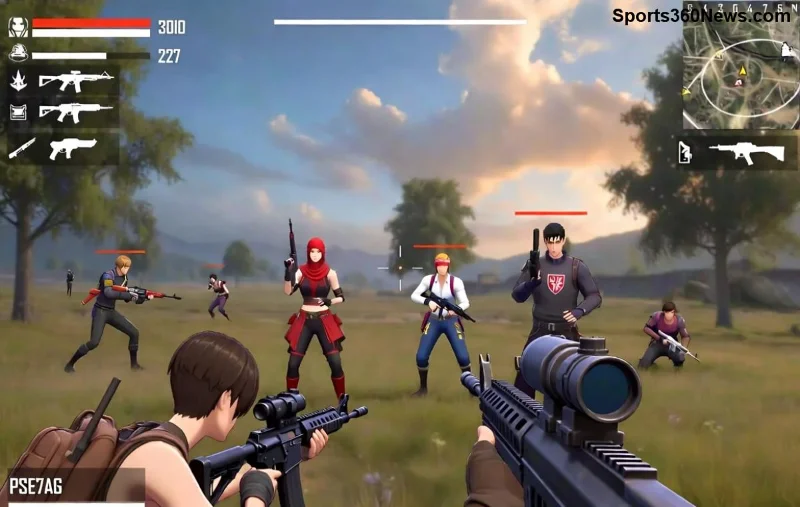
3️⃣ Pro Tips for Best Way to Use Alok's Ability
Elevate from good to god-tier:
- 👆 Position Smart: Center the aura on high-traffic spots. Predict enemy peeks!
- ⭐ Solo Clutch: Low HP? Aura + run to cover. Regens 25-45 HP free—game-changer in 1v1s.
- ⚠️ Avoid Wasted Pops: Save for fights, not looting. Cooldown kills if misused.
- 😂 Squad Hype: Ping "Alok incoming!"—teammates flock to your glow-up zone.
Practice in Training Island: Time activations for 100% uptime in rushes. Watch your K/D explode!
❌ Common Mistakes to Dodge
Even pros slip—don't you:
| Mistake | Why It Sucks | Fix It |
|---|---|---|
| Popping in open fields | No cover = easy target | Use near walls/objects |
| Ignoring teammates | Solo heal wastes potential | Call them in! |
| CD mismanagement | No aura when needed | Track with mental timer |
🎯 Final Beats: Level Up Your Alok Free Fire Game
Mastering the best way to use Alok's ability means more Booyahs, fewer reboots. From revives to rushes, Drop the Beat is your rhythm for victory. Experiment in customs, climb ranks, and share your clips—we're all in this beat together! What's your fave Alok moment? Drop it below. Keep grinding, legends. 👊
Ready for more? Check squad comps next—link in bio!






