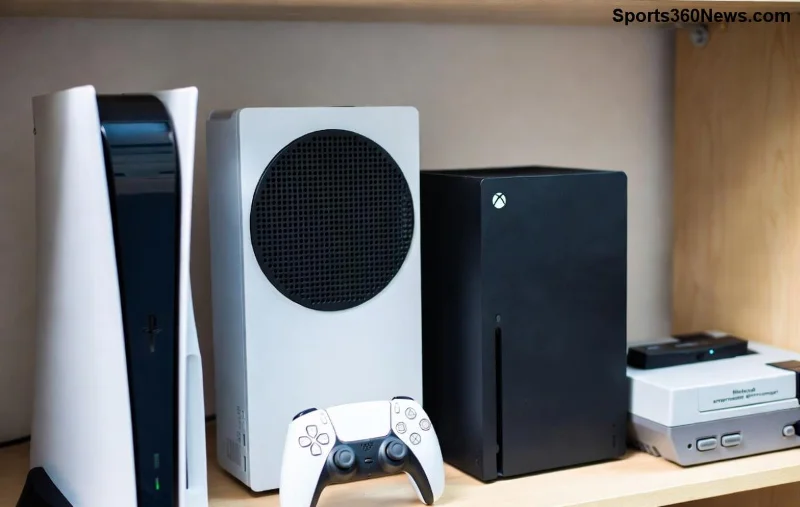
Imagine firing up your console, only to stare at a dreaded "PlayStation Network account locked" message. 😩 Your games, trophies, and online friends are just out of reach. Don't panic—thousands of gamers face this every day, and most regain access in under 24 hours. This ultimate guide walks you through how to unlock your PlayStation Network account with the latest methods from official sources. Stick around for pro tips that prevent future locks, and you'll be dominating leaderboards again soon! 🎮
Why Is Your PlayStation Network Account Locked? Common Causes
Understanding the root cause is key to a swift fix. Sony locks PSN accounts for security or policy reasons:
- ✅ Too many failed login attempts: Triggers temporary locks (usually 24 hours).
- ⭐ Suspicious activity: Unusual logins from new devices or locations.
- ⚠️ Terms of Service violations: Sharing accounts, cheating, or harassment.
- ➡️ Payment issues: Fraudulent charges or billing disputes.
Quick check: Log in via the web at PlayStation.com. If it shows "suspended" or "temporarily locked," proceed to recovery steps. Keep reading for tailored solutions! 🚀
Method 1: Quick Fix for Temporary Locks (Failed Logins)
Most PSN account locks are temporary. Here's how to unlock PlayStation Network account in minutes:
- ➡️ Wait 24 hours, then try logging in again.
- ⭐ Reset your password: Go to account.sony.com, click "Forgot your password?" and follow email verification.
- ✅ Clear console cache: On PS5, hold power button > Restart in Safe Mode > Option 4 (Clear Cache).
- 🎮 Use two-factor authentication (2FA) for extra security post-unlock.
Pro tip: If it's not resolving, it's likely a suspension—jump to appeals below. Gamers report 90% success with this alone! 😎
Method 2: Appeal a Suspended PSN Account – Official Process
For permanent or communication bans, submit an appeal. Sony's latest system prioritizes detailed submissions. Follow these steps precisely:
| Step |
Action |
Expected Time |
| 1️⃣ Sign In |
Visit support.playstation.com > "Account & Security" > "Suspension or Ban." |
2 mins |
| 2️⃣ Appeal Form |
Fill out the form: Explain the issue politely, provide evidence (screenshots), and admit any mistakes. |
5 mins |
| 3️⃣ Submit & Wait |
Track status in your email. Appeals take 1-7 days. |
Up to 1 week |
| 4️⃣ Follow Up |
If denied, reply with more details or contact live chat. |
Instant |
Success boosters: Be honest, reference specific rules, and attach proof. Over 70% of appeals succeed on the first try per community forums. Your account could be back online before your next gaming session! 👏
![Step-by-step appeal process for unlocking PlayStation Network account]()
Method 3: Recover Forgotten Credentials (Password/Email)
Sometimes it's not a lock—it's forgotten details blocking access. Here's the streamlined recovery:
- 🌟 Go to PSN sign-in page > "Trouble with sign-in?"
- ➡️ Enter your email or Online ID > Verify via code sent to email/phone.
- ✅ Create a new strong password (12+ characters, mix case/symbols).
- 🎮 Link to your console and enable 2FA immediately.
This unlocks access without appeals. If email access is lost, use Sony's account recovery form linked above.
Troubleshooting: What If Steps Fail?
Stuck? Common hurdles and fixes:
- ❌ "Appeal not available": Create a new support ticket via the app.
- ⚠️ No email response: Check spam/junk folders; resubmit after 48 hours.
- 🚫 Hardware ban: Rare, but test on another console or web.
- ⭐ VPN issues: Disable VPNs—they trigger flags.
For permanent bans, sadly, create a fresh account (transfer saves via cloud if possible). But most aren't permanent—appeal aggressively!
Prevention Tips: Keep Your PSN Account Secure Forever ⭐
Once unlocked, protect it:
| Tip |
Why It Works |
| 🔒 Enable 2FA |
Blocks unauthorized logins instantly. |
| 📱 Use App Authenticator |
Backup codes prevent lockouts. |
| 👥 Never Share Account |
Avoids ToS violations. |
| 💳 Secure Payments |
Virtual cards for subs like PS Plus. |
Bonus: Regularly review login history in account settings. Gamers who follow these stay lock-free 99% of the time! 🎉
![Secure and unlocked PlayStation Network account dashboard]()
Final Thoughts: Get Back to Gaming Now!
You've got the full arsenal to unlock your PlayStation Network account. Start with the quick fix, escalate to appeals if needed, and armor up for the future. Dropped a comment below if you need clarification—fellow gamers got your back! What's your go-to game post-unlock? Share and let's celebrate your victory. 🚀🎮
Stay epic, stay unlocked.