Imagine logging into Roblox and seeing profiles that scream personality—vibrant avatars, witty bios, and curated showcases that make you hit "Follow" instantly. That's the power of a customized Roblox profile page. Whether you're a newbie or a veteran game thumb, tweaking your profile isn't just fun; it's your digital billboard in the Roblox universe. Ready to transform yours? Let's dive in with simple, actionable steps that deliver wow-factor results. You'll be turning heads in no time! ⭐

1️⃣ Step 1: Access and Prep Your Roblox Profile Page
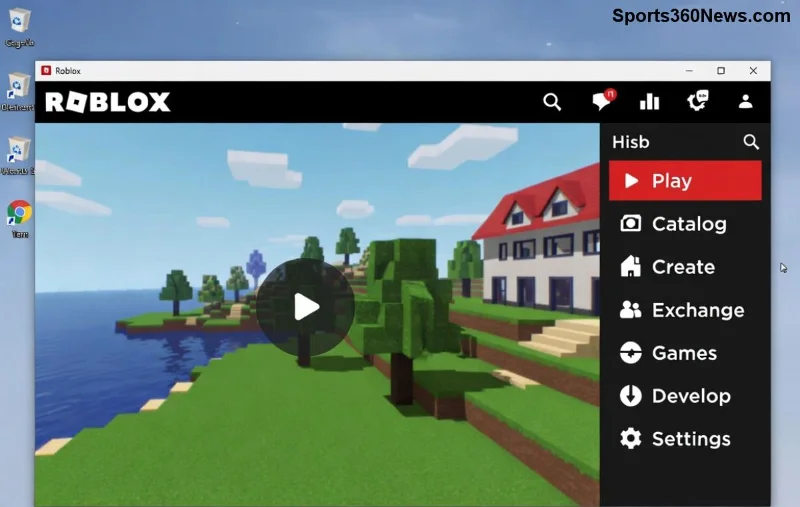
First things first—get to your profile hub. Open Roblox on your browser, app, or desktop client:
- Click your avatar icon in the top-right corner.
- Select "Profile" from the dropdown. Boom—your canvas awaits!
Pro tip: Ensure you're logged in with a strong internet connection. Roblox's latest updates make profile editing seamless across devices. If you're on mobile, tap the three lines menu for quick access. Feeling pumped? Let's customize! 👍
2️⃣ Step 2: Master Roblox Avatar Customization – Your Profile's Star
Your avatar is the heart of your Roblox profile page. It's the first thing visitors see, so make it pop!
- From your profile, hit "Edit Avatar" or use the dedicated Avatar Editor (roblox.com/customize/avatar).
- Body Types & Scales: Choose from R15/Rthro bodies. Scale height, width, and proportions for a unique look.
- Clothing & Accessories: Browse Catalog for free/paid items. Layer shirts, pants, hats, faces, and gear. Mix UGC (User-Generated Content) for trendy vibes.
- Animations & Emotes: Add idle dances or victory poses via the Animations tab.
- Preview on your profile—save and watch it shine!
Want limiteds? Check the Limiteds section in Avatar Editor. Fun fact: Dynamic heads and layered clothing from recent updates let you glow like a pro. Experiment—your perfect avatar is clicks away! 😎
3️⃣ Step 3: Craft a Killer Roblox Bio and Display Name
A blank bio? Rookie mistake. Your bio tells your story in 200 characters max.
- On profile, click "Edit Profile" or the pencil icon next to your name.
- Display Name: Premium players can change this (up to 20 chars, once every 7 days). Pick something memorable like "EpicGamerPro42".
- Bio: Add humor, game prefs, or shoutouts. Example: "Conqueror of Adopt Me & Arsenal | Trading UGC | DM for collabs! 🔥"
- Include emojis sparingly for flair: 🎮👑.
Current Roblox rules keep bios clean—no links or spam. Test it live on your profile preview. Readers love bios that spark curiosity—what's yours saying? Keep reading for showcase secrets! 🚀
![Roblox profile editing interface with bio and avatar options]()
4️⃣ Step 4: Showcase Your Inventory – Curate Like a Curator
Don't let your epic items gather dust. Roblox lets you pin favorites to your profile page for instant flex.
| Section |
How to Customize |
Pro Tip |
| Clothing |
Go to Inventory > Clothing > Pin 6 favorites. |
Rotate seasonal outfits for fresh looks. |
| Accessories |
Inventory > Accessories > Equip & showcase top 12. |
Mix rare hats with UGC for contrast. |
| Badges & Favorites |
Edit profile > Add recent games/badges. |
Highlight rare achievements to impress. |
Recent Roblox tweaks allow more slots for Premium users. Visit your profile's "Showcase" tab—drag, drop, done! This turns browsers into friends. Next up: Advanced flair! 🌟
5️⃣ Step 5: Unlock Advanced Features – Themes, Groups & More
Level up with these hidden gems:
- Groups & Friends: Join/create groups and pin them. Public friends list builds community.
- Profile Themes: Roblox's latest (via settings) offers dark/light modes. Premium? Custom backgrounds coming soon—stay tuned!
- Stats & Place Visits: Auto-updates, but link fave games in bio.
- Mobile tweaks: Use the app's full editor for on-the-go changes.
For official deets, check Roblox Support. Pro gamers layer groups for that influencer vibe. You're almost pro-level—last tips incoming!
🔥 Pro Tips to Make Your Roblox Profile Page Unforgettable
- Consistency Wins: Match avatar colors to bio theme.
- Trends Rule: Follow Roblox DevForum for UGC drops.
- Test on Alt: Create a test account to preview.
- Engage Viewers: Add "Favorite this profile!" in bio.
- Avoid clutter—quality over quantity for max impact.
![Customized Roblox profile showcasing inventory and groups]()
Ready to Flex? Your Epic Profile Awaits! 🎉
Customization complete—your Roblox profile page now radiates awesomeness. Friends will flock, trades will pour in, and you'll own the server chats. Dive back into Roblox, apply these steps, and share your before/after in comments. What's your dream avatar? Hit play and conquer! 👊 For more guides, explore our Roblox hub. Game on!