๐Ÿš€ Ultimate Guide: How to Change Your PlayStation Online ID (Gamertag) in Minutes!

Ever felt like your old PlayStation Online ID (aka gamertag) just doesn't vibe with your current gaming style? ๐Ÿ˜Ž Whether you're rebranding for a fresh start or fixing a typo, changing it is simpler than you think. This guide walks you through every step, packed with pro tips to keep your trophies, friends, and progress intact. Ready to level up your identity? Let's dive in!

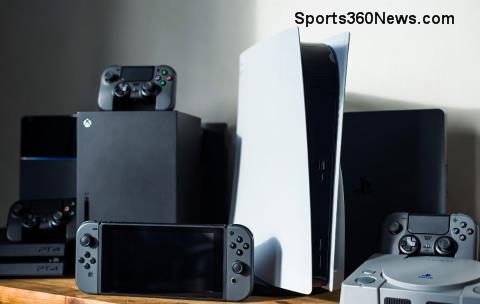
PlayStation console with Online ID screen

What is a PlayStation Online ID and Why Change It?

Your PlayStation Online ID is the unique username that shows up in games, friend lists, and leaderboards on PS4, PS5, and PlayStation Network (PSN). It's not just a nameโ€”it's your gaming persona! Common reasons to swap it:

  • ๐ŸŒŸ Outgrown your teenage handle.
  • โšก Want to match your Twitch or Discord tag.
  • โŒ Typo or regret from signup day.

Good news: Sony makes it reversible and safe for most accounts. But heads upโ€”some older games might glitch post-change. We'll cover fixes later. ๐Ÿ‘‡

Can You Change Your PlayStation Online ID? Eligibility Check

โœ… Yes! Any PSN account over 30 days old qualifies. Child accounts? Parents must approve via family management. Pro tip: Back up your data firstโ€”better safe than sorry! ๐Ÿš€

How Much Does It Cost to Change PlayStation Online ID?

Sony keeps it gamer-friendly. Here's the breakdown:

First Change Subsequent Changes Revert to Previous ID
Free ๐ŸŽ‰ $9.99 USD (or local equivalent) ๐Ÿ’ฐ Free within limits
Prices may vary by regionโ€”check your account.

You can revert for free if issues pop up. For official details, visit PlayStation Support.

Step-by-Step: How to Change Your PlayStation Online ID on PS5 or PS4 Console

The easiest way? Right from your console. Follow these numbered stepsโ€”no downloads needed! โฑ๏ธ Takes under 5 minutes.

  1. 1๏ธโƒฃ Power on your PS5 or PS4 and log into your account.
  2. 2๏ธโƒฃ Hit the PS button > Settings (gear icon) > Account Management > Account Information > Profile > Online ID.
  3. 3๏ธโƒฃ Select Change Online ID. Enter your new gamertag (3-16 characters, letters/numbers/symbols).
  4. 4๏ธโƒฃ Check availabilityโ€”green means good! ๐Ÿ”
  5. 5๏ธโƒฃ Review warnings (e.g., game compatibility). Confirm with your password.
  6. 6๏ธโƒฃ Boom! Restart your console if prompted. Your new PlayStation Online ID is live! ๐ŸŽฎ
Step-by-step PlayStation Online ID change interface

Pro Tip: Test your new ID in a multiplayer lobby right away. Friends will see it instantly. ๐Ÿ‘ฅ

How to Change PlayStation Online ID via Web Browser or PS App

No console nearby? No problem!

Web Method:

  1. 1๏ธโƒฃ Go to account.sony.com and sign in.
  2. 2๏ธโƒฃ Click Profile > Edit next to Online ID.
  3. 3๏ธโƒฃ Follow the same entry and confirmation steps as console.

PS App (iOS/Android):

  1. 1๏ธโƒฃ Open app > Tap profile icon > Edit Profile > Online ID.
  2. 2๏ธโƒฃ Update and sync to your console next login.

Perfect for on-the-go changes. ๐Ÿ“ฑ

What Happens After You Change Your PlayStation Online ID?

Your friends get notified, trophies stay put, and purchases are safe. But watch for:

  • ๐ŸŸก Some PS3/Vita games or apps may lose cloud saves (rare).
  • ๐Ÿ”ด Multiplayer glitches in older titlesโ€”revert if needed.

Sony tests thousands of games; check their compatibility list for peace of mind.

Troubleshooting: Fixing PlayStation Online ID Change Issues

Stuck? Common fixes:

Issue Solution
ID unavailable โŒ Tweak spelling or add numbers/symbols.
Console won't update ๐Ÿ”„ Restart PSN sign-out/in.
Game errors post-change โš ๏ธ Revert ID for free or patch game.

If all else fails, contact PlayStation Supportโ€”they're gamers too! ๐Ÿ†˜

Frequently Asked Questions (FAQs)

Q: Does changing my PlayStation Online ID affect trophies?
A: Nope! All progress stays linked to your account. โญ

Q: Can I change it back anytime?
A: Yes, first revert is free. Subsequent ones may cost.

Q: What if my new gamertag offends someone?
A: Sony reviews for violationsโ€”keep it clean! ๐Ÿ˜‡

Ready to Rock Your New Gamertag? ๐ŸŽ‰

Congratsโ€”you're now a pro at how to change your PlayStation Online ID! Drop your new ID in the comments and share your story. What game will you dominate first? Keep gaming strong, and check back for more guides. Game on! ๐Ÿ‘Š


Leave a Comment

Fix PlayStation Controller Drift: Ultimate Calibration Guide for Epic Gaming Wins! ๐ŸŽฎ

Fix PlayStation Controller Drift: Ultimate Calibration Guide for Epic Gaming Wins! ๐ŸŽฎ

Tired of PlayStation controller drift ruining your games? Discover proven steps to calibrate your PlayStation controller and eliminate stick drift on DualSense or DualShock 4 for buttery-smooth control.

๐Ÿš€ Forgot Xbox Password? Reset Your Xbox Live Account Password in Minutes - 2026 Guide

๐Ÿš€ Forgot Xbox Password? Reset Your Xbox Live Account Password in Minutes - 2026 Guide

Forgot your Xbox Live password? Discover the fastest ways to reset your Xbox Live account password securely. Step-by-step guide for console, app, and web โ€“ get back to gaming hassle-free!

PS4 Network Error Codes Fixed Fast: Ultimate Troubleshooting Guide for Gamers! ๐Ÿš€

PS4 Network Error Codes Fixed Fast: Ultimate Troubleshooting Guide for Gamers! ๐Ÿš€

Tired of PS4 network errors ruining your gaming sessions? Master troubleshooting network error codes on PlayStation 4 with proven fixes for WS-37368-7, NW-31297-2, and more. Get back online in minutes!

Fix Bluetooth Nightmares on PC: Ultimate Gamers Troubleshooting Guide ๐ŸŽฎ

Fix Bluetooth Nightmares on PC: Ultimate Gamers Troubleshooting Guide ๐ŸŽฎ

Tired of Bluetooth connection issues on PC ruining your gaming sessions? Discover proven, step-by-step fixes for headsets, controllers, and more. Get back to gaming hassle-free!

๐Ÿš€ Fix Payment Method Refused on PlayStation Store: Proven Solutions That Work Instantly!

๐Ÿš€ Fix Payment Method Refused on PlayStation Store: Proven Solutions That Work Instantly!

Struggling with Payment Method Refused in the PlayStation Store? Discover step-by-step fixes, common causes, and expert tips to get back to gaming without hassle. Updated with the latest 2026 solutions.

Does Vertical PC Placement Wreck Your Gaming Rigs Cooling? The Ultimate Truth for Gamers

Does Vertical PC Placement Wreck Your Gaming Rigs Cooling? The Ultimate Truth for Gamers

Uncover if vertical placement causes ventilation problems in gaming PCs. Expert tests, tips, and solutions to keep your rig cool during intense sessions. Optimize airflow now!

๐Ÿš€ Ultimate Guide: How to Stream Xbox Gameplay Directly to Discord Like a Pro

๐Ÿš€ Ultimate Guide: How to Stream Xbox Gameplay Directly to Discord Like a Pro

Master how to stream Xbox gameplay directly to Discord with this step-by-step guide. Share epic wins, squad up seamlessly, and level up your streaming game today!

๐Ÿ”ฅ Ultimate Best Charging Docks & Cables for PS5 Controller: Power Up Your DualSense Like a Pro!

๐Ÿ”ฅ Ultimate Best Charging Docks & Cables for PS5 Controller: Power Up Your DualSense Like a Pro!

Discover the absolute best charging docks and cables for your PS5 controller. Top-rated DualSense charging stations, fast USB-C cables, expert reviews, and buying guide to keep you gaming non-stop. Stay powered!

๐Ÿ”ฅ Best Router Settings for Lag-Free PlayStation Portal Play: Unlock Ultra-Smooth Remote Gaming!

๐Ÿ”ฅ Best Router Settings for Lag-Free PlayStation Portal Play: Unlock Ultra-Smooth Remote Gaming!

Master the best router settings for lag-free PlayStation Portal play. Eliminate stuttering, input lag, and dropped frames with proven WiFi optimizations, QoS tweaks, and expert tips for seamless PS5 remote gaming.

Xbox Game Pass Core vs Ultimate: Pricing Showdown โ€“ Which Saves You More in 2026?

Xbox Game Pass Core vs Ultimate: Pricing Showdown โ€“ Which Saves You More in 2026?

Dive into the ultimate Xbox Game Pass Core vs Ultimate pricing comparison. Discover monthly and annual costs, features, and which plan delivers the best value for gamers craving multiplayer thrills and day-one releases. Save smart today!