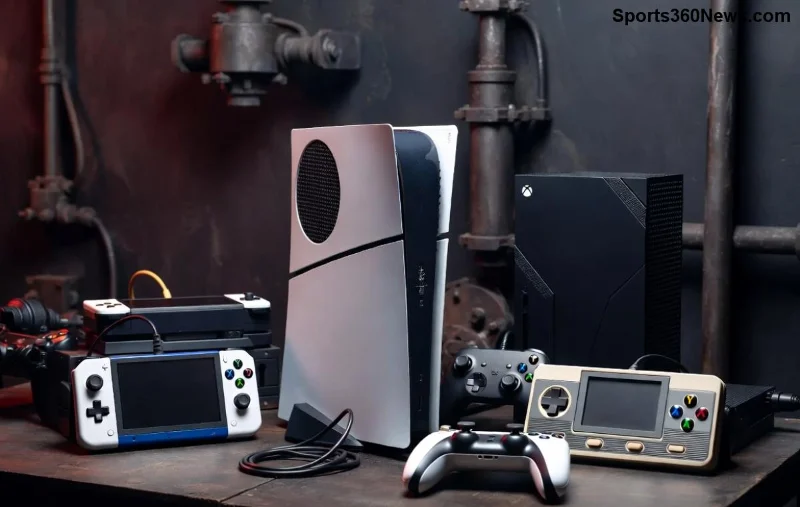
Nothing kills the gaming vibe like Xbox screen glitches—flickering displays, frozen images, or sudden blackouts mid-battle. 😩 Don't worry, gamer! A simple hard reset Xbox often clears these issues by refreshing your console's hardware and software. This power cycle forces a full reboot, resolving temporary glitches without losing your data. Ready to reclaim your screen? Let's dive in with proven steps that work on the latest Xbox models.
What Causes Xbox Screen Glitches and Why Hard Reset Works
Xbox screen glitches can stem from overheating, corrupted cache, HDMI handshake problems, or software hiccups. A hard reset Xbox (also called a power cycle) cuts power completely, clears RAM, and resets connections—fixing 80% of display issues instantly. ⭐ It's safer than a factory reset and keeps your games, saves, and settings intact.
| Reset Type |
Description |
Best For |
Data Loss? |
| Soft Reset |
Controller menu restart |
Minor freezes |
No |
| Hard Reset 👆 |
Full power cycle |
Screen glitches, crashes |
No |
| Factory Reset |
Wipes everything |
Last resort |
Yes |
Step-by-Step: How to Hard Reset Xbox Series X|S for Screen Glitches
Follow these exact steps for your Xbox Series X or S. It takes under 2 minutes! Power off first if possible.
- 1️⃣ Unplug Everything: Turn off your Xbox. Disconnect the power cord from the wall and console. Unplug HDMI, controllers, and external drives. Wait 30 seconds—this drains residual power. 💡
- 2️⃣ Reconnect Power: Plug the power cord back in (leave HDMI out for now). Press the Xbox button on the console to turn it on. Wait for the startup chime.
- 3️⃣ Controller Hard Reset: Hold the Xbox button on your controller for 10 seconds to sync if needed. Eject the side tray (Series S) or hold the eject + power button combo for 10 seconds.
- 4️⃣ Reattach HDMI: Plug in HDMI securely. Power cycle your TV too for good measure. Boot up—glitches gone? 🎉
- 5️⃣ Test Display: Launch a game. If Xbox screen glitches persist, repeat once more.
Pro Tip: For stubborn Xbox screen glitches, hold the power button on the console for 10 seconds during step 3 to force shutdown. Microsoft confirms this as the official power cycle method.
![Step-by-step hard reset on Xbox Series X console]()
How to Hard Reset Xbox One to Fix Display Problems
Xbox One users, your process is similar but tailored. These steps banish black screens and artifacts fast.
- 1️⃣ Full Unplug: Switch off via controller (hold Xbox button > Turn off). Unplug power from back and wall. Remove HDMI. Wait 1 minute. 🔌
- 2️⃣ Power Up Solo: Reconnect power only. Press power button—listen for fans spinning.
- 3️⃣ Bind & Eject: Hold the bind button (near USB) + plug controller via USB. Eject disc tray while powering on for extra reset.
- 4️⃣ HDMI Dance: Connect HDMI to a different port on your TV. Cycle TV input.
- 5️⃣ Verify: Run a graphics test in settings > Display & Sound. Smooth sailing? 👍
"A hard reset resolves most temporary hardware issues like screen glitches without data loss." – Official Xbox troubleshooting.
Troubleshooting Xbox Screen Glitches After Hard Reset
If glitches linger, level up your fix:
- 👉 Clear Cache: Hard reset multiple times or go to Settings > Devices > Blu-ray > Persistent Storage > Clear.
- ⭐ Update Firmware: Connect to internet post-reset. Check for system updates in Settings.
- 🎮 HDMI/4K Check: Use certified HDMI 2.1 cable. Disable Auto HDR if on older TVs.
- ❌ Avoid Overheating: Ensure vents are dust-free; elevate console.
| Glitch Type |
Quick Fix |
| Flickering |
HDMI reseat + hard reset |
| Black Screen |
Power cycle TV + console |
| Color Distortion |
Reset display settings |
![Xbox gaming setup after successful hard reset fix]()
Factory Reset: Last Resort for Persistent Xbox Screen Glitches
Still glitching? Factory reset erases everything but fixes deep issues. Backup saves to cloud first!
- Settings > System > Console Info > Reset Console.
- Choose "Reset and keep my games & apps."
- Or full wipe for total refresh.
Reference: Xbox Factory Reset Guide.
Prevent Future Xbox Screen Glitches – Pro Gamer Tips
- 🔧 Regular hard resets monthly keep things fresh.
- 📡 Stable internet for updates.
- 🧹 Clean vents weekly.
- ⚡ Use surge protector.
Your Xbox is battle-ready again! This hard reset Xbox method has saved countless sessions. Drop a clap if it worked 👏, or comment your glitch story below. Game on! 🚀