Home
» 🎮 Esports
»
Why the Avenger Beats the MOC in GTA Online: 4 Key Advantages
Why the Avenger Beats the MOC in GTA Online: 4 Key Advantages
Why the Avenger Beats the MOC in GTA Online: 4 Key Advantages
For players weighing the Avenger vs. MOC in GTA Online, the Avenger wins when you want a mobile base that can cross the map by air, bring upgraded defenses, and launch its own mission set. The Mobile Operations Center still has practical strengths, especially its modular trailer, weapon workshop, and Gunrunning missions. The better purchase depends on what you do most: the Avenger is the more capable all-around platform, while the MOC remains a useful bunker support vehicle.
A stylized scene of an Avenger-style aircraft taking off over the city, illustrating the advantage of vertical lift and air travel.
GTA Online Avenger vs. MOC: quick comparison
Category
Mammoth Avenger
Mobile Operations Center
Movement
Aircraft with VTOL mode; can reach destinations without following roads
Truck and trailer driven through the road network
Requirements and storage
Can be purchased without a Facility; can be stored in an owned Hangar
Requires a Bunker; purchased and customized through Warstock
Mission access
Optional Operations Terminal launches Project Overthrow and LSA Operations
Mobile Operations app launches eight Gunrunning-era missions
Workshop
Optional vehicle and weapon workshop upgrades
Modular trailer can be configured with workshop, storage, living quarters, or command center bays
Best fit
Fast travel, aerial utility, and newer Avenger missions
Ground-based Gunrunning support, weapon upgrades, and MOC trade-price missions
Both vehicles have changed since their launch. Rockstar later expanded workshop compatibility so that most personal vehicles that fit can be modified in either the Avenger workshop or MOC workshop. That means the Avenger’s strongest case is mobility and mission utility—not a blanket claim that it can modify cars the MOC cannot.
1. The Avenger’s VTOL mobility saves time across the map
The biggest difference is simple: the Avenger flies. Its vertical takeoff and landing mode lets it lift from suitable open ground, then travel directly over traffic, hills, and other road obstacles. The MOC must be driven along the road network and maneuvered as a truck-and-trailer combination. If you regularly move between a Hangar, Bunker, businesses, and mission locations, the Avenger makes that travel feel much less restrictive.
That freedom is useful for repositioning between jobs or reaching a broad area quickly. It is not a guarantee of safety: aircraft can still be targeted, and an Avenger needs room to land or hover safely. Think of VTOL as a flexible way to get into position, not an invulnerability switch.
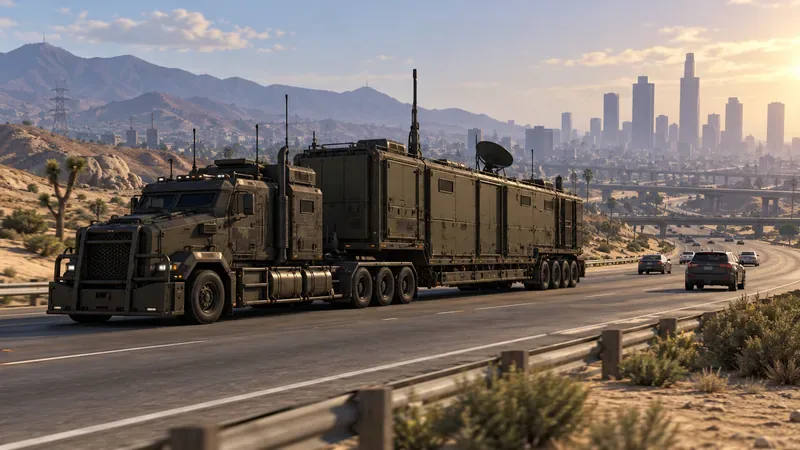
The MOC’s truck-and-trailer setup provides a mobile base on the ground, but it must follow roads to reach a destination.
2. Avenger upgrades add distinct aerial defenses
With an owned Hangar and Hangar Workshop, Rockstar lists Avenger upgrades including pilot-operated machine guns, pilot-operated missiles, Stealth Module Autopilot Defense, and Missile Lock-On Jammer Autopilot Defense. These options give the Avenger utility for players who want to travel and defend from the air. They are separate purchases, so include the workshop and upgrade costs when planning the build.
The MOC has a different kind of combat utility. Its Command Center module provides a remote turret, while its vehicle and weapon workshop modules support ground-based operations. The MOC can be a sensible choice for a crew that prefers staying on the roads or needs its trailer functions. But if you want one vehicle that combines aircraft movement with optional offensive and defensive systems, the Avenger has the stronger toolkit.
3. The Operations Terminal gives the Avenger more to do
The optional Avenger Operations Terminal is more than a control panel. Rockstar’s San Andreas Mercenaries update notes say it provides access to six Project Overthrow story missions and three LSA Operations in Freemode. These missions add a reason to use the aircraft beyond simply transporting yourself around the map.
The MOC has its own mission path. Its Mobile Operations app opens eight missions, and Rockstar’s launch notes explain that players unlock access by completing required Bunker Resupply Missions. Completing a Mobile Operation also unlocks the featured weaponized vehicle at a reduced trade price. That makes the MOC particularly worthwhile if you are progressing Gunrunning unlocks or want the rewards tied to those missions.
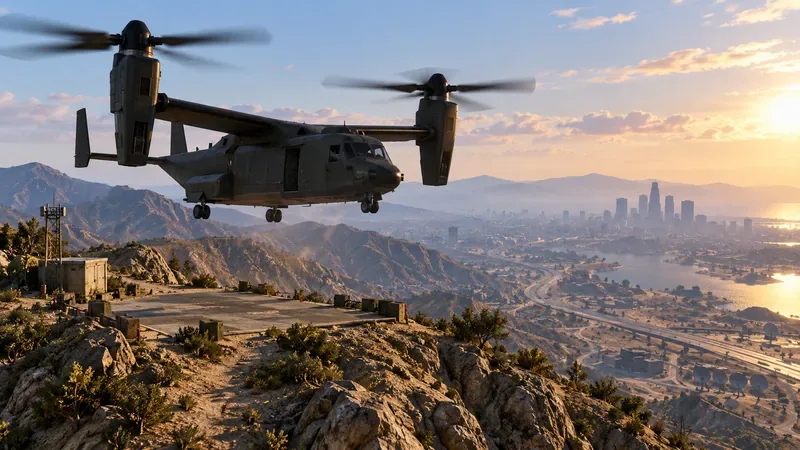
A stylized Avenger-style aircraft hovering over a remote landing area shows how VTOL can bypass a long road route.
4. The Avenger wins as a flexible base, not as a universal workshop
The old comparison often overstates the Avenger’s workshop advantage. Rockstar’s later compatibility update says most personal vehicles that fit can be modified inside both the Avenger and MOC workshops. Choose based on where you want to keep your mobile base and which upgrades you will actually use. The MOC’s trailer is configurable: its three bays can be arranged for choices such as a weapon workshop, a vehicle-and-weapon workshop, personal vehicle storage, living quarters, or a Command Center. The Avenger’s workshop and its aircraft-specific upgrades make it the more versatile platform in motion, but the MOC offers a useful modular ground setup.
One important correction: an Avenger workshop does not unlock Imani Tech. Rockstar describes the Remote Control Unit and Missile Lock-On Jammer upgrades as features available through an Agency Vehicle Workshop for compatible vehicles. If Imani Tech is your goal, budget for an Agency rather than buying an Avenger on that assumption.
What does the Avenger cost compared with the MOC?
There is no useful single total that applies to every player. The final spend depends on the current in-game Warstock price, active discounts, workshop installations, and which properties you already own. Rockstar’s current access notes make the requirements easy to distinguish: the Avenger no longer requires a Facility and can be stored in an owned Hangar; the listed Avenger weapon and defense upgrades require an owned Hangar with a Workshop. The MOC requires a Bunker and has additional choices for its truck cab, trailer bays, and interior.
Before purchasing, open Warstock Cache & Carry in the game and compare the current price plus the modules or upgrades you plan to use. Do not count on a MOC trade-in or an old sale price unless the game shows it in your account. Keeping an MOC you already own can also be better value than replacing it if its workshop and Gunrunning missions cover your needs.
Which one should you buy in GTA Online?
Choose the Avenger if you want VTOL travel, Hangar storage, optional aerial defenses, and access to Project Overthrow and LSA Operations. It is the stronger all-around mobile base for players who will use those features.
Choose or keep the MOC if you already own a Bunker, want its configurable trailer and workshop modules, or are working toward Gunrunning trade prices through Mobile Operations.
Own both if you have the budget and use them for different jobs: the Avenger for air mobility and its mission terminal, the MOC for its road-based workshop and Gunrunning progression.
The Avenger beats the MOC in GTA Online when mobility and its newer aerial toolkit matter most. The MOC is not obsolete, though: it remains a focused, modular support vehicle with its own unlocks. Compare the current in-game setup costs, then buy the platform that supports the activities you actually play.