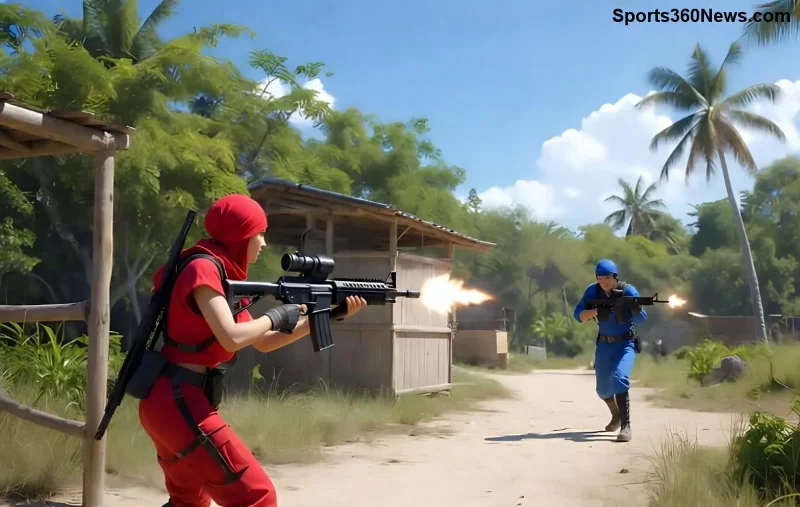
Imagine landing the killing blow, then hitting your enemy with a cheeky Free Fire emote that leaves them fuming in the lobby. 😏 Taunting with emotes adds thrill to victories, but doing it wrong can turn you into target practice. This guide reveals how to use Free Fire emotes to taunt enemies safely, blending fun, strategy, and survival. Stick around for pro tips that keep you alive while crushing spirits!
What Are Free Fire Emotes and Why Taunt?
Free Fire emotes are animated gestures like dances, waves, or mocks that express emotions in-game. Unlocked via events, diamonds, or battle passes, they inject personality into Garena Free Fire. Taunting boosts morale, demoralizes foes, and even psychs out squads—but only if done safely.
Why risk it? A well-timed taunt signals dominance, tilting enemies into mistakes. Pro players swear by it for mental edges. Ready to level up? Let's dive into the best ones.
Top Free Fire Emotes for Safe Taunting
Choose emotes that are quick and non-committal. Here's a curated list:
| Emote Name |
Unlock Method |
Taunt Power ⭐ |
Safety Rating |
| Throne Sit |
Battle Pass Elite |
⭐⭐⭐⭐⭐ |
High (Quick exit) |
| Copilot |
Free Event Reward |
⭐⭐⭐⭐ |
Medium (Fun mock) |
| Wall Ride |
Diamond Shop |
⭐⭐⭐ |
High (Mobile-friendly) |
| Dab |
Starter Pack |
⭐⭐⭐⭐ |
Low (Longer anim.) |
| Headshot |
Ranked Rewards |
⭐⭐⭐⭐⭐ |
High (Ironic flex) |
Pro Tip: Prioritize short-duration emotes like Throne Sit for maximum impact with minimal exposure. Collect them via latest events for free!
How to Use Free Fire Emotes to Taunt Enemies Safely: Step-by-Step Guide
Follow these numbered steps for flawless execution. Safety first—taunt smart, not reckless!
- ✅ Secure Your Spot: Only emote after confirming no threats. Use cover like bushes, walls, or high ground. Scan 360° with radar.
- 🎯 Time It Perfectly: Taunt post-kill when enemies are looting or respawning far. Avoid mid-fight—it's suicide.
- 📱 Quick Equip: Bind emotes to hotkeys (Settings > Controls > Custom HUD). Tap to activate, then sprint away instantly.
- 👥 Squad Sync: Signal teammates via voice: "Cover me, taunting!" They watch flanks while you flex.
- 🚀 Escape Plan: Pre-plan routes. Emote near vehicles or ziplines for rapid getaway.
Practice in Training Island to nail the flow. Your first safe taunt? Pure adrenaline! 🔥
![Strategic Free Fire emote taunt from safe cover during intense battle]()
Timing and Positioning: Keys to Safe Taunting
Positioning trumps everything. Here's how:
- High Ground Advantage: Emote from roofs—enemies below can't hit easily. 👍
- Zone Edge Taunts: Near safe zone borders, foes hesitate to chase.
- Post-Clutch Moments: After wiping a squad, taunt from afar. They rage-quit more often!
- Avoid Open Fields: No emotes in flats—bullet magnets.
Advanced: Use smokes for cover taunts. Drop grenade, emote, vanish. Enemies think twice next round.
Advanced Strategies to Outsmart with Free Fire Emotes
Go pro-level:
1. Bait and Taunt: Peek, fake death, emote on "corpse." Revive bait crushes squads.
2. Duo/Trio Flex: Sync emotes with squad for meme-worthy roasts. "GG" wave in unison? Unbeatable tilt.
3. Emote Grenades: Throw cooker, emote during panic. Double demoralize!
Watch top streamers on official channels for live demos. Link: Garena Free Fire Official.
Common Mistakes to Avoid When Taunting
Don't let ego kill you. 🚫
- Emoting Too Long: Dab lasts forever—pick snappy ones.
- Ignoring Audio Cues: Footsteps mid-emote = death. Headphones on!
- Taunting Pros: Save for noobs; veterans counter hard.
- Forgetting Loot: Taunt quick, grab bags, bounce.
Avoid these, and your KD skyrockets. Players report 20% more wins post-taunt mastery!
Level Up Your Game: Final Thoughts
Mastering how to use Free Fire emotes to taunt enemies safely transforms you from grinder to legend. It's not just flexing—it's psychological warfare. Experiment in solos, refine in squads, and watch lobbies fear your name. What's your go-to emote? Drop it below and share the salt! 👇
Ready for more? Check squad emote guides next. Stay frosty, Fire Fans! 🎮✨