Home
» 🎮 Esports
»
Fix Minecraft Server Resource Pack Errors: Multiplayer Guide
Fix Minecraft Server Resource Pack Errors: Multiplayer Guide
Fix Minecraft Server Resource Pack Errors
If a resource pack fails while you join a Minecraft server, start with the server's pack prompt, check that your Java Edition profile matches the server's requirements, and then refresh the downloaded-pack cache. If several players see the same failure, the server owner should verify the pack URL and file hash. These checks usually identify whether the problem is on the client or server side without reinstalling Minecraft.
This guide covers Minecraft Java Edition server resource packs. The phrase “resource pack server error” describes several possible download or apply failures; it is not one universal Minecraft error code. Bedrock Edition uses different pack settings and storage, so do not use Java file paths or server.properties instructions for Bedrock.
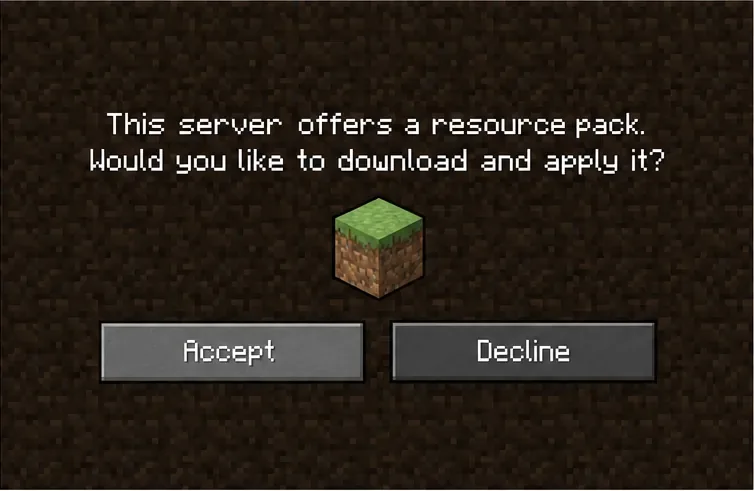
Accept the prompt when you want the server’s pack applied. If you previously declined it, check the server’s pack preference before reconnecting.
What the Minecraft server resource-pack error can mean
A server can offer a pack when a player joins so the client can load the server’s textures, sounds, models, or interface assets. The failure may happen before the download, while the client applies the files, or after the pack loads but displays assets incorrectly. Those symptoms point to different causes, so note the exact message and whether other players are affected.
What you see
First thing to check
No prompt, or the pack is skipped
Check the server’s resource-pack setting and whether the server entry is set to allow or prompt for packs.
Download stalls or fails
Check the client connection and ask whether the pack’s download URL is reachable and returns the actual ZIP file.
The pack downloads but textures or sounds look wrong
Ask the server owner to confirm the intended pack, supported game version, and archive contents.
Only one modded setup has the problem
Compare that client’s game version, mod loader, and required mods with the server’s instructions.
Several players fail at the same point
Ask the server owner to inspect the pack URL, current ZIP, hash, and server or plugin configuration.
This is a troubleshooting guide, not a guarantee that every symptom has the same cause. A slow connection can interrupt a download, while an incorrect server file can affect everyone.
Step-by-step fixes for Minecraft multiplayer pack issues
1. Allow and accept the server pack
In Java Edition, check the server’s entry in the Multiplayer list and open its edit options. If your version shows a Server Resource Packs preference, choose a setting that permits the pack, such as Prompt or Enabled; Disabled prevents it from being applied. Rejoin and accept the download prompt if you want to use the pack. When a server requires its pack, declining it can disconnect you by design, so repeatedly declining will not fix a download problem.
If there is no prompt, ask the server administrator whether a pack is configured and required. A client-side preference cannot repair a missing or inaccessible server file.
2. Match the server’s game version and mod setup
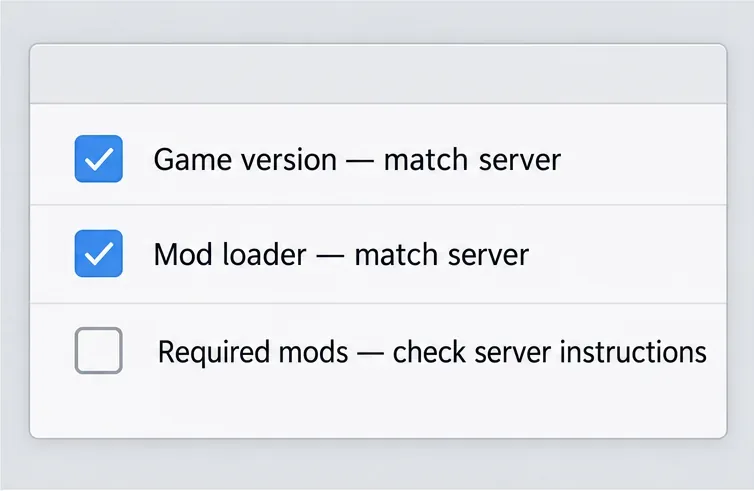
Use the Java Edition release the server supports. For a modded server, follow its instructions for the mod loader and required modpack; do not assume that a newer release, snapshot, or unrelated mod profile will work. For a vanilla server, try a clean vanilla profile with no extra client mods or shaders. If that profile works, re-enable client additions one at a time or ask the modpack maintainer for a compatible setup.
Compare the client’s game version and mod loader with the server’s instructions before testing again.
A clean-profile test helps separate client-specific issues from server-wide ones. It does not prove a particular mod is defective: the server may also be sending an incompatible or outdated pack.
3. Refresh the downloaded server-pack cache
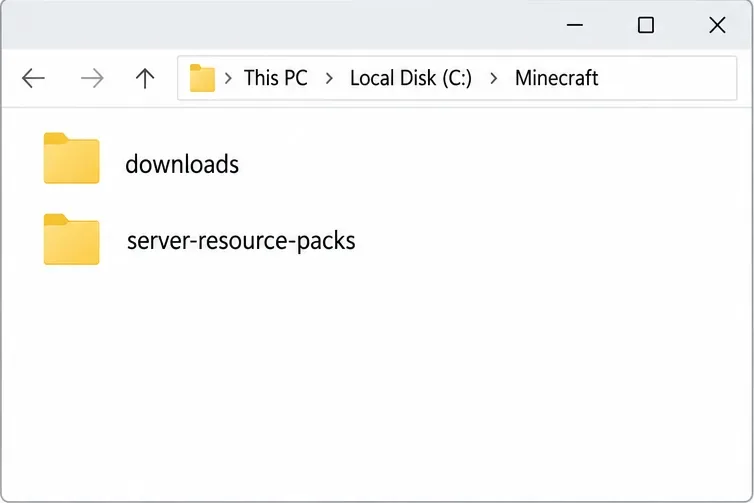
Close Minecraft, then open the game directory used by the installation you are troubleshooting. Custom launcher profiles can use a different directory from the default .minecraft folder. Mojang changed Java Edition’s downloaded-pack storage in version 1.20.3: newer versions use a downloads directory, while older instructions may refer to server-resource-packs. Mojang also notes that the newer directory can contain log.json for download debugging.
If you need to force a fresh download, rename the relevant downloaded-pack folder (for example, to downloads-backup) rather than deleting your whole game directory. Reopen Minecraft and join again. The client can rebuild its downloaded pack data when it receives a pack. Do not remove your regular resourcepacks folder or saved worlds for this check; those are separate from the server-download cache. If the same failure returns, the cache was not the underlying server-side cause.
Java Edition’s downloaded-pack folder depends on the game version: newer releases use downloads; older releases used server-resource-packs.
4. Have the server owner verify the pack URL and hash
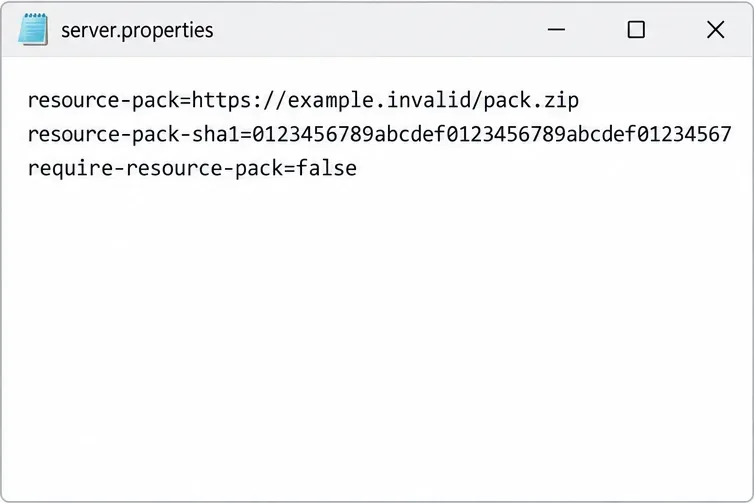
If multiple players are affected, the server owner should check the Java server’s pack configuration. The resource-pack value should point to a stable direct download of the intended ZIP, not a preview page or a link that requires a sign-in. The optional resource-pack-sha1 value should match the exact ZIP currently served; regenerate it whenever the file changes. A stale hash or a host that returns different file contents can make clients reuse or receive the wrong pack.
The require-resource-pack setting controls whether accepting the pack is mandatory. Set it according to the server’s design; switching it off can help diagnose a nonessential pack, but it changes what players receive and is not a repair for a broken URL. If the server uses a plugin or proxy to send packs, inspect that tool’s configuration too instead of changing unrelated client mods.
Illustrative configuration only: example.invalid and the displayed SHA-1 are placeholders. Replace them with the server’s real ZIP URL and digest.
For a Java server, the official setup guide links administrators to the Minecraft Wiki server.properties reference. Mojang’s Java Edition 1.20.3 notes document the change from server-resource-packs to downloads and the related download log. Follow the server host’s instructions if it manages these settings through a control panel.
When to contact the server administrator
Contact the admin when the pack URL fails, multiple players are affected, the game disconnects only after a required-pack prompt, or the downloaded pack applies with missing assets. Include your Minecraft Java version, mod loader or modpack name, the exact on-screen message, and whether another player can join. If you share a client log, the default location is .minecraft/logs/latest.log; use the matching game directory for a custom installation and share only the relevant excerpt. Remove account tokens or other private details before posting logs publicly.
For server owners, compare the ZIP served by the host with the file used to calculate its hash, then confirm the pack URL is publicly reachable from a player’s network. The Mojang release notes explain that server packs are downloaded and cached by the client, so changing only a local player’s manual resource-pack folder will not correct a bad server URL or server configuration.