
Toxic Teammates Ruining Your LoL Games? Master These Proven Strategies to Handle Them and Climb Ranks

Every League of Legends player has faced it: that one teammate flaming in chat, blaming everyone for their mistakes, or intentionally feeding. Toxicity can turn a promising game into a nightmare, draining your focus and tilting your performance. But here's the good news— you don't have to let it control you. This guide equips you with practical, battle-tested methods to handle toxic teammates in League of Legends, helping you stay calm, report effectively, and climb the ranks. Ready to transform frustration into focus? Let's dive in. 😊

League of Legends player muting toxic chat

1️⃣ Spot the Signs: Recognize Toxic Teammates Early

Before you react, identify toxicity fast. Common red flags include:

  • Constant flaming: "You suck," "FF at 15," or personal attacks.
  • Blame-shifting: Ignoring their deaths while roasting yours.
  • Inting or griefing: Running it down mid or stealing camps to troll.
  • Passive-aggression: Question marks spamming or silent treatment that escalates.

✅ Pro tip: Early recognition prevents tilt. Riot's latest behavioral systems flag these patterns automatically, but your awareness keeps you ahead.

Quick Reference Table: Types of Toxicity and First Responses

Toxicity Type Examples Immediate Action
Flaming "Noob ADC," spam pings Mute all chat
Inting/Griefing Running into enemy fountain /mute [name], report post-game
Blame Game "Jungle diff," constant whining Ignore + focus macro
AFK Threats "I'm AFK if we don't FF" Screenshot + report

2️⃣ Your First Weapon: The Mute Button – Silence the Noise

The fastest way to handle toxic teammates in League of Legends is hitting mute. Here's why it's a game-changer:

  1. Instant relief: No more chat distractions. Your pings stay on, vision calls persist—pure focus.
  2. Updated mute tools: Right-click player icon → Mute All, or type /mute all. Newer clients let you mute pings too for total peace.
  3. Mental edge: Studies from gaming psych experts show muting reduces cortisol spikes, keeping you sharp for outplays.

⭐ Remember: Muting isn't ignoring the game—it's reclaiming control. Pros like Faker mute early and still dominate Worlds.

3️⃣ Stay Mentally Unbreakable: Mindset Hacks Against Tilt

League of Legends team overcoming toxicity

Toxicity hits hardest when it tilts you. Build resilience with these steps:

  • Reframe the game: View toxic players as "free wins"—they're handing objectives to you by throwing.
  • Breathing technique: 4-7-8 breath (inhale 4s, hold 7s, exhale 8s) during laning phase downtime.
  • Focus on controllables: Your CS, vision score, and mechanics. Track them via client stats to stay grounded.
  • Pre-game ritual: Queue with a positive mindset—watch a hype montage or affirm: "I control my games."

These aren't fluff; they're backed by Riot's player wellness initiatives and esports coaches. Turn toxicity into fuel for your League of Legends grind. 💪

4️⃣ Report Smart: Let Riot Handle the Bans

Muting is temporary—reporting is permanent. Do it right:

  1. In-game report: Post-death screen → Report → Select offenses (e.g., "Negative attitude," "Intentionally throwing").
  2. Client honors/reports: End screen for detailed feedback. Honor positive teammates to balance.
  3. Evidence matters: Screenshot chat logs or use replay tools for griefing proof.

Riot's Vanguard anti-cheat and behavioral AI (latest iterations) ban waves hit thousands weekly. For severe cases, check Riot's support page for updates. Your reports contribute to cleaner queues.

5️⃣ Long-Term Wins: Build a Toxicity-Proof Playstyle

To truly master handling toxic teammates, level up your game:

  • Play with duo/trio: Trusted voices drown out randos. Use LFG Discord for vibes-checked queues.
  • Smurf detection off: Dodge low-Elo toxicity by climbing steadily.
  • Review VODs: Analyze your games ignoring chat—spot where toxicity distracted you.
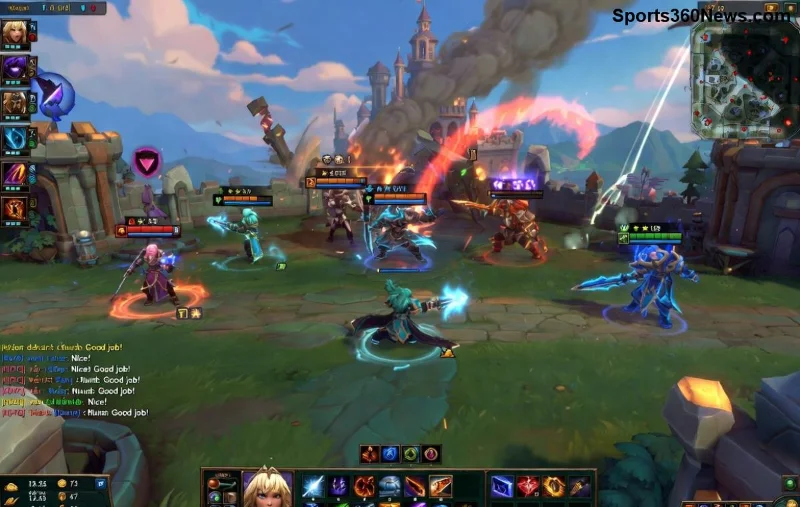
  • Community shift: Positive pings and "gj" messages spread good vibes, per Riot's positivity campaigns.
League of Legends positive team play

Bonus: Track your win rate pre/post these habits. Players report 10-15% MMR gains from toxicity-proofing alone.

Final Summon: Reclaim Your Rift Dominance

Toxic teammates in League of Legends are inevitable, but your response defines your climb. Mute fast, report accurately, mindset strong—watch games turn around. Next queue, implement one tip: start with mute. You'll feel the difference. What's your go-to anti-tox strategy? Drop it in comments below—we're building a positive community together. GLHF! 🎮✨


Leave a Comment

Ultimate Guide: What to Do After Resetting Your Xbox One Console (Step-by-Step)

Ultimate Guide: What to Do After Resetting Your Xbox One Console (Step-by-Step)

Discover exactly what to do after resetting your Xbox One console. Follow our step-by-step guide to quickly restore games, accounts, updates, and settings for seamless gaming. Essential tips for Xbox One users!

Master Your Xbox Series X Download Queue: Prioritize, Pause & Speed Up Like a Pro 🎮

Master Your Xbox Series X Download Queue: Prioritize, Pause & Speed Up Like a Pro 🎮

Discover expert tips for managing your download queue on Xbox Series X. Learn to prioritize games, pause downloads, optimize speeds, and avoid common pitfalls for seamless gaming. Boost your setup now!

🚨 Discord Service Unavailable on PlayStation FIXED: Get Back to Gaming in Minutes! 🎮

🚨 Discord Service Unavailable on PlayStation FIXED: Get Back to Gaming in Minutes! 🎮

Tired of Discord Service Unavailable ruining your PlayStation sessions? Discover proven fixes for Discord on PlayStation errors, from quick restarts to advanced troubleshooting. Stay connected and dominate!

Is PlayStation Stars Free? Unlock Epic Rewards Without Spending a Dime!

Is PlayStation Stars Free? Unlock Epic Rewards Without Spending a Dime!

Wondering if PlayStation Stars is free? Dive into this ultimate guide to confirm it's 100% free, learn how to join, earn points, and score amazing rewards on PS5 and PS4. Start collecting today!

🚀 Fix Black Screen After PlayStation Update: Proven PS5 & PS4 Solutions That Work!

🚀 Fix Black Screen After PlayStation Update: Proven PS5 & PS4 Solutions That Work!

Black screen after PlayStation update? Get instant fixes for PS5 & PS4 black screen issues. Step-by-step guide to restore your gaming setup fast—no tech skills needed!

PS5 Black Screen of Death? Fix It FAST – Ultimate Guide to Restore Your Gaming Sessions!

PS5 Black Screen of Death? Fix It FAST – Ultimate Guide to Restore Your Gaming Sessions!

Tackle the PlayStation 5 Black Screen of Death with proven, step-by-step fixes. From HDMI checks to safe mode reboots, get your PS5 back online and gaming in no time. Essential troubleshooting for every gamer.

🚀 Xbox Display Black Screen? Boot into Low Resolution Mode Fix in Seconds!

🚀 Xbox Display Black Screen? Boot into Low Resolution Mode Fix in Seconds!

Struggling with Xbox display issues? Learn exactly how to boot Xbox into low resolution mode to fix black screens, no signal, and resolution glitches. Step-by-step guide for Series X/S and One. Get back to gaming fast!

Fix E101 Error Fast: Ultimate Steps to Restore Your Console & Get Back to Gaming! 🚀

Fix E101 Error Fast: Ultimate Steps to Restore Your Console & Get Back to Gaming! 🚀

Stuck with an E101 error on your console? Follow these proven steps to restore your console after an E101 error. Quick fixes, safe mode recovery, and pro tips to resume gaming hassle-free. Works for latest firmware!

PlayStation Portal vs Remote Play App: Latency Showdown – Which Delivers Zero-Lag Gaming? ⚡🎮

PlayStation Portal vs Remote Play App: Latency Showdown – Which Delivers Zero-Lag Gaming? ⚡🎮

Uncover the ultimate latency comparison between PlayStation Portal and Remote Play App. See real-world tests, factors affecting performance, and which wins for seamless PS5 remote gaming. Low-latency tips included!

Stop Remote Play Disconnects on Android: Ultimate Fixes for Non-Stop Gaming Bliss!

Stop Remote Play Disconnects on Android: Ultimate Fixes for Non-Stop Gaming Bliss!

Tired of Remote Play disconnection issues on Android ruining your sessions? Get proven, up-to-date fixes to banish lag, drops, and crashes for smooth PS5/PS4 streaming on your phone.



