How to Fix PUBG Stuck on “Initializing” on Steam

Fix PUBG stuck on Initializing on Steam with a focused checklist for PC service notices, launch options, game files, downloads, and connection issues.
A successful League of Legends jungle invade is a calculated move into the enemy’s half of Summoner’s Rift to steal a camp, place useful vision, confirm the opposing jungler’s route, or force a favorable fight. The best invade is often brief: enter with information and nearby lane support, take one clear reward, then leave before the map closes around you. If your lanes cannot move first or you do not know where the enemy team is, continue your own route instead.
This guide focuses on standard Summoner’s Rift. Riot’s Patch 26.20 notes were published October 6, 2026. The year began with an updated opening schedule, so older advice built around the previous camp timings can mislead you. Check the latest patch notes when balance or map systems change.
Invading is not automatically valuable because you entered enemy territory. Decide on one main objective before crossing the river:
Choose one of these outcomes. Chasing a low-health opponent deep into fog after the camp is gone turns a controlled counter-jungling play into a coin flip.
Lane priority means your nearby laner can leave the wave and arrive first without giving up too much. Check the actual wave, not just which champion you think wins the matchup. A pushed-in ally may be unable to help even if they are ahead. Also watch missing enemies: a mid laner who leaves first can turn your planned 1v1 into a numbers disadvantage.
Before you cross the river, ask:
If two or more answers are uncertain, use a safer route: ward an entrance, take your own camp, or wait for the enemy to show on the map. A strong jungle invade strategy includes knowing when not to invade.
Riot’s Patch 26.1 changed the opening schedule on Summoner’s Rift. Minions spawn at 0:30; Murk Wolves, Blue Sentinel, Red Brambleback, and Raptors spawn at 0:55; Gromp and Krugs spawn at 1:07; and river Scuttlers spawn at 2:55. These are spawn times, not a promise that a camp will be safe or that an opponent will reach it at a fixed minute. Clear speed, leash choices, champion, and path all change the real window.
Because the opening is faster, decide on a level-one plan in the loading screen or as the match begins. If you group, move together and set a clear retreat route. Do not linger at an entrance waiting for a fight after the enemy has gathered. For later invades, use observed camp clears and lane waves to estimate the opponent’s next route instead of copying an old 2:50 or 3:00 script.
Patch 26.20 also adjusted Kindred, including a higher W monster modifier and longer E slow. Riot described those changes as not intended to make Kindred much more overwhelming in early invades, a useful reminder that one patch note does not create a universal champion tier list. Review the official Patch 26.20 notes before treating any pick or matchup as settled.
There is no champion that can invade every opponent safely. Look for a kit you understand, with a way to contest a short fight or leave if it turns. These examples describe useful patterns, not a ranking or guaranteed patch advantage:
| Invade profile | Examples | Best use | Main caution |
|---|---|---|---|
| Early skirmisher with mobility | Lee Sin, Nidalee | Scout, pressure a camp, and disengage when the matchup allows | Missing a key ability or entering without lane support can remove the escape plan |
| Ranged duelist | Graves, Kindred | Contest space around a camp when you know the enemy’s approach | Range does not help if the opponent’s lanes arrive first |
| Reliable engage or crowd control | Jarvan IV, Xin Zhao | Turn a spotted enemy into a coordinated short fight | Starting a fight without nearby allies can leave you stranded |
These are starting points for reviewing your own matchups. Check the live client’s champion balance and recommended runes for the current patch; avoid copying a fixed rune page or win-rate percentage from an undated guide.
Place vision where it answers a specific question: Is the enemy jungler approaching? Is the camp still alive? Can a lane rotate through the river? A ward at an entrance can give you the information to abandon the play early. If you can only place one ward, prioritize seeing the route that could trap you rather than warding a spot simply because it is popular.
Track the minimap while you clear. If the enemy mid or support disappears, stop hitting the camp and reassess. Do not assume an enemy ward has been cleared just because you entered unseen; an opponent may have seen you arrive or may already be moving to collapse. Sweep or contest vision only when you can safely complete the action and still leave.
In 2026, Riot introduced Faelights as part of its vision changes. Their extra reveal depends on placing a ward at a Faelight location, and Riot said the system was designed to support plays without making invades overwhelmingly strong. Treat that extra information as a tool, not permission to cross into a losing fight. See Riot’s Patch 26.1 notes for the official description of the season’s vision and jungle changes.
This sequence keeps invade timing tied to the actual game instead of a memorized timer. It also gives your team a clear call: which side you are entering, what you want, and when you are backing out.
When the opposing jungler enters your territory, ping the location early and tell nearby lanes what is happening. Do not walk alone into fog to defend a camp at any cost. If allies cannot arrive first, trade across the map: take the opposite-side camp, secure a safe objective, or cover a lane. Protect likely entrances with vision on a later reset and adjust your path so the enemy cannot repeat the same play uncontested.
After the game, review the first invade from both teams’ perspectives. Note what information was available, whether your lanes could move, what you gained, and whether you escaped in time. If the plan only works when the opponent makes a mistake, refine the setup before repeating it in ranked.
Fix PUBG stuck on Initializing on Steam with a focused checklist for PC service notices, launch options, game files, downloads, and connection issues.
Fix Brawl Stars stuck at 92% loading with an ordered checklist for service notices, network tests, safe updates, Android cache, and account-safe reinstalling.
Best Dead by Daylight visual filter settings start with a small Gamma lift, neutral color and contrast, and a quick check for dark corners, fog, and bright lights.
Find the Steam and EA app fields for Apex Legends launch options, use EA’s documented FPS command, and see why +exec autoexec.cfg remains unverified.
Reduce input lag on a Nintendo Switch dock for Smash Ultimate with TV Game Mode, a direct HDMI test, controller checks, and online-latency troubleshooting.
Find the best EA SPORTS FC audio settings for a clearer referee whistle: tune Stadium Ambience and Commentary, then troubleshoot output or timing issues.
Compare the best Attack Move Click keybinds in League of Legends—A, Shift + right-click, mouse side buttons, and left-click—with setup and kiting tips.
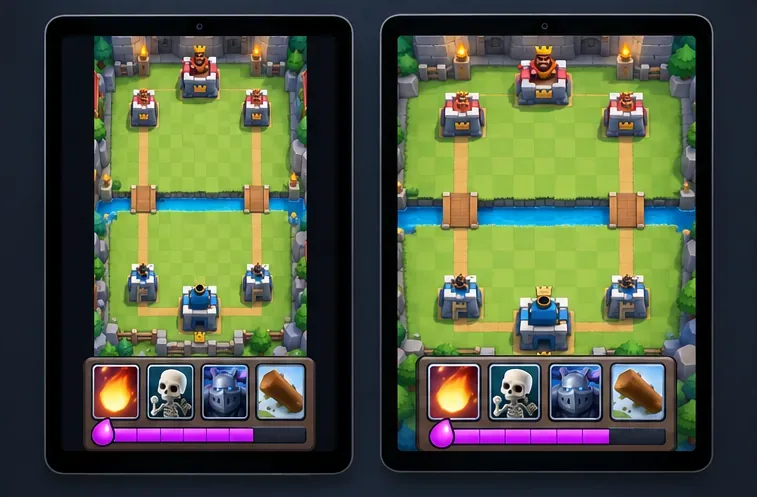
Find the best tablet aspect ratio setup for Clash Royale, compare Android display-fit choices, and check iPad full-screen framing without cropping the arena.
Fix Warzone Dev Error 6068 on startup with safe PC checks for updates, overlays, graphics drivers, game-file repair, and clean boot troubleshooting.
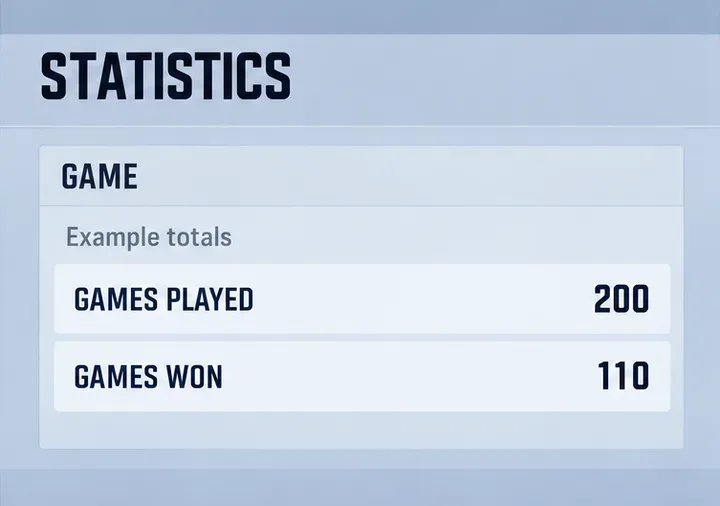
Check your Overwatch 2 overall match win rate with Career Stats, matching game totals, and the right filters—without mistaking hero percentages for match results.