How to Check Real-Time Server Latency in the PUBG HUD

Enable PUBG’s network statistics HUD to monitor ping and packet loss in a match. See where to find it, what the numbers mean, and what they cannot diagnose.
Singing Minecraft Error 422 is best understood as a fan-made horror idea: videos, stories, edits, or unofficial game projects that imagine a corrupted Minecraft build accompanied by unsettling music or a voice. It is not a documented feature of vanilla Minecraft, and there is no verified official “Error 422” version that sings to players. If you came looking for the creepy tunes, you can explore the fiction through videos and clearly labeled fan works without treating a mystery download as a real Mojang release.
The distinction matters because the existing story often mixes real game sounds with invented lore. The fear comes from how convincingly creators can place a strange voice or distorted melody inside Minecraft’s quiet, familiar world—not from a confirmed hidden event inside the official game.

Minecraft Error 422 is an internet horror concept associated with a supposedly lost or corrupted version of the game. Different videos and fan recreations can tell the story differently, so there is no single authoritative canon, soundtrack, or set of lyrics. The “singing” element is an especially eerie variation: creators may add a processed voice, altered music, sound effects, or editing to make a normal blocky world feel haunted.
That means names such as “Cave Whisper” or “Nether Doom,” and quoted lines attributed to them, should not be presented as official Minecraft tracks unless a specific creator’s work is identified. The earlier claims of a fixed four-song set, lyrics that trigger in particular biomes, or a voice that knows a player’s username are not substantiated as vanilla game behavior. Treat those details as story devices or creator-specific fiction.
No official Minecraft release or feature has been verified under the name “Error 422.” The number has a separate technical meaning in HTTP: the IETF standard defines status 422 as “Unprocessable Content,” a response used by a server when it understands a request’s content type and syntax but cannot process its instructions. That web-protocol status does not establish a hidden Minecraft build, haunted update, or music bug.
Mojang’s official notes identify Java and Bedrock 1.21 as the Tricky Trials update, with trial chambers and other named gameplay additions. The notes do not identify a cursed Error 422 build or singing entity. A fan video can use “1.21-inspired” visuals, but that label describes the creator’s presentation; it does not confirm compatibility or endorsement by Mojang.
Minecraft’s sound design already leaves room for imagination. Official Minecraft coverage describes how ambient music can emerge gradually during exploration and how sound helps give environments their identity. A soft melody arriving while a player is alone underground can feel emotionally different from the same notes in a bright base. A fan edit can heighten that effect with silence, low volume, reverb, reversed fragments, or a sudden cut.
There is also a useful contrast at work: recognizable blocks and familiar ambient sounds suggest safety, while a voice or music cue that seems out of place suggests that something has changed. The player fills in what the game does not show. That is why a restrained “wrong-sounding” tune can linger longer than a loud jump scare.
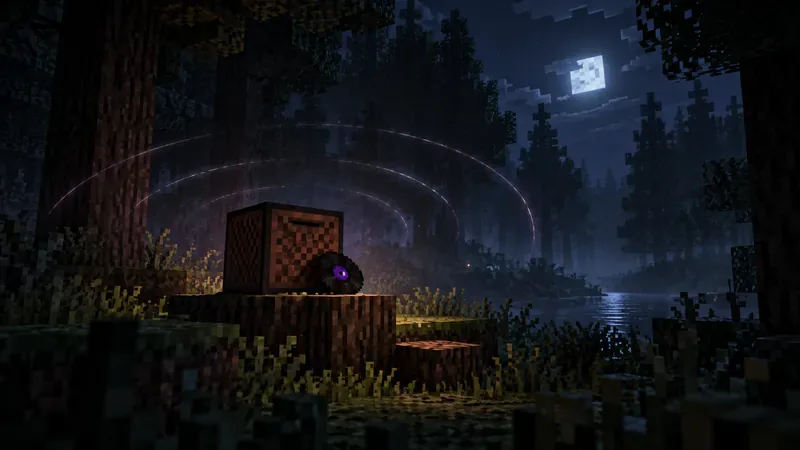
Vanilla Minecraft has ambient soundtrack music and in-game music discs. Mojang’s own music coverage discusses the work of composers including C418 and Lena Raine, and its music-disc feature explains that discs can be played with a jukebox. Those are real parts of the game. A fan-made “singing Error 422” track, however, should be credited to the video, mod, map, or creator that published it—not folded into the official soundtrack.
For a reliable way to check a claim, compare it with the official release notes for the specific edition and version, then look for a credited creator source for any horror audio. If a clip provides no source for its song, lyrics, or alleged “patch,” describe it as unverified rather than repeating it as game lore.
You do not need to install an unknown file to understand the Singing Minecraft Error 422 creepypasta. Start with a video hosted on a platform you trust, and check who made it and whether it is presented as fiction. If you decide to try a fan map, mod, or resource pack, use a source with a clear creator page and version information. Avoid executable files, password-protected archives, shortened links, or “secret official launcher” claims that lack a verifiable publisher.
There is no verified vanilla Minecraft feature that makes an Error 422 voice sing during normal play. The singing is part of fan-made horror content, a mod, a map, a video edit, or another creator’s presentation.
No official lyric set has been established. Lyrics quoted online may belong to individual fan videos or stories. Attribute them to the creator when known, and do not imply that they are Mojang-written dialogue.
That depends on the specific project. There is no universal Error 422 package, and a Java mod will not automatically work on Bedrock. Check the creator’s own version notes and source before installing anything.
The mystery works best when it is labeled honestly: Singing Minecraft Error 422 is a creepy fan-fiction premise built around Minecraft’s familiar silence and soundscape, not a confirmed haunted update. Enjoy the music as part of the story, credit the creators where possible, and keep downloads separate from the worlds and accounts you care about.
Enable PUBG’s network statistics HUD to monitor ping and packet loss in a match. See where to find it, what the numbers mean, and what they cannot diagnose.
Learn how to import VALORANT crosshair codes, compare presets with manual settings and spectator copy, and fix common import issues.
Choose Dota 2 minimap size, hero icons, team colors, and background settings by readability, fewer misclicks, and clear results on your own display.
Fix Fortnite texture pop-in on PC with official steps for GPU drivers, file verification, DirectX 12, high-resolution textures, VRAM, SSDs, and stutter.
Learn what Heroes of the Storm minimap size and position options are verified, improve readability, and choose camera-click controls that suit you.
Set Super Smash Bros. Ultimate Quickplay to prefer hazards-off stages. Follow the Preferred Rules menu steps and learn why matchmaking may not always honor them.
Enable Server Latency and Packet Loss in Warzone to monitor connection quality, read the overlay, and use recurring spikes to guide troubleshooting.
Learn how to carry from mid lane in League of Legends by setting up waves, choosing safe roam windows, reading side lanes, and converting pressure into objectives.
Fix Minecraft Evoker spell problems with a safe vanilla test, version checks, log review, and a step-by-step way to isolate mod or datapack conflicts.
Fix PUBG stuck on Initializing on Steam with a focused checklist for PC service notices, launch options, game files, downloads, and connection issues.








