How to Check Real-Time Server Latency in the PUBG HUD

Enable PUBG’s network statistics HUD to monitor ping and packet loss in a match. See where to find it, what the numbers mean, and what they cannot diagnose.
League of Legends graphics stuttering on NVIDIA cards is usually best approached as a frame-pacing problem, not as a reason to turn every NVIDIA setting to maximum. Start by testing a stable FPS cap and lighter in-game graphics, update the NVIDIA driver, confirm that League is using the intended GPU, and temporarily disable overlays. If the hitching remains, isolate fullscreen behavior and background processes before attempting a driver cleanup.
A game can report a high average frame rate while still feeling jerky. A short pause when units appear, during combat effects, or when switching windows can be caused by uneven frame delivery. Likely causes include driver problems, CPU or GPU contention, frame caps that fluctuate around the display refresh rate, power-saving behavior, thermal limits, and conflicting overlays. None of those causes can be confirmed from the GPU brand alone.
First separate FPS stutter from network lag: if the entire image or animation freezes briefly, investigate rendering and system load. If characters teleport while animation remains smooth, investigate latency or packet loss instead. Riot's frame-rate troubleshooting guidance recommends checking requirements, drivers, background processes, and graphics quality rather than promising a single universal fix.
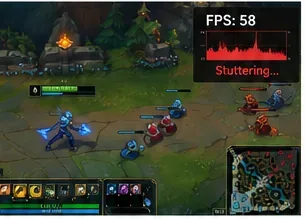
Change one variable at a time. A change that raises peak FPS but adds uneven frame delivery is not necessarily an improvement.
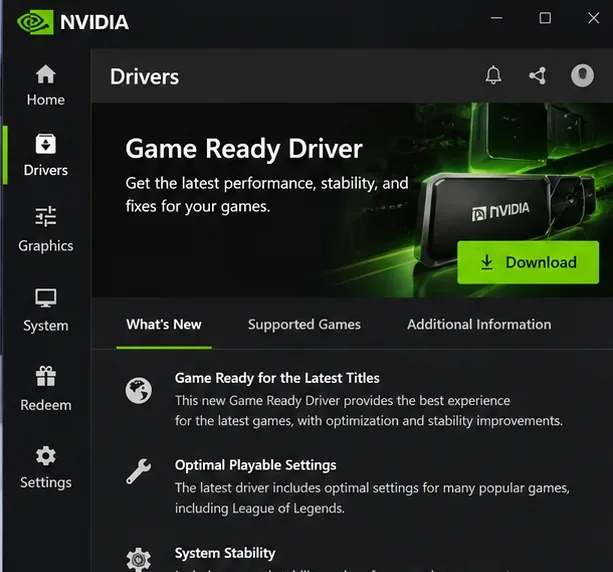
Use the official NVIDIA app or NVIDIA driver download page to obtain a compatible GeForce driver. In NVIDIA app, open Drivers, check for a Game Ready driver, and install it using the options available for your system. Restart Windows before testing League again.
Then check Windows Update for supported system updates. Riot identifies driver and operating-system updates as important basic troubleshooting steps. If the problem began immediately after a specific driver upgrade, record both versions and compare a known-compatible earlier release instead of assuming the newest driver must perform better on every configuration. Download drivers only from NVIDIA or the computer manufacturer's official support page.
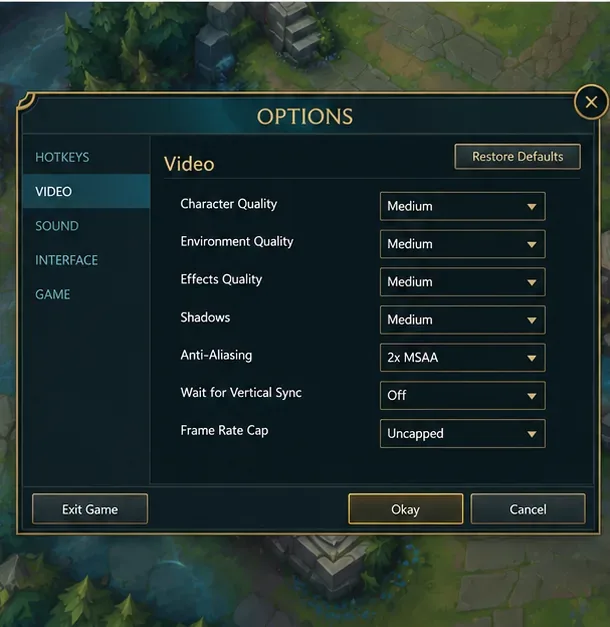
While in a game, press Esc > Video. Riot's graphics optimization instructions, updated October 7, 2026, identify Character Quality, Environment Quality, Effects Quality, Shadows, Anti-Aliasing, Wait for Vertical Sync, and Frame Rate Cap as the first controls to test.
| Option | Baseline for troubleshooting | What to check |
|---|---|---|
| Character / Environment / Effects Quality | Low or Very Low | If spikes disappear, raise each setting individually. |
| Shadows | Off or lowest available | Compare movement and fight-heavy scenes. |
| Anti-Aliasing | Off initially | Re-enable only after consistent frame pacing returns. |
| Frame Rate Cap | Try 60 FPS as a baseline, then a cap your PC can sustain | Prioritize consistent FPS over a headline peak. |
| Wait for Vertical Sync | Compare On and Off | Off may reduce latency but may introduce tearing. |
| Display Mode | Compare Full Screen with current mode | See whether stutters are linked to window compositing or Alt-Tab. |
For example, with a 144 Hz monitor, 144 FPS is not automatically the best cap if the machine repeatedly drops far below it. A stable lower limit can feel smoother. Conversely, uncapped FPS may waste power and aggravate inconsistent frame pacing. Neither recommendation guarantees a result on every CPU and GPU.
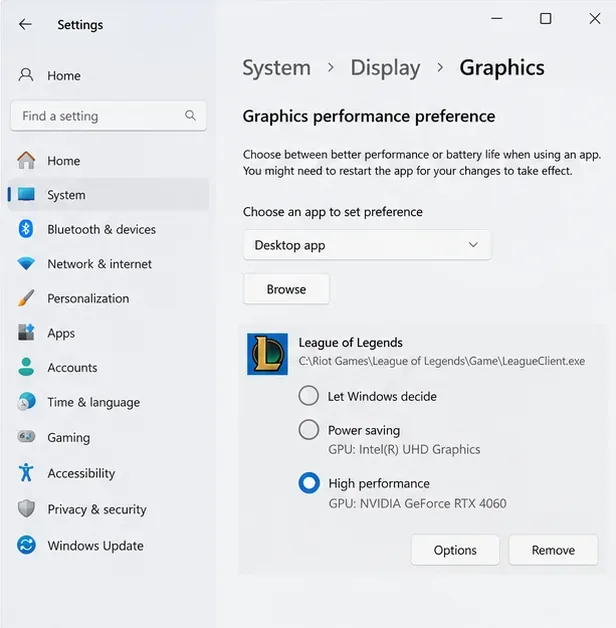
On laptops with both integrated graphics and an NVIDIA GPU, check the game executable rather than only the Riot launcher. In Windows 11, open Settings > System > Display > Graphics, add or select the actual game executable if necessary, open Options, and choose High performance when it lists the NVIDIA GPU. Restart the game. The common default game path is C:\Riot Games\League of Legends\Game\League of Legends.exe, but use your actual installation path.
On desktops, also confirm that the monitor cable is connected to the intended graphics card rather than the motherboard's video output. In Settings > System > Display > Advanced display, check the selected monitor's refresh rate. Microsoft documents both per-app GPU preferences and advanced display refresh-rate selection.
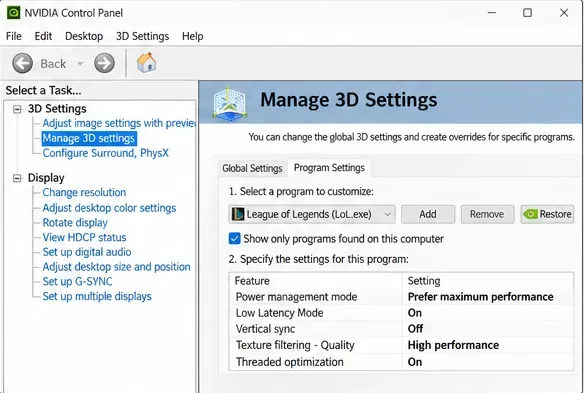
Open NVIDIA Control Panel > Manage 3D settings > Program Settings, select or add League of Legends.exe, and confirm the per-game profile is being edited rather than Global Settings. NVIDIA documents these settings in its Control Panel reference.
Apply changes, close the game, reopen it, and repeat the same Custom Game test. You can restore the original program profile if frame pacing gets worse.
Temporarily turn off the NVIDIA in-game overlay in NVIDIA app, as well as the Discord overlay, Xbox recording features, Overwolf, or other monitoring/capture overlays you use. Close video streams and resource-heavy background software during the comparison. Riot's overlay troubleshooting page specifically identifies overlays as potential compatibility and performance problems.
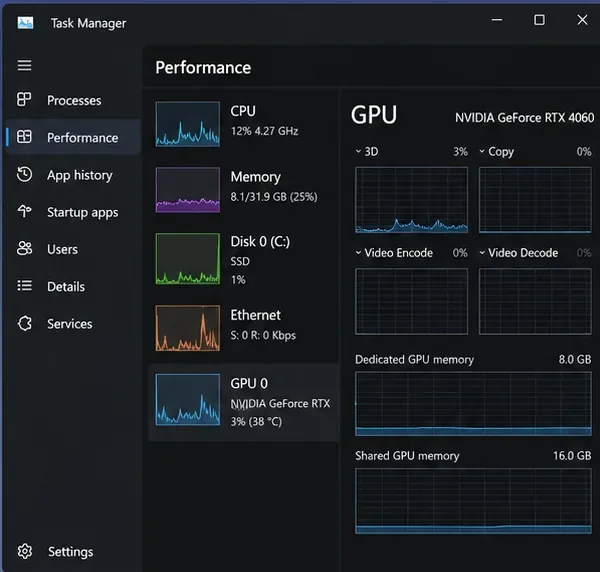
Use Task Manager to see whether another process is regularly consuming CPU, GPU, or memory while League is open. Avoid disabling Windows security tools or Riot Vanguard just to gain FPS; doing so can create security or launch problems. If stopping background processes fixes the stutter, re-enable applications individually to identify the culprit.
If the problem mainly appears when entering a match or switching windows, test Full Screen versus Borderless/Windowed behavior where available. On Windows 11, the Optimizations for windowed games option can affect compatible DirectX 10/11 windowed applications; Microsoft allows it to be disabled per game, so test rather than assume it is always harmful.
Riot also has a League-specific fullscreen optimization workaround: locate League of Legends.exe, open Properties > Compatibility, check Disable fullscreen optimizations, and relaunch. Only keep that compatibility change if it measurably helps; patching can sometimes require rechecking it.
Finally, verify basic hardware conditions. Run a laptop on its manufacturer-approved power adapter, ensure air vents are clear, and check for thermal throttling or very high CPU usage during extended play. NVIDIA's Prefer maximum performance setting cannot compensate for inadequate cooling or a heavily loaded CPU.
Do not jump straight to third-party driver-cleaning utilities, registry modifications, BIOS overclocks, or Resizable BAR changes. The original advice that these reliably cure League stuttering is unsupported. A Display Driver Uninstaller (DDU) cleanup is a last-resort diagnostic for suspected leftover or corrupted driver files, not routine maintenance.
Riot's DDU instructions, updated October 14, 2026, tell users to download the appropriate new driver in advance, obtain DDU from its official publisher, keep a BitLocker recovery key available if relevant, disconnect from the internet, boot Safe Mode, select GPU > NVIDIA > Clean and restart, install the downloaded driver, restart, and reconnect. Follow those steps only if a clean install is warranted and you are comfortable with Windows recovery procedures.
| Symptom | Most useful next check |
|---|---|
| FPS dips in teamfights | Lower Effects and Shadows; watch CPU load and temperatures. |
| Stutters only on a gaming laptop | Verify Windows GPU preference, power adapter, and thermal limits. |
| Stutters started after a driver update | Compare versions; consider a supported rollback or clean reinstall when justified. |
| Hitches during Alt-Tab or borderless play | Compare display mode and Windows windowed/fullscreen optimizations. |
| Movement jumps but FPS stays stable | Check network connection and packet loss rather than GPU controls. |
If your PC meets League's current Windows requirements but stutters persist across repeatable tests, collect the game version, Windows build, GPU and driver version, whether the issue began after a patch, and which changes helped or failed. Riot notes that DirectX 11 feature level 11_0 is required as of patch 25.21; a system that only meets minimum requirements may still struggle with demanding scenes.
Use Riot's Riot Repair Tool to package logs and attach the resulting ZIP to a support ticket. This is a better final step than stacking unverified tweaks until you no longer know what changed.
Bottom line: To reduce LoL graphics stuttering on NVIDIA GPUs, first establish a repeatable test, apply a sensible FPS cap and lower-demanding Video settings, update the driver, check GPU selection, and isolate overlays. Keep a change only when the same test shows more consistent motion—not merely a larger FPS number.
Enable PUBG’s network statistics HUD to monitor ping and packet loss in a match. See where to find it, what the numbers mean, and what they cannot diagnose.
Learn how to import VALORANT crosshair codes, compare presets with manual settings and spectator copy, and fix common import issues.
Choose Dota 2 minimap size, hero icons, team colors, and background settings by readability, fewer misclicks, and clear results on your own display.
Fix Fortnite texture pop-in on PC with official steps for GPU drivers, file verification, DirectX 12, high-resolution textures, VRAM, SSDs, and stutter.
Learn what Heroes of the Storm minimap size and position options are verified, improve readability, and choose camera-click controls that suit you.
Set Super Smash Bros. Ultimate Quickplay to prefer hazards-off stages. Follow the Preferred Rules menu steps and learn why matchmaking may not always honor them.
Enable Server Latency and Packet Loss in Warzone to monitor connection quality, read the overlay, and use recurring spikes to guide troubleshooting.
Learn how to carry from mid lane in League of Legends by setting up waves, choosing safe roam windows, reading side lanes, and converting pressure into objectives.
Fix Minecraft Evoker spell problems with a safe vanilla test, version checks, log review, and a step-by-step way to isolate mod or datapack conflicts.
Fix PUBG stuck on Initializing on Steam with a focused checklist for PC service notices, launch options, game files, downloads, and connection issues.








