How to Check Real-Time Server Latency in the PUBG HUD

Enable PUBG’s network statistics HUD to monitor ping and packet loss in a match. See where to find it, what the numbers mean, and what they cannot diagnose.
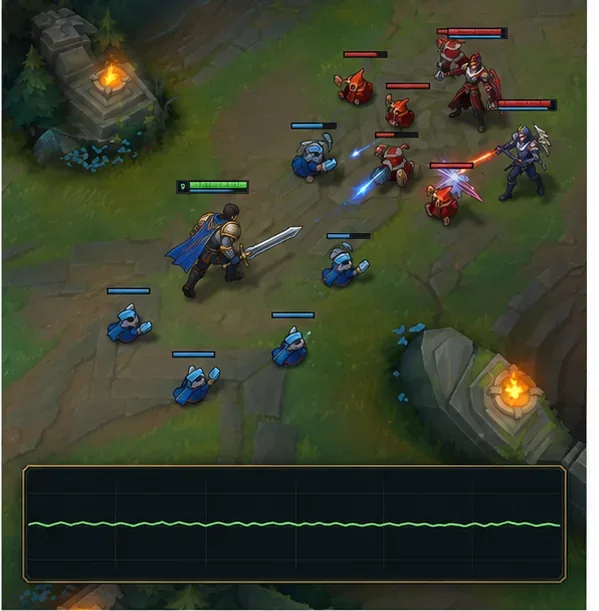
If League of Legends stutters during teamfights, start by checking whether the game’s frame rate drops or the network connection becomes unstable. Then reproduce the hitch in a custom game, lower the settings that add visual load, close overlays, and check the GPU, drivers, and temperatures. Change one thing at a time so you can tell which fix helps your PC.
A brief freeze or choppy animation with an FPS drop points toward local performance. Rubber-banding, delayed abilities, or a rising ping points toward connection trouble. Riot treats those as different troubleshooting paths, so don’t change graphics settings to solve a network problem.
| What you notice | Check first |
|---|---|
| FPS falls when several champions and effects appear | Graphics settings, CPU/GPU load, or heat |
| The picture pauses or hitches while the match continues | Frame delivery, overlays, background activity, drivers |
| Champions snap or abilities arrive late while FPS stays steady | Ping, packet loss, Wi-Fi, or other network traffic |
Before changing anything, note the FPS and ping shown in League’s in-game indicators when the hitch happens. If the FPS number drops at the same moment, focus on frame rate. If FPS remains steady but ping jumps or characters rubber-band, use Riot’s PC connection troubleshooting guide.
Next, enter a custom game and repeat a similar fight or ability-heavy scene. Keep the resolution, champion, and other open apps consistent. This gives you a safe comparison point before changing settings; it does not prove that any single setting is responsible.
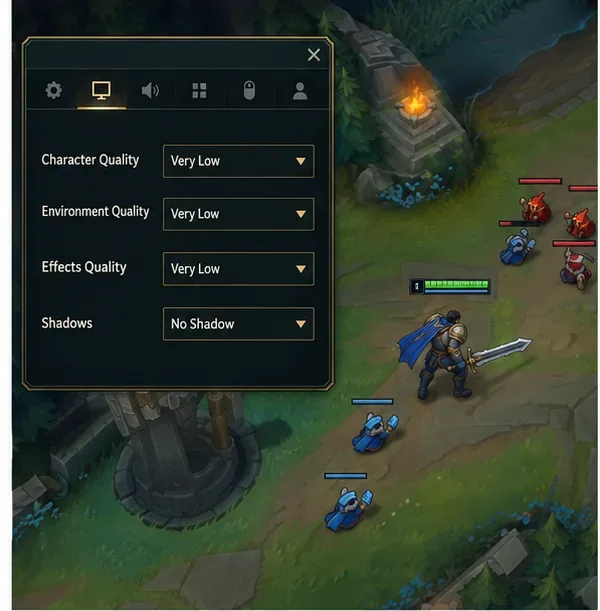
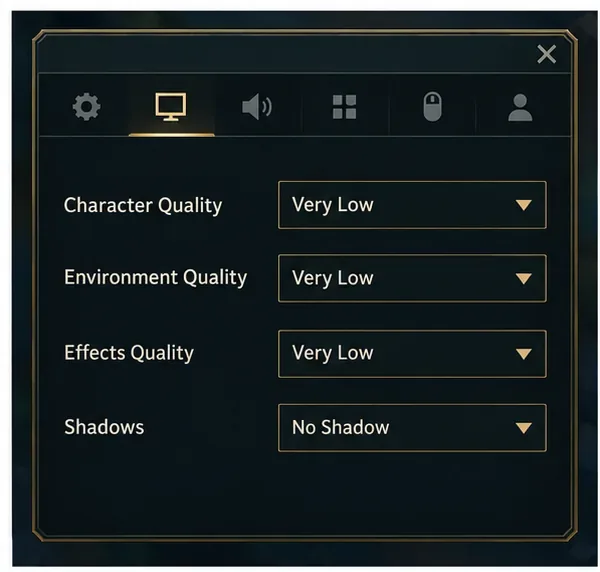
In a custom game, press Esc and open the Video settings. As a diagnostic starting point, set Character Quality, Environment Quality, and Effects Quality to Very Low, and set Shadows to No Shadow. Riot also recommends keeping the game at your desktop resolution rather than reducing resolution as a first move. These changes can reduce the work during crowded fights; they cannot guarantee a particular FPS on every system.
If the game becomes smoother, raise one quality setting at a time until you find a balance. If the FPS barely changes, restore the settings you prefer and move to the next check instead of leaving everything at minimum.
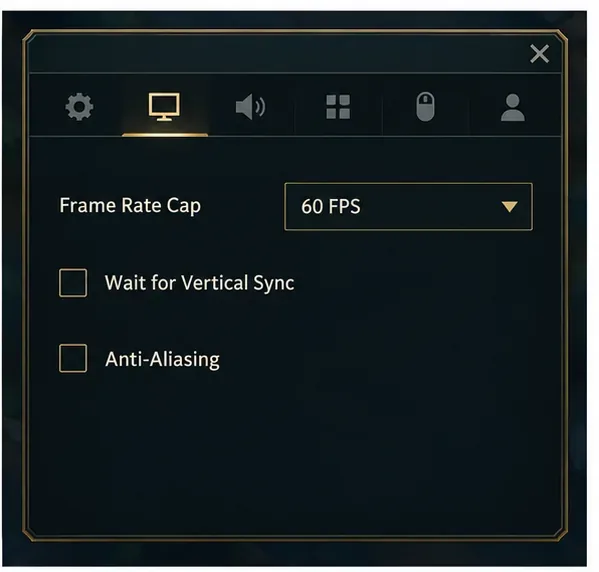
For diagnosis, try a 60 FPS cap, turn off Wait for Vertical Sync, and leave Anti-Aliasing unchecked. Riot lists these as low-FPS troubleshooting settings. Treat 60 FPS as a temporary baseline, not the best cap for every monitor or computer. If the game is stable, raise the cap gradually and retest; use a limit your system can hold reliably during a fight.
V-Sync can change how frames are presented and may add latency on some setups. If turning it off causes visible tearing that bothers you, compare it on and off in the same custom-game scene and keep the setting that feels smoother on your display.
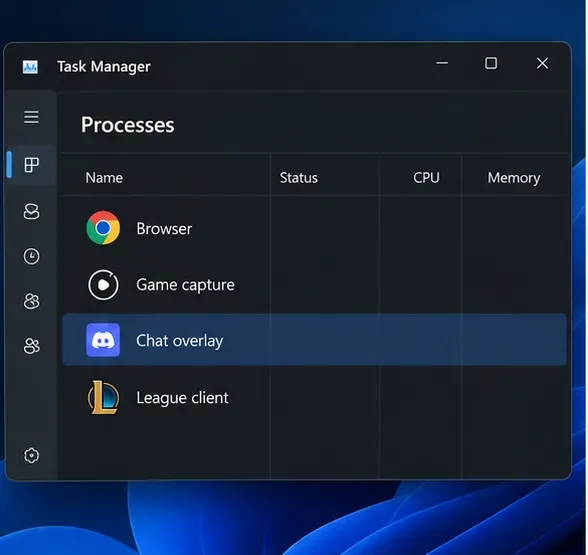
In the Riot Client’s League settings, enable Close Client During Game if that option appears in your current client. Then close apps you do not need, especially a browser stream, recording software, or game overlays. Riot specifically identifies overlays such as Discord and capture tools as possible sources of performance or compatibility problems.
Test by disabling one overlay at a time, then replay the same custom-game scenario. If that changes nothing, turn it back on. Don’t end unfamiliar Windows processes or disable security software as a performance shortcut.
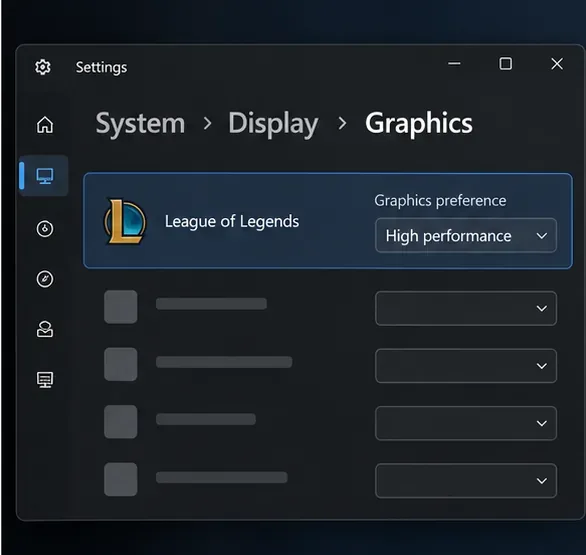
On a laptop or a PC with integrated and discrete graphics, Windows may let you select a graphics preference for each game. In Windows 11, open Settings > System > Display > Graphics, choose League of Legends, select Options, set High performance if the discrete GPU is the one you intend to use, save, and restart the game. The exact app entry may vary by installation.
On a laptop, test while plugged into power. Windows’ Best performance mode can increase power use and heat, so compare it only if the PC is in a power-saving mode and monitor temperatures afterward. For full-screen-only trouble, Riot also documents a game-specific test for disabling Full Screen Optimizations; Riot notes that the setting may need to be reapplied after a patch, so use it only if the simpler checks do not help.
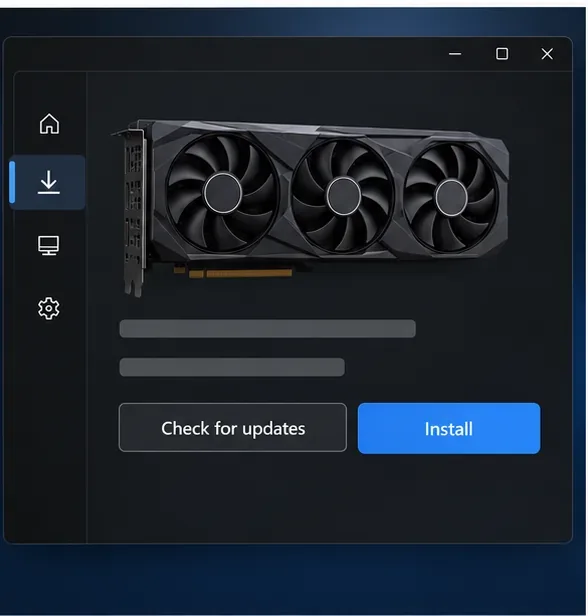
Check which graphics adapter League is using, then install a current driver through the GPU maker’s official support channel or your computer maker’s support page. Riot’s frame-rate troubleshooting guide recommends updating graphics drivers for FPS drops and visual issues. Restart Windows after the update and repeat the same custom-game test.
If the stutter started immediately after a driver update, check the manufacturer’s release notes or use its supported rollback option rather than stacking driver utilities or downloading installers from third-party sites.
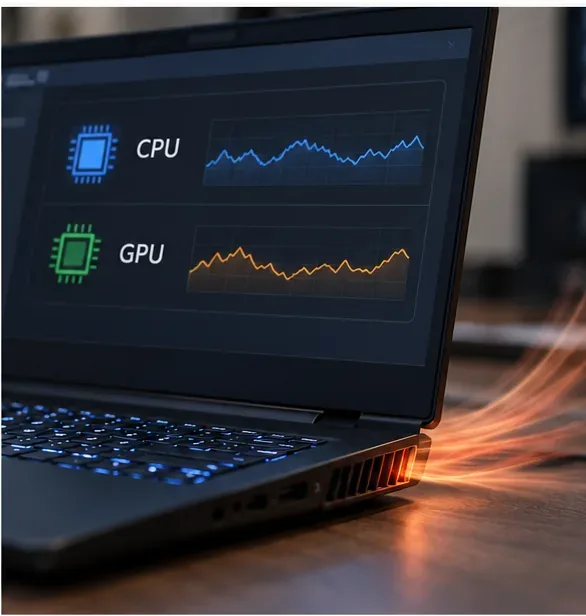
Watch CPU and GPU temperatures, utilization, and clock behavior during a match using a reputable hardware monitor or the manufacturer’s utility. A hitch that appears only after the PC has warmed up can point to thermal throttling, but temperature limits vary by component. Compare readings with the specifications for your exact CPU or GPU instead of relying on one universal cutoff.
Make sure laptop vents are not blocked and that desktop fans can move air. Power the system down before cleaning dust, and follow the device maker’s maintenance instructions. Avoid overclocking as a first-line fix: an unstable overclock can create more stutter, crashes, or heat.
If League still hitches after the checks above—or the problem began after a failed patch—use the Riot Client’s built-in repair: sign in, open the profile menu, choose Settings, select League of Legends, and choose Repair. Riot says this can replace missing or corrupted game files. It is a file repair, not a guaranteed FPS booster.
If the issue remains, collect the time of the match, your FPS and ping observations, hardware model, driver version, and which single changes you tested. Use Riot’s FPS support steps and attach logs with the Riot Repair Tool logging guide when submitting a ticket. The Riot Repair Tool gathers logs; it is separate from the Riot Client’s Repair button.
Enable PUBG’s network statistics HUD to monitor ping and packet loss in a match. See where to find it, what the numbers mean, and what they cannot diagnose.
Learn how to import VALORANT crosshair codes, compare presets with manual settings and spectator copy, and fix common import issues.
Choose Dota 2 minimap size, hero icons, team colors, and background settings by readability, fewer misclicks, and clear results on your own display.
Fix Fortnite texture pop-in on PC with official steps for GPU drivers, file verification, DirectX 12, high-resolution textures, VRAM, SSDs, and stutter.
Learn what Heroes of the Storm minimap size and position options are verified, improve readability, and choose camera-click controls that suit you.
Set Super Smash Bros. Ultimate Quickplay to prefer hazards-off stages. Follow the Preferred Rules menu steps and learn why matchmaking may not always honor them.
Enable Server Latency and Packet Loss in Warzone to monitor connection quality, read the overlay, and use recurring spikes to guide troubleshooting.
Learn how to carry from mid lane in League of Legends by setting up waves, choosing safe roam windows, reading side lanes, and converting pressure into objectives.
Fix Minecraft Evoker spell problems with a safe vanilla test, version checks, log review, and a step-by-step way to isolate mod or datapack conflicts.
Fix PUBG stuck on Initializing on Steam with a focused checklist for PC service notices, launch options, game files, downloads, and connection issues.








