How to Fix PUBG Stuck on “Initializing” on Steam

Fix PUBG stuck on Initializing on Steam with a focused checklist for PC service notices, launch options, game files, downloads, and connection issues.
Short answer: a Fortnite outfit that is missing, unavailable in the Item Shop, or replaced by a default look in one island has not necessarily been banned. Epic’s current support guidance treats these as different cases: normal shop rotation, island compatibility and age ratings, a cosmetic download or display issue, or an item removed from an individual account after a payment reversal. The phrase “why did Epic Games ban certain Fortnite skins” often combines all four.
Epic’s official support pages do not provide a universal list of skins permanently banned from every Fortnite mode. The old claims that specific outfits were removed for expired contracts, hitbox exploits, offensive reports, or Easy Anti-Cheat flags should not be repeated as fact without an Epic announcement naming the item and reason.
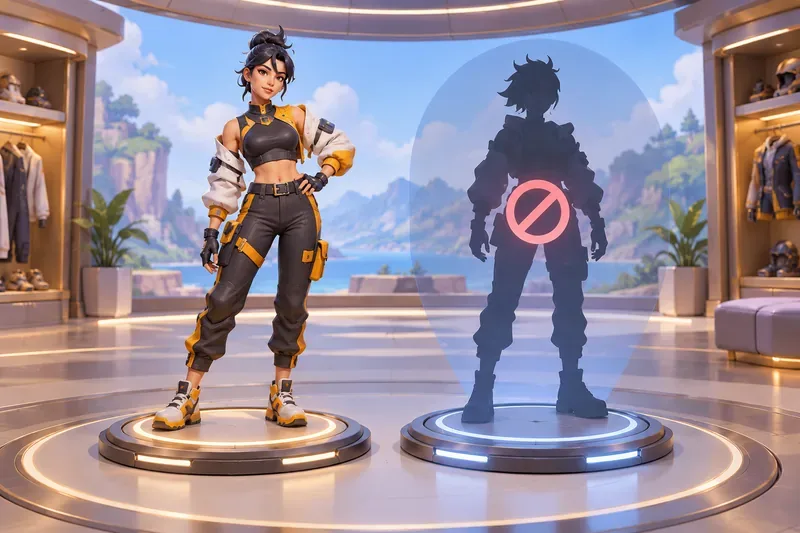
Players use “banned skin” to describe several different situations. These clues help identify what actually happened:
Those distinctions matter because a cosmetic can remain in your Locker while being unavailable for sale or limited in a particular experience.
Epic says the Fortnite Item Shop rotates items. An outfit disappearing from the shop means it is not currently offered; Epic says players can check back because items may return, but support cannot grant an offer that is not in the shop. Shop absence alone does not show that Epic removed the skin from owners’ accounts or permanently prohibited it.
Battle Pass history adds another wrinkle. Epic announced on August 7, 2024 that items from future Passes may be sold in the shop at least 18 months after the Pass expires. The announcement says there is no guarantee any particular item will return. This policy affects possible future availability; it is not evidence that older owners have had a skin revoked.
See Epic’s guidance on when items return to the Fortnite shop and its Battle Pass exclusivity update.
Fortnite includes different creator-made islands and experiences, and cosmetic compatibility can vary by experience. Epic says a small portion of outfits and accessories are not compatible with islands below a certain rating threshold. The Locker and Item Shop identify affected cosmetics with an icon. If you equip one and enter an island below its threshold, the game may show a compatible default outfit instead.
That is a context-specific restriction, not proof that the skin has been erased, banned across Fortnite, or made unusable everywhere. Epic’s cosmetic compatibility guide describes the rating rule and compatibility differences among Fortnite experiences.
A visual glitch, a missing style, or a failed download can make an outfit seem “banned” even when the issue is technical. Epic has acknowledged that cosmetic bugs happen, and its support site has documented an error some players encountered while equipping certain items: “IoStoreOnDemand.ChunkMissingError.” Epic said its team was investigating that download problem. A bug report is evidence of a technical issue, not evidence that a particular skin was permanently removed.
If an equip error appears, note the exact message and check Epic’s cosmetic download-error notice for current status.
Licensed collaborations involve rights holders, so partnership terms can matter to whether an item is offered again. Epic’s 2024 Pass announcement explicitly discusses future licensed-character outfits potentially returning to the shop, while also warning that returns are not guaranteed. That does not establish that a named Marvel, Star Wars, or other crossover skin was removed because a contract expired. Unless Epic or the rights holder confirms that reason, claims about a specific license dispute remain speculation.
If Fortnite shows a message that an item or V-Bucks were removed from your account, Epic lists several possible causes: a refund or payment reversal, a gift sender reversing the V-Bucks used for the gift, or an Xbox exploit that faked V-Bucks purchases. Epic says Player Support cannot restore items removed for these reasons. Its item-removal support article gives the account-specific details.
If there was no removal notice, Epic recommends checking that you are signed into the account that bought the item, clearing Locker filters, and checking Archived items. A skin can be hidden or on a different Epic account without being banned. Follow the missing Locker item checklist before opening a support request.
Epic’s anti-cheat updates describe sanctions against players who use cheat software or devices, including matchmaking and tournament bans. They do not provide evidence that Easy Anti-Cheat routinely bans legitimate outfits because a cosmetic itself grants an advantage. The old claim that skins are “flagged” for enabling aimbots confuses enforcement against cheating with cosmetic availability. Do not install third-party tools that modify Fortnite’s client; rely on Epic’s official game files and support guidance.
Epic’s anti-cheat update explains its player-focused enforcement and technical evidence standard. If your account is sanctioned, review the notice and official appeal or support options rather than assuming the outfit caused it.
There is no blanket promise in Epic’s support guidance that every unavailable or restricted cosmetic automatically earns a refund. For an eligible Item Shop purchase, Epic offers Cancel Purchase for 24 hours if the item has not been used or equipped, and Return Tickets for eligible purchases made within the last 30 days. Those policies are different from an account-level removal after a payment reversal. Check the current Fortnite purchase cancellation and refund rules before expecting V-Bucks back.
Most reports of Fortnite skins being banned turn out to be shop rotation, island rating compatibility, a technical problem, or an account-specific purchase reversal. Epic can also sanction a player for cheating, but that is not the same thing as banning a legitimate skin. For named outfits such as Ghoul Trooper or Renegade Raider, do not accept a supposed “ban reason” unless Epic has published a notice that confirms it. Check the Locker, the item’s island compatibility, and Epic Support first.
Fix PUBG stuck on Initializing on Steam with a focused checklist for PC service notices, launch options, game files, downloads, and connection issues.
Fix Brawl Stars stuck at 92% loading with an ordered checklist for service notices, network tests, safe updates, Android cache, and account-safe reinstalling.
Best Dead by Daylight visual filter settings start with a small Gamma lift, neutral color and contrast, and a quick check for dark corners, fog, and bright lights.
Find the Steam and EA app fields for Apex Legends launch options, use EA’s documented FPS command, and see why +exec autoexec.cfg remains unverified.
Reduce input lag on a Nintendo Switch dock for Smash Ultimate with TV Game Mode, a direct HDMI test, controller checks, and online-latency troubleshooting.
Find the best EA SPORTS FC audio settings for a clearer referee whistle: tune Stadium Ambience and Commentary, then troubleshoot output or timing issues.
Compare the best Attack Move Click keybinds in League of Legends—A, Shift + right-click, mouse side buttons, and left-click—with setup and kiting tips.
Find the best tablet aspect ratio setup for Clash Royale, compare Android display-fit choices, and check iPad full-screen framing without cropping the arena.
Fix Warzone Dev Error 6068 on startup with safe PC checks for updates, overlays, graphics drivers, game-file repair, and clean boot troubleshooting.
Check your Overwatch 2 overall match win rate with Career Stats, matching game totals, and the right filters—without mistaking hero percentages for match results.