Best Keybinds for Quick Shoulder Aiming in PUBG

Find a practical PUBG PC keybind setup for quick over-the-shoulder aim, clean ADS transitions, and shoulder-side swaps without conflicting with lean controls.
🚀 Imagine your Roblox game coming alive with sleek swords that slash foes, magical wands that blast spells, or gadgets that build epic structures. That's the power of a custom tools system in Roblox! Whether you're crafting an RPG, obby, or tycoon, mastering tools elevates your game from good to legendary. In this focused guide, we'll walk you through every step to create a tools system in Roblox using Roblox Studio. Stick around for insider tips that pros swear by – your players will be begging for more! 😎
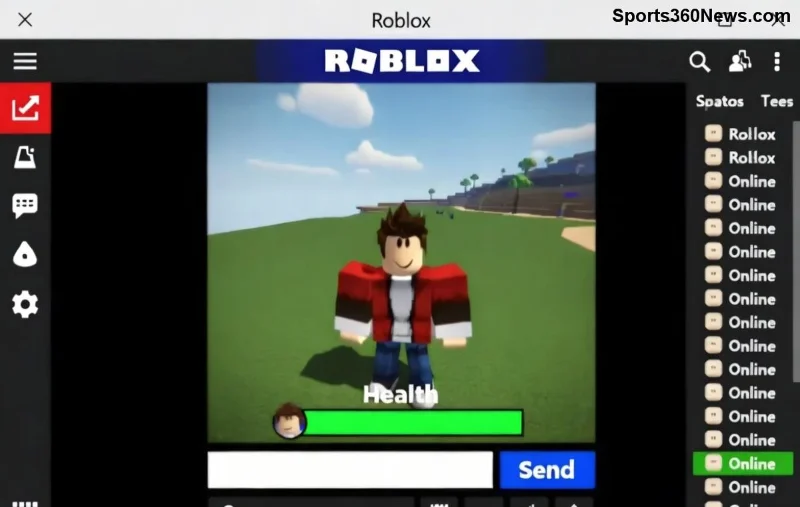
Roblox's built-in Tool object is your foundation, but a custom tools system in Roblox lets you add flair like cooldowns, upgrades, and multiplayer sync. Players love immersive gear – think seamless equip/unequip animations and effects that feel next-gen. Ready to level up? Let's dive in! ⭐
Pro tip: Enable Team Create if collaborating. Now, fire up Studio! 👆
1️⃣ In Explorer, right-click StarterPack (for auto-equip on spawn) or ReplicatedStorage (for server-side giving). Insert a Tool object. Name it "EpicSword".
2️⃣ Inside the Tool, add a Part named "Handle" – this is the grip point. Customize it: Resize, color it fiery red, add a Mesh for sword vibes.
3️⃣ Set Handle's CanCollide to false and Massless to true for smooth handling.
Handle is king – without it, your tool won't equip!
Insert a LocalScript inside the Tool. This handles UI, sounds, and effects on the player's side.
local tool = script.Parent
local player = game.Players.LocalPlayer

local function onEquipped()
    -- Play equip sound or animation
    print("Sword equipped! ⚔️")
end

local function onActivated()
    -- Swing animation
    local character = player.Character
    if character then
        local humanoid = character:FindFirstChild("Humanoid")
        if humanoid then
            humanoid:LoadAnimation(script.SwordSwing):Play()
        end
    end
end

tool.Equipped:Connect(onEquipped)
tool.Activated:Connect(onActivated)
Add a Sound and Animation object inside the Tool for that wow factor. Upload animations via the Animation Editor!
For multiplayer fairness, add a Script (server-side) in the Tool. This prevents exploits.
local tool = script.Parent
local ReplicatedStorage = game:GetService("ReplicatedStorage")
local damageEvent = Instance.new("RemoteEvent")
damageEvent.Name = "DamageEvent"
damageEvent.Parent = ReplicatedStorage

local function onActivated()
    local character = tool.Parent
    local humanoid = character:FindFirstChildOfClass("Humanoid")
    if humanoid then
        -- Raycast for hits
        local ray = workspace:Raycast(character.HumanoidRootPart.Position, character.HumanoidRootPart.CFrame.LookVector * 10)
        if ray and ray.Instance.Parent:FindFirstChildOfClass("Humanoid") then
            damageEvent:FireServer(ray.Instance.Parent)
        end
    end
end

tool.Activated:Connect(onActivated)
Handle the RemoteEvent in ServerScriptService for actual damage. Boom – synced across servers! 🔥
Master these for pro-level Roblox tools. Here's a quick reference:
| Event/Property | Description | Example Use |
|---|---|---|
| Equipped | Fires when player grabs tool | Enable mouse icon, play sound |
| Unequipped | Fires on drop | Reset GUI, cooldown start |
| Activated | Left-click trigger | Attack, shoot projectile |
| Handle | Required Part | Grip & visuals |
| RequiresHandle | Bool (default true) | Set false for handle-less tools |
For deepest dives, check the Roblox Creator Documentation. 👏
debounce variables in scripts. Example: if tick() - lastSwing > 1 then ... endBonus: Integrate with Modulescripts for reusable tool logic across your game. Your arsenal just got infinite! 🌟
Quick fix: Use Studio's Output window – it's your best friend. Test often! 🛠️
Publish your place, invite friends via Roblox groups. Gather feedback: "Does the sword feel punchy?" Tweak and republish. With this tools system in Roblox, your game will shine in the spotlight. What's your first tool idea? Drop it in comments!
Mastered it? Next up: Weapon stats systems or tool crafting UIs. You've got this, builder! 🎉 Share your creations and tag us – let's build the next Roblox hit together.
Find a practical PUBG PC keybind setup for quick over-the-shoulder aim, clean ADS transitions, and shoulder-side swaps without conflicting with lean controls.
Set the right stick to Tilt Attack in Smash Ultimate, then tune stick jump and sensitivity around your play style. Follow a quick training-mode check to confirm your inputs.
Fix Free Fire high ping on mobile data with practical connection checks, LTE vs. 5G tests, background download fixes, and tips for reporting persistent lag.
Brawl Stars opens to a black screen on your iPad? Try these safe checks for the app, connection, iPadOS, and updates before reinstalling or contacting Supercell.
Learn how to clear Free Fire’s cache on Android, what iPhone users can do, and how to avoid deleting game data while troubleshooting lag.
Find confirmed LoL Worlds, VALORANT, CS2 and Dota 2 events for October 19–25, with local kickoff times, UTC conversions, matchups and bracket stakes where published.
Compare balanced, steady, and fast-drag Free Fire sensitivity profiles on the 0–200 scale, then tune General and scope values to your device.
Save Dota 2 camera spots to keys, jump back to lanes or objectives, and troubleshoot missing or conflicting camera position binds.
Fix a TFT Mobile black screen after loading with official server checks, updates, cache troubleshooting, compatibility guidance, and safe reinstall steps.
Reduce Marvel Rivals DirectX 12 shader stutter with preload, driver, cache, and file checks. Learn when a cache reset helps and which older advice to avoid.




