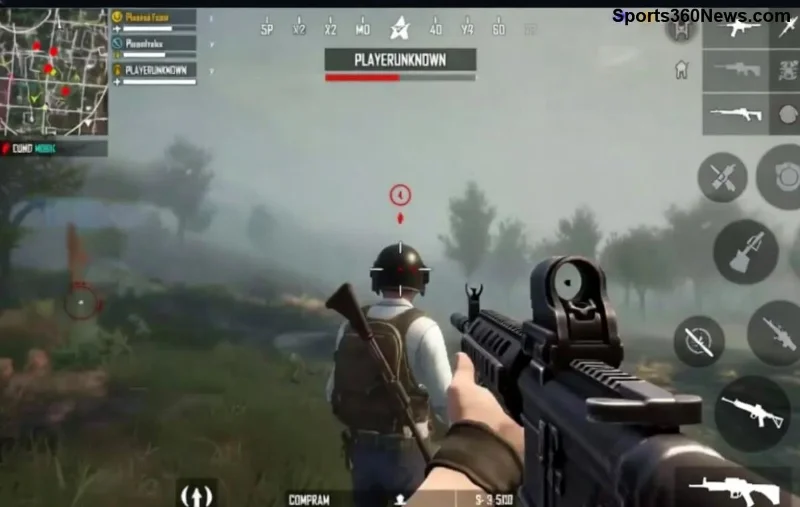
Ever dropped into a hot zone in PUBG Mobile, only to get one-shotted by a sneaky sniper from across the map? 😤 That frustrating crack of a Kar98k or AWM ends your game before it starts. But what if you could peek out, land your shots, and duck back in unscathed? Enter Peek and Fire – your ultimate weapon against snipers. This technique turns you from prey into predator, keeping you alive longer and racking up those Victory Royales. Ready to level up? Let's dive in and make snipers rage-quit! 🚀
What is Peek and Fire in PUBG Mobile?
Peek and Fire is a core movement mechanic where you quickly expose yourself from cover, fire a shot or burst, then immediately return to safety. It's not just hiding – it's aggressive, calculated exposure designed to catch enemies off-guard while minimizing your hitbox time. In the latest updates, refined gyro controls and ADS sensitivity make it smoother than ever, perfect for countering long-range threats like snipers.
Why does it work so well against snipers? Their scoped rifles need time to aim and track. Your rapid peek disrupts that, forcing misses while you connect. Master this, and open fields become your playground! 🌟
Why You Must Master Peek and Fire to Avoid Getting Sniped
- ✨ Reduces Exposure Time: Snipers thrive on stationary targets. Peeking limits you to 0.5-1 second of vulnerability.
- ✅ Breaks Enemy Aim: Quick movements make bullet prediction impossible.
- 🔥 Boosts Kill Rate: Pair with hip-fire or quick-scopes for easy frags.
- 🛡️ Survive Hot Drops: Essential in Erangel or Miramar where sightlines are endless.
Pro players swear by it – think of those clutch 1v4 moments where peek masters clean house. Don't get caught flat-footed; peek like a ghost! 👻
Step-by-Step Guide: How to Execute Perfect Peek and Fire
Let's break it down simply. Follow these steps, and you'll dodge sniper bullets like Neo in The Matrix.
- 🖐️ Find Solid Cover: Use walls, rocks, or vehicles with head/upper-body exposure only. Lean (Q/E keys or swipe) for extra safety.
- ⭐ Pre-Aim Your Weapon: ADS before peeking. Crosshair at enemy height – no scrambling mid-peek!
- ⚡ Quick Peek: Tap to lean out (or swipe screen edge). Fire 1-3 shots instantly.
- 🏃 Reset Immediately: Duck back. Wait 2-3 seconds for enemy reaction, then repeat.
- 💥 Sound Cues Matter: Listen for bullet cracks. If close, jiggle peek (tiny left-right movements) to throw off aim.
| Peek Type |
When to Use |
Pro Tip |
| Left/Right Lean Peek |
Windows or walls |
Combine with crouch for tiny hitbox |
| Jump Peek |
Over low cover |
Perfect for ARs; avoid with snipers |
| Jiggle Peek |
Vs tracking snipers |
Swipe screen rapidly – confuses scopes! |
Practice in training mode: Set bots to sniper loadouts and time your peeks. You'll see your KD skyrocket! 📈
Advanced Peek and Fire Techniques to Outsmart Snipers
![Advanced <strong>Peek and Fire</strong> vs sniper duel in PUBG Mobile]()
Once basics click, level up with these gems:
- 🔄 Counter-Peek: Predict sniper spot, peek first to force them out.
- 🎯 Gyro Peek: Enable gyro in settings. Tilt device for pixel-perfect aim without thumb drag.
- 🧠 Bait and Switch: Fake a peek (sound only), wait for sniper bullet, then real peek and punish.
- 🚀 Mobile-Specific Hack: Use claw grip (4-6 fingers) for simultaneous movement and fire. Feels godlike!
For epic plays, equip Compensator + Vertical Grip on your AR/SMG. Reduces recoil during those split-second bursts. Snipers hate it when you out-DPS them up close! 💪
Optimize Your Settings for Flawless Peek and Fire
Tweaking graphics and sensitivity is key. Here's a pro setup:
| Setting |
Recommended Value |
Why? |
| Camera Sensitivity (Free Look) |
120-140% |
Spot snipers faster |
| ADS Sensitivity |
80-100% |
Quick target acquisition |
| Gyroscope |
300% (Always On) |
Precision peeks without fatigue |
| Graphics |
Smooth + 60 FPS |
Minimal lag for reactive peeks |
Test in arcade mode. If on emulator, bind lean keys close to WASD for lightning peeks.
Practice Drills: Become Unstoppable Against Snipers
- 🏋️ Training Grounds: 15 mins daily vs sniper bots. Aim for 20 kills no deaths.
- ⚔️ Custom Rooms: Duo with a friend as sniper. Peek their shots till perfect.
- 🔥 TDM Chaos: Force peek habits in close-quarters frenzy.
- 📱 Record & Review: Use replay feature. Spot peek mistakes and fix 'em.
Stick to this for a week, and snipers become your personal frag farm. Your squad will call you the Peek King! 👑
Final Thoughts: Peek Your Way to Victory Royale
Peek and Fire isn't just a trick – it's a mindset. Embrace it, and no sniper will ever ruin your game again. Drop hot, peek smart, and watch those chicken dinners pile up. What's your best peek clutch? Share in comments and tag a squadmate who needs this! 🔥 Drop a thumbs up if you're practicing today. 👍
Stay frosty, legends. Gear up and conquer PUBG Mobile! 🎮