Home
» 🎮 Esports
»
Minecraft DecoderException: Fix Codec Handler and Netty IO Errors
Minecraft DecoderException: Fix Codec Handler and Netty IO Errors
If Minecraft: Java Edition disconnects with io.netty.handler.codec.DecoderException, start by finding out whether the problem follows your game profile or affects only one server. The message means a Netty decoder threw an exception while handling data; by itself, it does not identify a bad connection, a corrupt cache, or a specific mod. Use the steps below to narrow down the cause before changing files.
What a Minecraft DecoderException means
Netty’s API defines DecoderException as an exception thrown by a decoder. In a Minecraft multiplayer session, that points to a failure somewhere in the packet-decoding path. The outer Minecraft DecoderException is a wrapper, so the lines around it—especially a nested cause, packet name, mod name, or server-side log entry—matter more than the headline alone. See the Netty DecoderException API reference.
Possible causes include a client and server using incompatible game or mod versions, a mod or server plugin changing network data unexpectedly, or a problem limited to a particular server or proxy. Those are leads to check, not a diagnosis implied by the word “DecoderException.” A Codec Handler Netty IO exception is not automatically a DNS or ping failure, and there is no reliable universal percentage split among causes.
Use the symptoms to choose where to look
What happens
Best next check
Only one server disconnects
Try another Java server, then send the affected server’s administrator the time of the disconnect and the relevant log excerpt.
Only a modded profile disconnects
Check the server’s required modpack, Minecraft version, and mod loader; compare with a clean test profile.
Several servers fail on one profile
Check the selected installation, local mods, and latest.log.
The game crashes before joining, or single-player also fails
Treat it as a launch or local game problem and inspect the crash report; it may not be a multiplayer packet issue.
Five steps to troubleshoot the Netty IO error
1. Check whether the error is server-specific
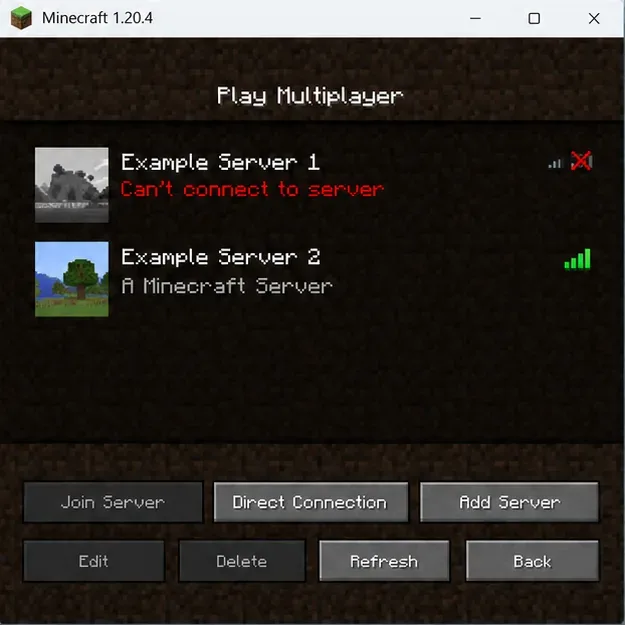
Close Minecraft and reopen it, then try a second server you trust. Confirm that you are using the same edition: Java Edition connects to Java Edition servers, while Bedrock Edition uses a separate multiplayer ecosystem. Minecraft’s multiplayer requirements explain the edition and connection requirements. If one server fails and another works, keep the failing server name private in public posts and contact its administrator; repeatedly reinstalling your client is unlikely to fix a problem isolated to that server.
Compare two server entries: a failure limited to one server gives its administrator a useful starting point.
2. Inspect the current log before changing anything
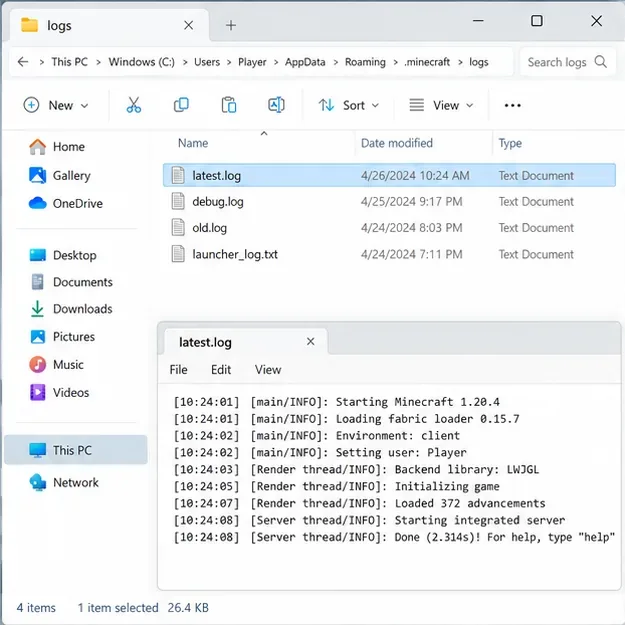
After reproducing the disconnect once, open latest.log in the game directory and search near the end for DecoderException, Caused by, or the last error before the disconnect. The default Java Edition paths are %appdata%\.minecraft\logs\latest.log on Windows, ~/Library/Application Support/minecraft/logs/latest.log on macOS, and ~/.minecraft/logs/latest.log on Linux. A launcher using a custom game directory stores the log there instead. Save a copy before another launch replaces the current log. Fabric’s log-uploading guide describes sharing logs for troubleshooting. Redact account details, access tokens, and private server addresses before posting a log publicly.
Open the logs folder for the game instance you actually launched; custom launcher profiles may use a different directory.
3. Match the installation to the server
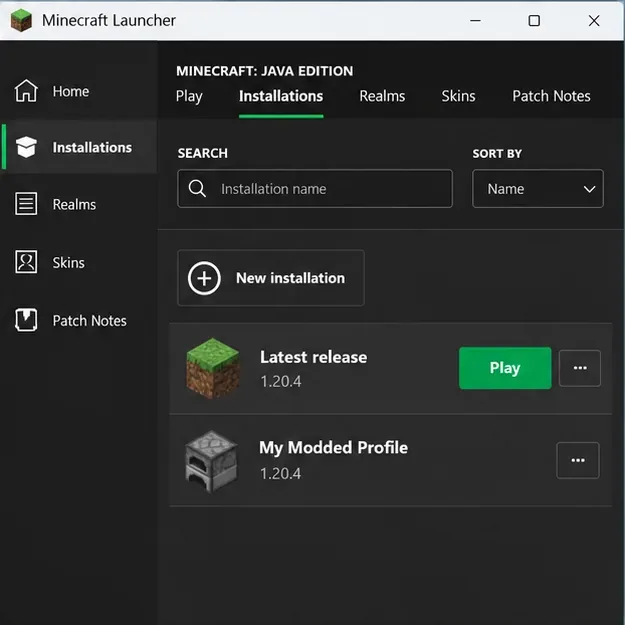
Ask the server owner which Minecraft Java version and, for a modded server, which loader and modpack build are required. In the official launcher, check the selected profile under Installations; do not assume “Latest release” is right for a server that deliberately stays on an older release. Minecraft documents how to create an installation for a specific Java Edition version. Use a separate installation for testing so you can return to your usual setup.
Launcher profiles can use different game versions; the labels shown here are examples, so follow the server owner’s stated requirement.
4. Isolate mods in a copy of the instance
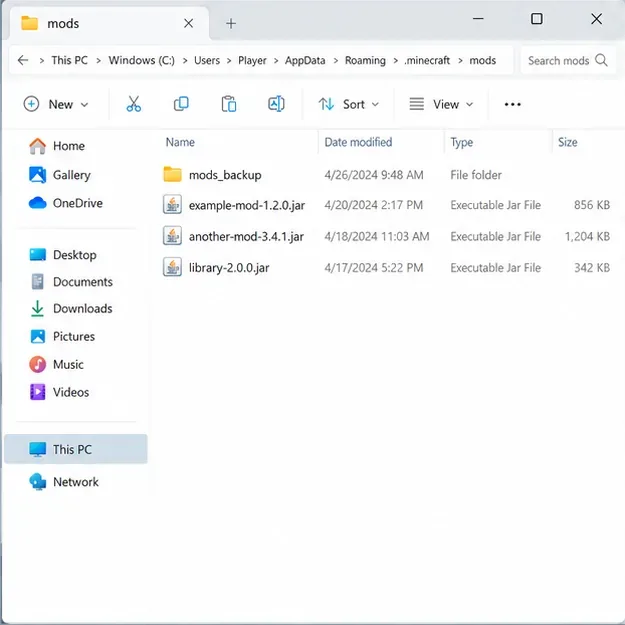
For a modded server, verify that every required mod is for the correct Minecraft version and loader. Fabric’s official mod-installation guide warns that mods must match the game version, loader, and Java Edition. Back up the instance or copy its mods folder first. In the copy, temporarily remove optional mods in small groups and retry; if the server requires a particular pack, keep its required mods installed. Add removed mods back in groups until the failure returns. This controlled test is more informative than updating or deleting every mod at once.
Keep a separate backup while testing optional mods, so you can restore the original set.
5. Check the network path, then involve the server owner
Restart the game and launcher, check that your connection is stable, and temporarily test without a VPN or proxy only if your network rules allow it. Do not turn off your firewall or change router ports as a first response to a decoder error. DNS flushing is relevant to name-resolution trouble; it is not a general packet-decoding fix. If the same error persists across servers on a clean profile, include your game version, loader, the exact disconnect time, and a redacted log excerpt when asking for help.
What server administrators should check
When only one server is affected, the server owner or network administrator needs to compare the client’s disconnect time with the server, proxy, and backend logs. Check recent changes to plugins, proxy software, protocol-translation tools, and required mods; confirm that the proxy and backend versions are compatible. Test changes on a staging server and change one component at a time. A protocol bridge such as ViaVersion is server-side infrastructure that must be configured for the server’s topology; installing it on a player’s computer is not a universal fix for a Netty IO exception.
Fixes to avoid until the log points there
Do not delete latest.log before saving it; it is useful evidence.
Do not remove worlds or the entire .minecraft folder to solve a single-server disconnect.
Do not install random mods, protocol plugins, or “packet fix” tools from untrusted downloads.
Do not reinstall Minecraft as the first step. If logs point to a local installation problem, first test a separate clean profile while preserving your saves.
FAQ
Does a DecoderException mean my internet is bad?
No. It identifies a decoder exception, not a measured connection-quality problem. Test another server and inspect the log to distinguish a server-specific issue from a client-wide one.
Should I update every mod or switch to the newest Minecraft version?
No. Use the exact version and modpack required by the server. Mods can depend on a specific game version, loader, and other mods, so changing several pieces at once can add new errors.
Will reinstalling Minecraft fix the error?
It can help only when evidence points to a damaged local installation. If the error occurs on one server while others work, send the relevant details to that server’s administrator first.