How to Check Real-Time Server Latency in the PUBG HUD

Enable PUBG’s network statistics HUD to monitor ping and packet loss in a match. See where to find it, what the numbers mean, and what they cannot diagnose.
To improve your aim and recoil control in PUBG Mobile, start with a consistent control layout, tune camera and ADS sensitivity separately, learn how your weapon climbs during a spray, and practice the same drills regularly. You do not need a copied “pro sensitivity code” or a new phone to make useful progress. You need a setup you can repeat—and a way to see whether each adjustment actually helps.
This guide covers touch aiming, optional gyroscope aiming, attachments, practice drills, and device settings. Menu labels and weapon balance can change between updates, so use the settings visible in your installed version as the final reference.
Before changing a single slider, find out where shots are missing. Open the Training Grounds or the available practice range, choose an automatic rifle you frequently use, and keep its optic and attachments consistent. Pick a nearby target that you can hit comfortably, then a farther one that exposes your mistakes.
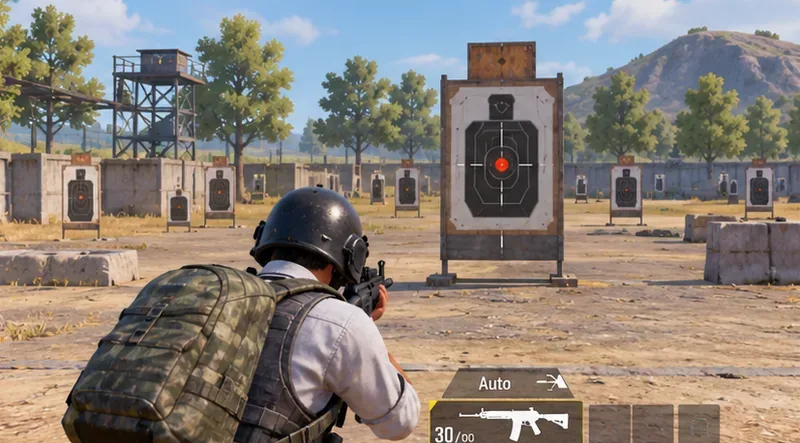
Look for a pattern. Shots climbing vertically suggest insufficient recoil compensation. Shots swinging side to side can come from horizontal recoil, overcorrection, or rushed tracking. Missing the first shot is usually a crosshair-placement or target-acquisition problem—not necessarily a recoil problem.
PUBG Mobile sensitivity settings are not interchangeable. The following distinctions make tuning faster and prevent the most common mistake: changing every slider together.
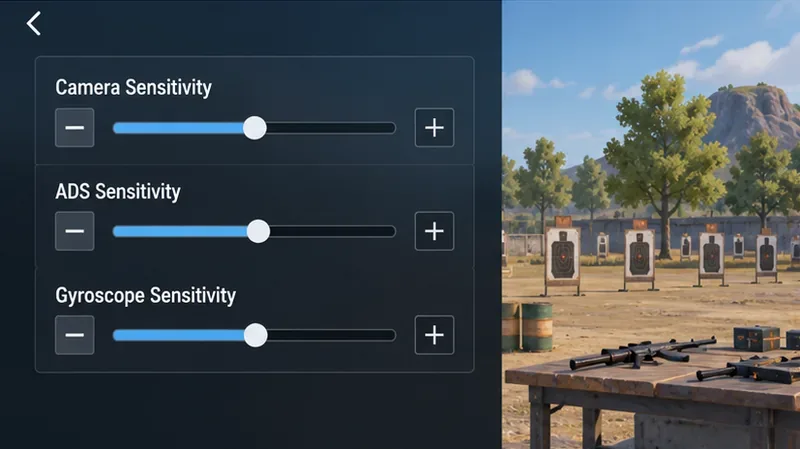
| Control | What to test | Sign the value may be wrong |
|---|---|---|
| Camera sensitivity | Moving your view and lining up targets, including the different scope categories | You repeatedly overshoot a target or cannot turn far enough in one comfortable swipe |
| ADS sensitivity | Touch movement while aiming down sights and controlling a sustained spray | Your thumb correction is too slow to counter climbing shots, or small pulls cause wild swings |
| Gyroscope sensitivity | How device tilt moves the view or reticle in the modes where gyro is enabled | Normal hand movement shakes your sight, or deliberate tilts barely move it |
Start with the game's available defaults or your existing comfortable preset. For each sight you regularly use—no scope, red dot/holographic, 2x, 3x, 4x, and higher magnifications—make one small adjustment, then repeat the same target test. A modest five-to-ten-percentage-point change can be a practical experiment, not a universal prescription. If the result gets worse, revert it.
Use enough camera sensitivity to acquire nearby targets without lifting your thumb repeatedly. For ADS, find a value that permits a steady downward pull through a burst without overshooting. Higher magnification often makes small movements look larger, so test each optic independently rather than applying a single number to every scope.
PUBG Mobile previously documented an in-range quick sensitivity adjustment feature; availability or placement may differ in current builds. Consult the official update notes describing Training Grounds sensitivity adjustment.
A gyroscope is optional, not a requirement to play well. When enabled, tilting your phone adds another input for adjusting your aim. It can reduce how much screen space your thumb must travel during a sustained spray, but a gyro value that is too high makes ordinary hand movements disruptive.
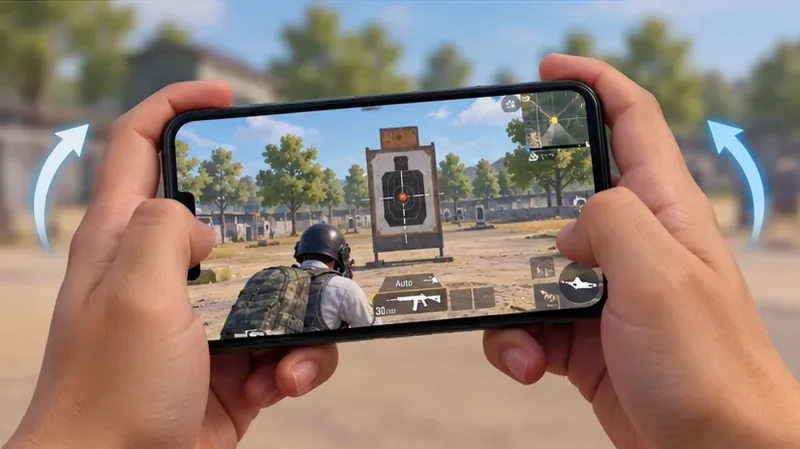
Begin with a low, manageable gyroscope sensitivity and a red dot or another familiar optic. Aim at the center of a practice target, move the device very slightly, and check whether the reticle follows predictably. Then fire a short burst while making a subtle downward tilt to counter upward climb. Increase the setting only when small corrections are too weak; decrease it when the sight trembles or overshoots.
If your version offers different activation options, test aiming-only gyroscope before trying more extensive gyro control. A player who finds the motion uncomfortable can remain with touch-only aiming and improve through good ADS settings and practice. Consistency matters more than copying an extreme sensitivity percentage.
Good aim also depends on whether you can move, fire, and adjust the camera without your fingers competing for the same space. In the customizable control layout, keep the fire button reachable and place peek, crouch, and scope controls where they do not cause accidental presses. Two-thumb play is viable; a three- or four-finger layout can add simultaneous actions, but only if it feels dependable.
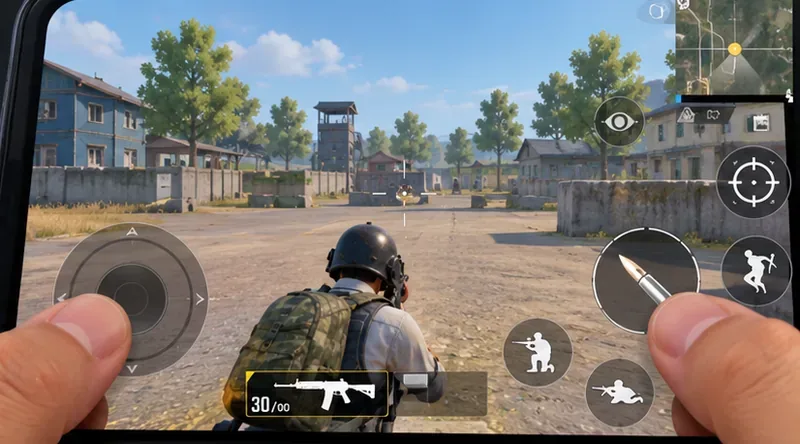
Use this 20-minute PUBG Mobile aim training routine as a repeatable starting point:
Finish by playing a match with one specific focus, such as clean first-shot alignment or shorter bursts at medium range. Frequent sensitivity changes during matches make progress harder to judge. Keep a working setup for several sessions before making another adjustment.
Recoil control in PUBG Mobile involves both vertical climb and less predictable horizontal movement. Touch drag and gyro corrections can counter part of that motion; they do not make every bullet land in the same place. Your firing stance, movement, sight magnification, and weapon attachments also matter.
| Weapon group | Useful starting approach | What to avoid |
|---|---|---|
| M416, SCAR-L and comparable 5.56 mm rifles | Practice steady short-to-medium sprays; test compatible grips and muzzle attachments one at a time | Assuming any attachment automatically creates a perfectly straight spray |
| AKM and M762/Beryl-class 7.62 mm rifles | Expect to make more deliberate corrections, especially while learning; compare burst length at each distance | Trying to equip a foregrip on the AKM, which does not take that attachment |
| UMP45 and other close-range SMGs | Practice target acquisition, tracking, and deciding when hip fire is more useful than ADS | Using a close-range spray technique as a guarantee of long-range accuracy |
| DMRs and bolt-action sniper rifles | Focus on sight settling, shot timing, and reacquiring the target between shots | Treating them like an automatic rifle with continuous spray recoil |
For automatic weapons, point at upper torso height before firing, then pull down just enough to stay on target. If the distance or optic makes a long spray unreliable, use shorter bursts or controlled single shots. Crouching can help stabilize some firing situations, but it also changes your movement and makes you an easier stationary target; use it when cover and timing make sense.
A compensator is a sensible candidate when compatible and your priority is recoil management. A vertical foregrip or another compatible grip can change handling, but available attachment types and their exact effects depend on the weapon and current game balance. Test the same spray with no attachment, then with one accessory, rather than relying on an outdated universal “best loadout” list.
Weapon tuning changes over time. The official Version 4.6 update page reports reduced horizontal and vertical recoil for the ACE32 and stability-related adjustments to several 7.62 mm rifles, including the AKM and M762. Those changes are a reason to retest a familiar weapon—not proof that all 7.62 mm rifles now have identical patterns.
Select a frame-rate option your device can hold steadily and a graphics preset that does not cause frequent stutters or overheating. The highest available frame-rate label is not necessarily the most stable choice on every phone. Keep your screen clean, avoid playing while the device is painfully hot, and use a comfortable grip that permits repeatable thumb or gyro movements.
Use the game's built-in control settings and features rather than external “no recoil” scripts, macros, or modified clients. PUBG Mobile's official terms prohibit cheats, automation, and unauthorized software intended to interfere with the game.
No. Screen size, thumb travel, finger layout, gyro preference, frame-rate stability, and scope choice all affect comfort. Start with a workable baseline and change one control at a time.
Gyro provides an additional way to fine-tune aim and counter recoil, but it takes practice and is not ideal for everyone. Both methods can be improved with controlled drills and consistent settings.
Use a longer spray only while you can keep your sight and impacts on target. At greater distance, a higher-magnification optic, moving opponent, or unstable recoil pattern often makes short bursts or single shots more reliable.
The practical takeaway: keep one familiar weapon, one repeatable settings baseline, and one short drill routine. Measure missed shots, change only what the evidence suggests, and let match positioning do as much work as your mechanical aim.
Enable PUBG’s network statistics HUD to monitor ping and packet loss in a match. See where to find it, what the numbers mean, and what they cannot diagnose.
Learn how to import VALORANT crosshair codes, compare presets with manual settings and spectator copy, and fix common import issues.
Choose Dota 2 minimap size, hero icons, team colors, and background settings by readability, fewer misclicks, and clear results on your own display.
Fix Fortnite texture pop-in on PC with official steps for GPU drivers, file verification, DirectX 12, high-resolution textures, VRAM, SSDs, and stutter.
Learn what Heroes of the Storm minimap size and position options are verified, improve readability, and choose camera-click controls that suit you.
Set Super Smash Bros. Ultimate Quickplay to prefer hazards-off stages. Follow the Preferred Rules menu steps and learn why matchmaking may not always honor them.
Enable Server Latency and Packet Loss in Warzone to monitor connection quality, read the overlay, and use recurring spikes to guide troubleshooting.
Learn how to carry from mid lane in League of Legends by setting up waves, choosing safe roam windows, reading side lanes, and converting pressure into objectives.
Fix Minecraft Evoker spell problems with a safe vanilla test, version checks, log review, and a step-by-step way to isolate mod or datapack conflicts.
Fix PUBG stuck on Initializing on Steam with a focused checklist for PC service notices, launch options, game files, downloads, and connection issues.








