How to Fix PUBG Stuck on “Initializing” on Steam

Fix PUBG stuck on Initializing on Steam with a focused checklist for PC service notices, launch options, game files, downloads, and connection issues.
The Fortnite Slide Kick is a conditional movement attack for Creative islands that have the setting turned on. Build speed, slide into an opposing player, and the collision can deal damage and knock them back. You do not trigger it with a pickaxe swing or a separate melee button: the kick happens when the enabled slide hits its target.
That distinction matters. Epic documents Slide Kick as a configurable movement option in Fortnite Creative. It is not guaranteed to work in every island or mode, and it is not a dependable one-hit elimination. Use this guide to check the setting, practice the approach, and make the knockback create an opening for your next move.
Epic introduced Slide Kick as a player movement type in the Fortnite Creative v22.00 update on September 18, 2022. With Allow Slide Kick enabled, a player who slides into an opposing player or a destructible object performs a kick. Epic says the move deals damage and knocks opposing players away. The current Player Movements documentation describes the same contact-based behavior.
Epic’s documentation does not give a universal damage number, claim that the kick bypasses shields, or promise an elimination. Island settings and custom rules control whether the move is available. Treat it as a way to pressure or displace an opponent, then use your island’s other combat options if you need to finish the fight.
If you are editing an island, turn the option on before you practice. In Creative, open Island Settings, choose the Player category, expand Locomotion, and set Allow Slide Kick to On. Epic’s setup guide says these movement options can also be controlled through the Team Settings & Inventory or Class Designer devices. A device or class setting may determine the rule for the players it controls, so check the island’s device setup if the island setting alone does not produce the expected result.
If you are joining someone else’s island, you may not be able to change its settings. Check the island description or ask the creator whether Slide Kick is enabled. If the setting is off, sliding into another player will not produce this attack. The option is part of Creative island movement configuration, so do not assume every Fortnite experience uses it.
For the exact setting labels and available values, see Epic’s Player Settings in Fortnite Creative documentation and its guides for the Team Settings & Inventory and Class Designer devices.
Controller and touch controls can vary by platform, layout, and custom bindings. Check your current in-game controls rather than relying on a button combination copied from another player. Epic’s controls help page explains where to find the control settings on PC and console.
A slide kick is most useful when the knockback changes the opponent’s position or interrupts their plan. In a Creative duel, try approaching from a slight angle so you can correct your line if the opponent sidesteps. If you start too far away, your slide gives them time to react; if you start too close, you may not have enough room to build speed. Use the space and terrain on the island to find a repeatable starting distance instead of assuming a fixed range.
Be careful near ledges, hazards, or other map features. Knockback can send either player into a dangerous position, and the island may have custom damage or elimination rules. In a close fight, keep track of where the opponent will land and what you can do next. The kick can create an opening, but your follow-up still has to connect.
Use a private Creative island with Slide Kick enabled and a consenting second player. First, make several approaches without trying to hit them; focus on sprinting and starting the slide smoothly. Next, have the other player move left or right so you can practice steering instead of charging in a straight line. Then repeat on flat ground and on a gentle slope to feel how terrain changes your momentum. Finish by practicing the recovery after contact: turn toward the opponent, create space, and select your next action.
Track whether your approach was controlled, whether contact triggered the kick, and whether you were ready for the knockback. Those observations are more useful than chasing an unsupported damage target or trying to force a highlight-reel elimination every time.
No. When the island has Allow Slide Kick enabled, the slide collision triggers the kick. A separate melee input is not part of the documented activation.
No. Epic lists it as an On/Off island movement option that creators can also control with certain devices. Check the island’s rules or settings.
Not reliably. Epic describes damage and knockback, but does not promise a one-hit elimination or publish one universal damage value. Plan a follow-up and adapt to the island’s rules.
The reliable way to master the Fortnite Slide Kick is to confirm the setting first, build momentum, make a controlled collision, and prepare for the knockback. In Creative, that turns a flashy move into a practical close-range tool without mistaking it for a guaranteed kill.
Fix PUBG stuck on Initializing on Steam with a focused checklist for PC service notices, launch options, game files, downloads, and connection issues.
Fix Brawl Stars stuck at 92% loading with an ordered checklist for service notices, network tests, safe updates, Android cache, and account-safe reinstalling.
Best Dead by Daylight visual filter settings start with a small Gamma lift, neutral color and contrast, and a quick check for dark corners, fog, and bright lights.
Find the Steam and EA app fields for Apex Legends launch options, use EA’s documented FPS command, and see why +exec autoexec.cfg remains unverified.
Reduce input lag on a Nintendo Switch dock for Smash Ultimate with TV Game Mode, a direct HDMI test, controller checks, and online-latency troubleshooting.
Find the best EA SPORTS FC audio settings for a clearer referee whistle: tune Stadium Ambience and Commentary, then troubleshoot output or timing issues.
Compare the best Attack Move Click keybinds in League of Legends—A, Shift + right-click, mouse side buttons, and left-click—with setup and kiting tips.
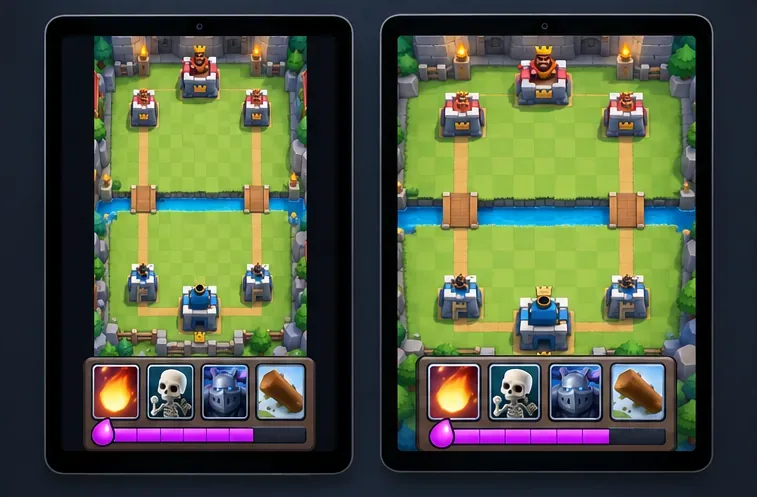
Find the best tablet aspect ratio setup for Clash Royale, compare Android display-fit choices, and check iPad full-screen framing without cropping the arena.
Fix Warzone Dev Error 6068 on startup with safe PC checks for updates, overlays, graphics drivers, game-file repair, and clean boot troubleshooting.
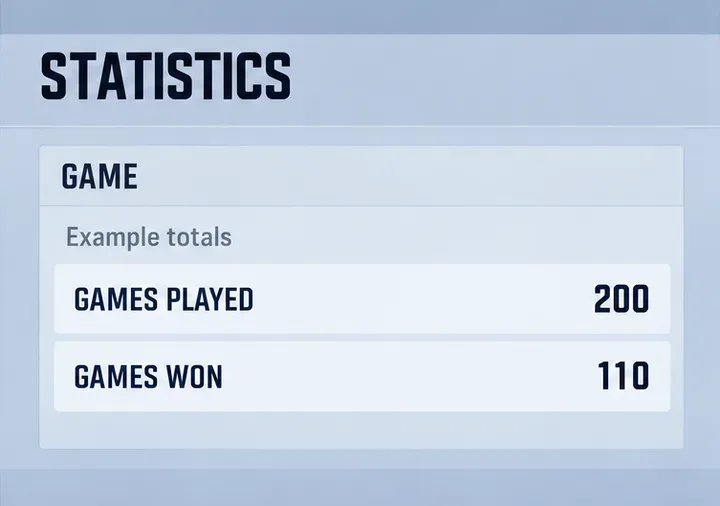
Check your Overwatch 2 overall match win rate with Career Stats, matching game totals, and the right filters—without mistaking hero percentages for match results.