How to Check Real-Time Server Latency in the PUBG HUD

Enable PUBG’s network statistics HUD to monitor ping and packet loss in a match. See where to find it, what the numbers mean, and what they cannot diagnose.
Yes, with limits. On PC, Riot supports accessibility-oriented joysticks and controller buttons through its newer WASD input features, but it has not announced a full plug-and-play controller mode for ordinary League matches. Riot’s April 2026 developer update said broad controller support was not currently planned. Patch 26.10 later added native binding for accessibility-controller buttons when WASD input is enabled. That is useful, but it is not the console-style experience implied by the old guide’s “official controller support” claim.
This guide explains the current League of Legends controller setup that Riot documents, what a standard Xbox- or PlayStation-style gamepad can and cannot be expected to do, and how to test a practical layout before risking a ranked match. The most reliable approach for many players is still a hybrid: joystick movement where supported, plus a mouse for cursor-heavy actions.
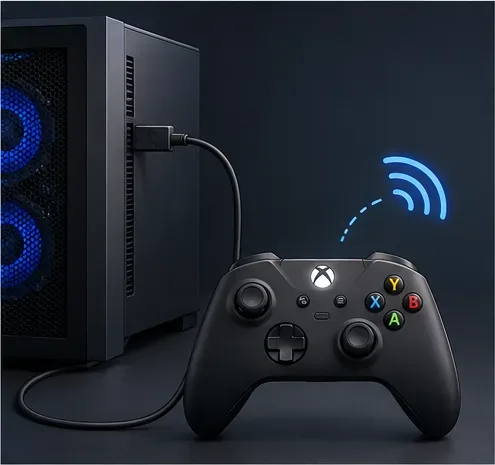
Riot has made the WASD control scheme a live option, including Ranked. Its developer update describes a narrower form of controller support for accessibility: players can use WASD movement with a joystick, and the in-game Options menu lets accessibility buttons bind directly to inputs when WASD is turned on. The Patch 26.10 notes say to enable WASD, select an input in Options, and press the button you want to assign. Riot also says it is continuing to iterate on joystick and accessibility support.
That does not mean every standard gamepad is automatically recognized as a complete League controller. No universal Xbox, PlayStation, or third-party preset is promised for movement, cursor targeting, the shop, camera, abilities, and menus together. A regular gamepad may need device-specific accessibility configuration; an external remapper is a separate, unsupported choice. If you need dependable cursor precision, keep a mouse connected.
| Input path | What to expect | Best fit |
|---|---|---|
| WASD with an accessibility joystick | Riot documents joystick movement and native binding for accessibility buttons while WASD is enabled. | Players who need joystick movement or accessible button placement. |
| Standard gamepad alone | Do not assume plug-and-play support for a full match. Device recognition and the available inputs can vary. | Experiment in Practice Tool first; keep mouse and keyboard available. |
| Keyboard and mouse | League’s established point-and-click control scheme remains available. | Players who want the broadest direct cursor control. |
Riot’s WASD Ranked release update explains the accessibility-joystick scope and says full controller support was not then planned. The Patch 26.10 notes document the newer button-binding change.
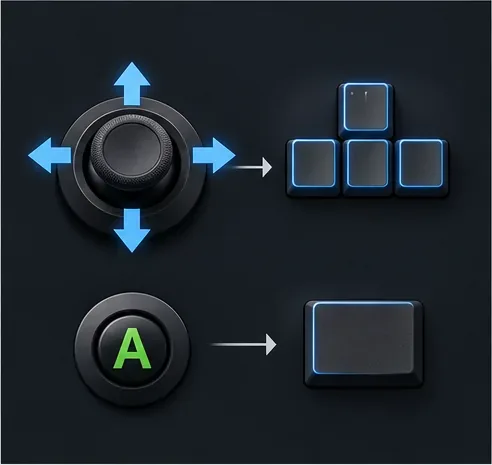
There is no single best League controller mapping for every device, and the following is a starting pattern rather than an official preset. Bind the action labels shown by your current Options menu; the actual input names depend on your control scheme and existing keybinds.
| Controller area | Suggested role | Reason |
|---|---|---|
| Left stick | Four directional movement inputs | Keeps movement on one control surface. |
| Face buttons | Frequently used champion abilities, one input per button | Easy to reach without moving the thumb from the main buttons. |
| Shoulder buttons | Summoner spells or other high-priority single actions | Separates defensive or time-sensitive actions from movement. |
| Mouse | Cursor aiming, shop and menu selections, camera or map tasks as needed | Many League interactions still rely on precise pointer placement. |
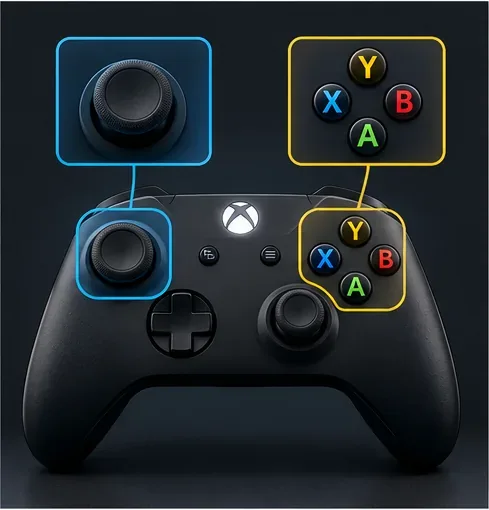
Riot has also described custom inputs for moving the mouse cursor, but it does not provide a universal right-stick layout for all controllers. Check the live Options menu to see which inputs your device can bind. If cursor movement feels imprecise, use the mouse for aiming rather than forcing every task onto the controller.
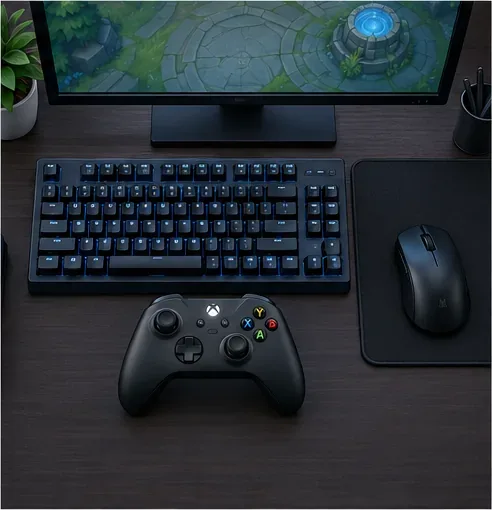
Riot has taken its native WASD control scheme into Ranked, but that statement should not be read as approval of every external gamepad mapper. Riot’s third-party application guidance says it objects to tools that undermine competitive integrity, take actions on a player’s behalf through scripting or botting, or provide an unfair advantage. Riot’s Terms of Service also prohibit unauthorized automation programs that interact with Riot services.
Riot does not publish a complete list of approved remapping apps, so this article cannot promise that a particular external mapper is safe or supported. Avoid macros that combine a sequence of actions into one press, and check with Riot Support if you are unsure about a device or program. The native accessibility route is the clearest documented option; a standard controller-only setup is not guaranteed to work reliably in Ranked.
You can play League of Legends with a controller in a limited way through Riot’s accessibility-focused joystick and WASD options. You should not expect a full console-style controller mode, automatic Xbox or PlayStation support, or a proven ranked-ready mapping from the old guide. Start with the official in-game inputs, keep a mouse available, and test the complete layout in a low-pressure mode. That gives you a realistic way to decide whether a controller helps you play comfortably without mistaking partial accessibility support for full native support.
Enable PUBG’s network statistics HUD to monitor ping and packet loss in a match. See where to find it, what the numbers mean, and what they cannot diagnose.
Learn how to import VALORANT crosshair codes, compare presets with manual settings and spectator copy, and fix common import issues.
Choose Dota 2 minimap size, hero icons, team colors, and background settings by readability, fewer misclicks, and clear results on your own display.
Fix Fortnite texture pop-in on PC with official steps for GPU drivers, file verification, DirectX 12, high-resolution textures, VRAM, SSDs, and stutter.
Learn what Heroes of the Storm minimap size and position options are verified, improve readability, and choose camera-click controls that suit you.
Set Super Smash Bros. Ultimate Quickplay to prefer hazards-off stages. Follow the Preferred Rules menu steps and learn why matchmaking may not always honor them.
Enable Server Latency and Packet Loss in Warzone to monitor connection quality, read the overlay, and use recurring spikes to guide troubleshooting.
Learn how to carry from mid lane in League of Legends by setting up waves, choosing safe roam windows, reading side lanes, and converting pressure into objectives.
Fix Minecraft Evoker spell problems with a safe vanilla test, version checks, log review, and a step-by-step way to isolate mod or datapack conflicts.
Fix PUBG stuck on Initializing on Steam with a focused checklist for PC service notices, launch options, game files, downloads, and connection issues.








