Nothing kills the gaming vibe faster than a blank screen due to HDMI port issues on your PlayStation. Whether you're deep into an epic PS5 adventure or reliving PS4 classics, these glitches can strike anytime. But don't worry, gamer—this guide is your lifeline! We'll walk you through simple, effective steps to diagnose and resolve HDMI port issues on PlayStation consoles like PS5 and PS4. By the end, you'll be back in the action with crystal-clear visuals. Let's dive in! 🚀
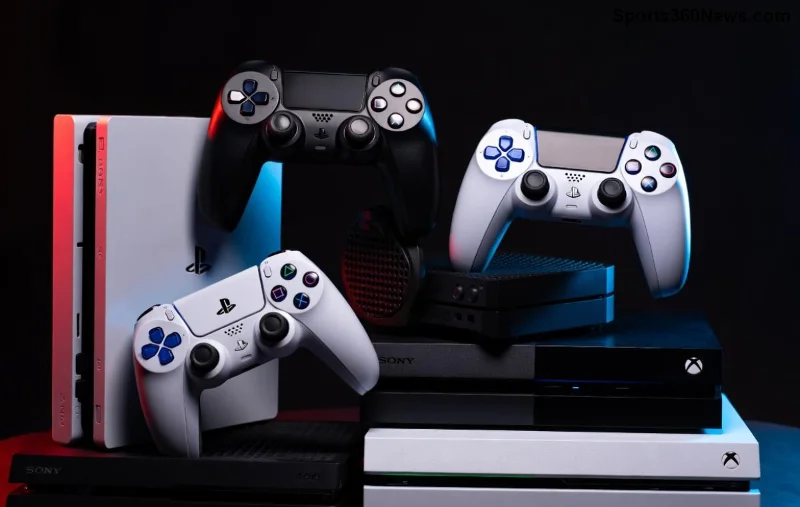
Common Causes of HDMI Port Issues on PlayStation
Understanding the root causes helps you target fixes efficiently. HDMI port issues often stem from hardware wear, connection problems, or software glitches. Here's a quick breakdown:
| Symptom | Likely Cause |
|---|---|
| No Signal or black screen | Loose cable, damaged port, or HDCP handshake failure |
| Flickering or intermittent display | Cable quality issues or TV compatibility |
| No audio via HDMI | ARC/eARC settings mismatch or port dust |
| Console powers on but no video | Resolution mismatch or firmware bug |
Pro tip: Dust and bent pins in the HDMI port are sneaky culprits—inspect yours first! 😎
Step-by-Step Troubleshooting HDMI Port Issues on PlayStation
Follow these steps in order for the best results. Most users fix their PS5 HDMI or PS4 HDMI problems here. Grab a microfiber cloth and spare cable—you're ready!
- 🔍 Check and Swap the HDMI Cable
The #1 fix for HDMI port issues PlayStation. Unplug the HDMI cable from both ends, inspect for bends or frays, and test with a new High-Speed HDMI cable (18Gbps for PS5). Plug into a different TV HDMI port too. Works 70% of the time! - 🧹 Clean the Ports Gently
Power off your console and TV. Use compressed air or a soft brush to remove dust from the HDMI port. Avoid metal tools to prevent damage. Reconnect and test. - 📺 Power Cycle Everything
Unplug your PlayStation, TV, and any soundbar for 5 minutes. This resets the HDCP handshake. Plug back in: console first, then TV. - ⚙️ Boot into Safe Mode
For PS5: Hold power button until second beep. For PS4: Hold power while plugging in. Select Change Video Output → Set to 1080p or Auto. This resolves resolution mismatches causing black screens.
Stuck? Keep going—these next steps tackle stubborn PS5 HDMI problems. 💪
- 🔄 Update System Software
If you can access the menu, go to Settings → System → System Software → Update. Outdated firmware often causes HDMI no signal on PS5. - 📐 Adjust TV Settings
Enable HDMI-CEC (Bravia Sync/ARC), set to Game Mode, and disable HDR if unstable. Match console output: PS5 supports up to 8K, but start with 4K/60Hz. - 🛠️ Reset Video Output Settings
In Safe Mode, choose Reset PS5 Video Output (or PS4 equivalent). This clears custom resolutions without deleting data. - ✅ Test on Another Display
Borrow a friend's TV or monitor. If it works, the issue is your TV's HDMI port—try a different input.
Advanced Fixes for Persistent HDMI Port Issues
If basics fail, level up your troubleshooting. These target hardware and deep software glitches.
- HDMI Splitter or EDID Emulator: For handshake issues, use a powered HDMI splitter. Great for AVR setups.
- Console Reset: Safe Mode → Reset Options → Rebuild Database (non-destructive). Last resort: Initialize, but back up saves first!
- Port Inspection: Shine a light inside the PlayStation HDMI port. Bent pins? Gently realign with plastic tweezers or seek repair.
For official guidance, check PlayStation Support—they confirm these as top fixes for recent PS5 HDMI black screen reports.
Prevention Tips: Keep HDMI Port Issues Away Forever ⭐
Stay ahead of glitches:
- Use premium, certified HDMI 2.1 cables for PS5.
- Avoid hot-swapping cables while powered on.
- Keep vents clean to prevent overheating-related ports stress.
- Regularly update your console for the latest HDMI compatibility patches.
When to Call in the Pros
If nothing works, it might be a faulty HDMI port. Contact PlayStation Support for warranty repair (PS5 ports are covered). Third-party fixes risk voiding warranty—think twice!
🎉 Congrats—you've conquered HDMI port issues on PlayStation! Drop a comment if this saved your session. Game on, legends! What's your go-to fix? Share below and help fellow gamers. 👇






