How to Check Real-Time Server Latency in the PUBG HUD

Enable PUBG’s network statistics HUD to monitor ping and packet loss in a match. See where to find it, what the numbers mean, and what they cannot diagnose.
Compensator vs Suppressor in PUBG Mobile comes down to a practical choice: pick the Compensator when controlling recoil matters most, and pick the Suppressor when reducing the sound of your shots supports your positioning. For a player spraying an M416 through repeated mid-range fights, the Compensator is usually the more forgiving option. For someone taking selective shots from cover and trying to avoid attracting another team, the Suppressor has a clear tactical purpose.
Neither attachment is an automatic upgrade in every situation. Weapon class, firing style, available grips, shooting distance, and whether enemies already know your position all influence the result. Here is how to choose without relying on outdated recoil percentages or myths about bullet speed.
The Compensator is a muzzle attachment designed to reduce horizontal and vertical recoil. The official PUBG Mobile weapon-attachment help page explicitly identifies both types of recoil as its purpose. In sustained automatic fire, that generally makes it easier to keep the sight on a moving target and recover between shots.
It is most appealing when you expect to fire multiple rounds rapidly: holding a doorway, trading shots across a street, defending a teammate, or tracking an opponent at medium distance. You still need to pull your aim against recoil; a Compensator does not produce zero-recoil sprays.
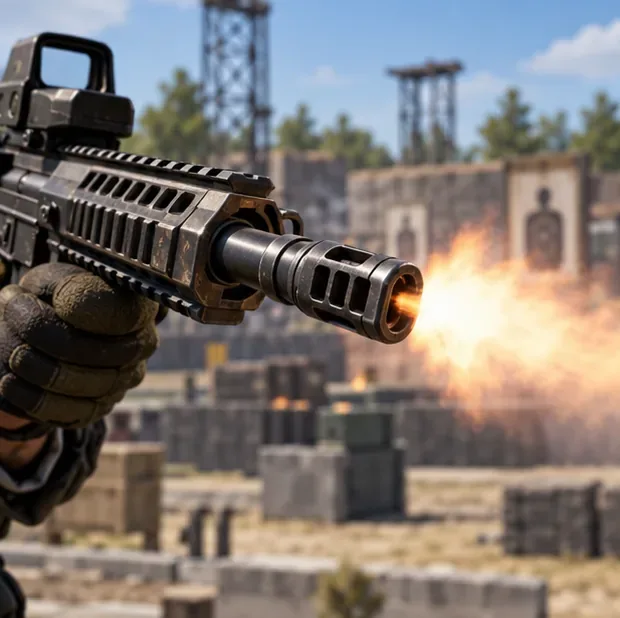
Do not assume that an assault-rifle Compensator increases bullet velocity, base damage, or damage retention at range. Those effects are not part of the official general description of this attachment. Weapon- and patch-specific exceptions exist: PUBG Mobile's November 15, 2022 Version 2.3 notes documented a 10% effective-range increase and 10% bullet-spread reduction for the sniper-rifle Compensator. That dated sniper adjustment should not be presented as an across-the-board AR bonus.
A Suppressor reduces the audible report of a shot. The official attachment guide also describes a recoil-reduction effect, so the blanket statement that suppressors offer no recoil benefit is too absolute. However, the main reason to choose one over a Compensator is still sound management, not maximum automatic-fire control.
Reduced noise may make it harder for opponents farther away to identify where a shot originated, especially if you fire briefly and move. It does not make a weapon silent or guarantee that your location stays hidden. Nearby enemies can still notice gunfire, shots landing, visible movement, your teammates, or your firing position. Treat the Suppressor as one part of a stealth approach—not invisibility.
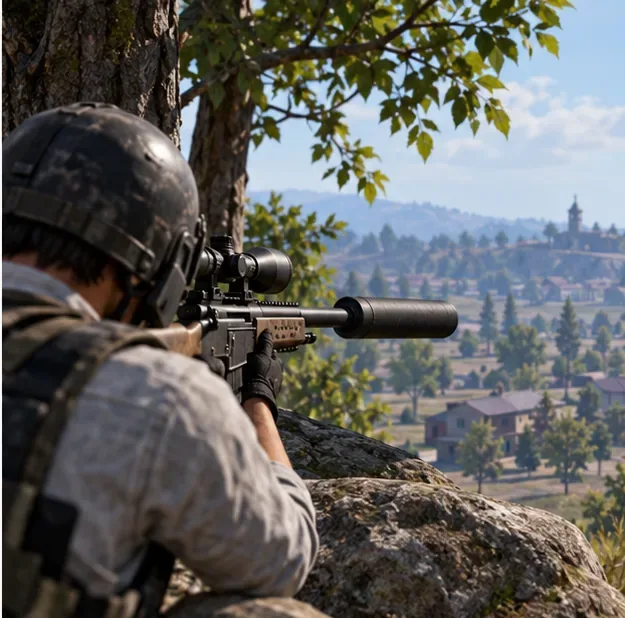
These are qualitative differences, not universal numerical modifiers. Attachment behavior can vary by weapon category and game updates.
| Decision factor | Compensator | Suppressor |
|---|---|---|
| Primary advantage | Controls vertical and horizontal recoil | Reduces gunshot sound |
| Long automatic sprays | Generally preferred | Less focused on sustained recoil control |
| Quiet repositioning and selective shots | No sound-suppression advantage | Often preferable |
| Bullet velocity and base damage | No general boost established by the official attachment guide | No general boost established by the official attachment guide |
| Best use case | Frequent close- and mid-range engagements | Flanks, ambushes, and carefully timed shots |
| Main limitation | Shots remain conspicuous | Less recoil-focused than a Compensator |
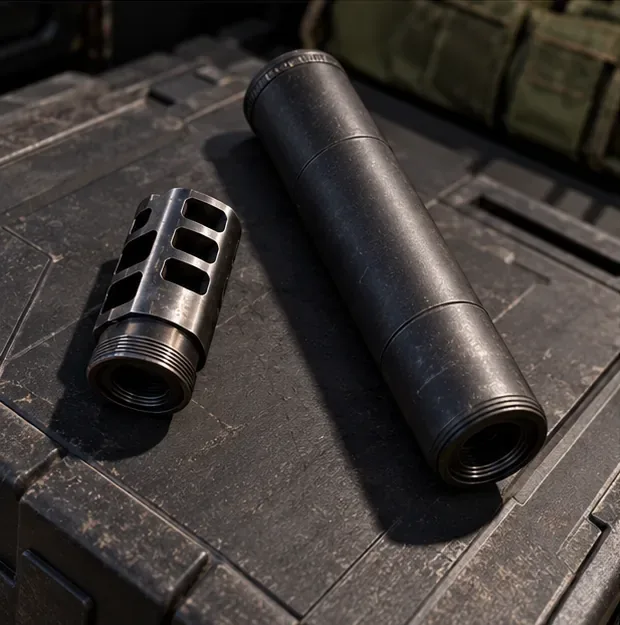
For an M416 or SCAR-L used for frequent automatic bursts, start with a compatible Compensator. The same principle applies to harder-kicking ARs such as the AKM and Beryl M762, where recoil control can make follow-up hits easier. A suitable grip, stock where supported, and your sensitivity settings also affect control; the muzzle alone cannot fix a poor spray technique.
Choose a Suppressor on an AR when your plan favors controlled bursts, isolated fights, and repositioning rather than repeatedly exposing yourself to full-auto trades. Before equipping anything, check the weapon's actual compatible muzzle slot in your current mode.
Submachine guns often fight at distances where targets move quickly and missed rounds are costly. A compatible SMG Compensator is a straightforward choice when you expect extended close-range tracking. An SMG Suppressor can suit a flank where you want a smaller audible signature, but it cannot hide a rush through an open doorway. Attachment variants are weapon-class specific; an AR muzzle is not automatically interchangeable with an SMG muzzle.
With a DMR such as an SLR or SKS, recoil management becomes important when landing a second or third shot quickly. A compatible Compensator can therefore be attractive. A Suppressor is worth considering if you fire from concealment and intend to change angles rather than commit to a prolonged exchange.
For bolt-action rifles such as the Kar98k or M24, sound reduction can be more valuable than spray control because every shot is deliberate. That said, a suppressed sniper shot can still be observed or traced by an alert enemy. Confirm that the specific muzzle fits your rifle rather than assuming all attachments work on all weapons.
A short, consistent practice routine is more useful than copying a universal percentage from an old chart. PUBG Mobile's official support material says the Training Grounds lets players try weapons and attachments before entering a match.
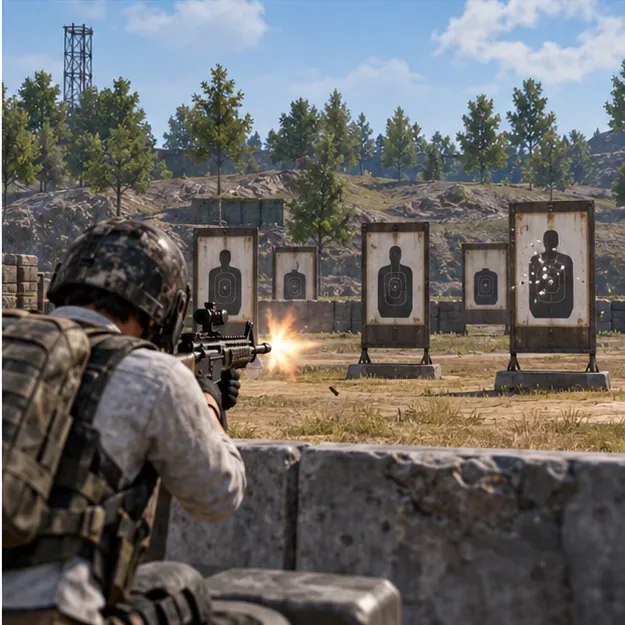
Repeat the comparison with a DMR if that is your main weapon. If your shots still wander excessively with the Compensator, work on burst length, grip selection, recoil compensation, and firing posture before treating another attachment as a cure.
No. It is usually the more practical pick for sustained M416 sprays, but a Suppressor may serve a player taking brief shots from cover and rotating immediately afterward.
The official PUBG Mobile attachment help page lists both sound and recoil reduction for the Suppressor. Do not assume its recoil behavior equals the Compensator's or rely on an unverified fixed percentage.
No universal bonus should be assumed. In particular, do not confuse documented sniper-specific adjustments or the separate Barrel Extender attachment with the normal benefits of an AR Compensator or Suppressor.
For most players who rely on automatic-fire accuracy, Compensator is the default pick. For planned flanks, selective long-range shots, and reducing the attention drawn by your gunfire, Suppressor is the situational pick. The better muzzle is the one that supports your next engagement—not necessarily the rarest item in your backpack.
Official references: PUBG Mobile Help Center: Weapon Attachments; PUBG Mobile Help Center: Training Grounds; PUBG Mobile Version 2.3 official patch notes (November 15, 2022).
Enable PUBG’s network statistics HUD to monitor ping and packet loss in a match. See where to find it, what the numbers mean, and what they cannot diagnose.
Learn how to import VALORANT crosshair codes, compare presets with manual settings and spectator copy, and fix common import issues.
Choose Dota 2 minimap size, hero icons, team colors, and background settings by readability, fewer misclicks, and clear results on your own display.
Fix Fortnite texture pop-in on PC with official steps for GPU drivers, file verification, DirectX 12, high-resolution textures, VRAM, SSDs, and stutter.
Learn what Heroes of the Storm minimap size and position options are verified, improve readability, and choose camera-click controls that suit you.
Set Super Smash Bros. Ultimate Quickplay to prefer hazards-off stages. Follow the Preferred Rules menu steps and learn why matchmaking may not always honor them.
Enable Server Latency and Packet Loss in Warzone to monitor connection quality, read the overlay, and use recurring spikes to guide troubleshooting.
Learn how to carry from mid lane in League of Legends by setting up waves, choosing safe roam windows, reading side lanes, and converting pressure into objectives.
Fix Minecraft Evoker spell problems with a safe vanilla test, version checks, log review, and a step-by-step way to isolate mod or datapack conflicts.
Fix PUBG stuck on Initializing on Steam with a focused checklist for PC service notices, launch options, game files, downloads, and connection issues.








