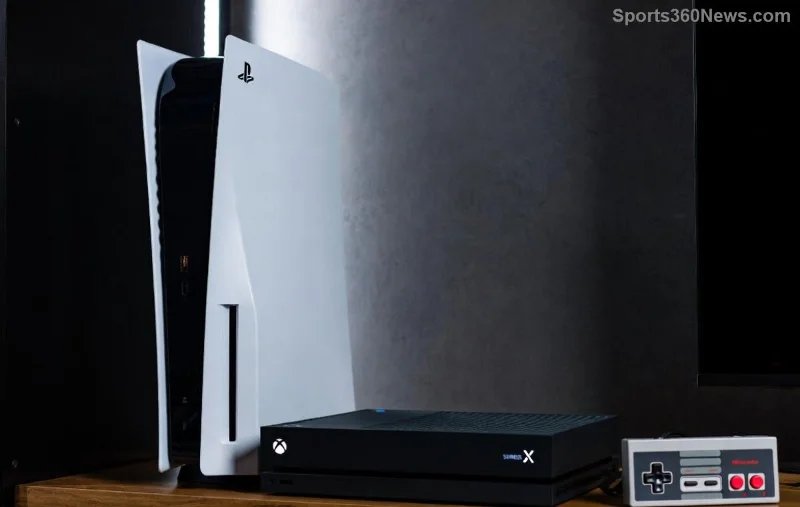
Imagine diving into epic online battles or grabbing free monthly games without everyone needing their own PlayStation Plus subscription. Sounds like a dream for gamers? It's reality! Game share PlayStation Plus lets you share benefits like multiplayer access, cloud saves, and exclusive discounts with friends and family on the same console. This guide breaks it down simply, so you can start sharing PS Plus benefits today and level up your gaming squad. Let's jump in! 🚀

What is PlayStation Plus Game Sharing? The Basics Explained
Game share PlayStation Plus revolves around Sony's primary console system. When you set a PS5 or PS4 as the primary console for your PSN account with an active PlayStation Plus subscription, every account on that console gets access to key benefits. No extra subs needed!
Key perks you can share PS Plus benefits for:
- ✅ Online multiplayer across all games
- ⭐ Monthly free games (Essential tier and up)
- ☁️ Cloud storage for saves
- 🎁 Exclusive trials and game catalog (Extra/Premium tiers)
- 💎 Discounts on PS Store
This works because Sony designed it for households – think siblings, roommates, or gaming buddies sharing one console. But it's not unlimited. More on that later! 😎
PlayStation Plus Tiers: Which Ones Can You Game Share?
All tiers support PS Plus game sharing, but higher ones unlock more goodies. Here's a quick comparison:
| Tier |
Monthly Price (USD) |
Shareable Benefits |
Best For Sharing |
| Essential |
$9.99 |
Multiplayer, 2-3 monthly games, cloud saves |
Budget multiplayer sharing 👥 |
| Extra |
$14.99 |
All Essential + 400+ game catalog |
Game library sharing 📚 |
| Premium (or Deluxe) |
$17.99 |
All Extra + classics, trials, streaming |
Ultimate sharing experience ⭐ |
Pro tip: Premium tier shines for game share PlayStation Plus since catalog games are playable by all on the primary console. Check PlayStation's official tiers for the freshest details.
How to Game Share PlayStation Plus: Step-by-Step Setup 🛠️
Ready to share? It's quick – under 5 minutes! Follow these steps on PS5 (PS4 is similar):
- 1️⃣ Log in as the PS Plus owner: Use the account with the active subscription.
- 2️⃣ Go to Settings: Hit the gear icon > Users and Accounts > Other > Console Sharing and Offline Play.
- 3️⃣ Enable it: Toggle "ON" for your PS5 as primary. (Only one primary per console!)
- 4️⃣ Add secondary accounts: Log in other PSN accounts on the same console.
- 5️⃣ Test it: Launch a multiplayer game – secondaries should play online without their own sub! 🎉
PS4 users: Settings > Account Management > Activate as Your Primary PS4 > Activate.
![Step-by-step PlayStation Plus game sharing setup on PS5 console]()
Bonus: You can share PS Plus benefits across up to 10 consoles if you're the owner (but only play on one primary at a time). Switch primaries anytime, but deactivate old ones first.
Limitations of PS Plus Game Sharing: What You Can't Share ⚠️
No system is perfect. Know these to avoid frustration:
- ❌ Only one primary console per account. Sharing across multiple homes? Tough.
- ❌ Owner must sign in occasionally (Sony checks periodically).
- ❌ Catalog/trial games (Extra/Premium) require login for owner sometimes; secondaries get limited access.
- ❌ No sharing PS Plus across accounts on non-primary consoles.
- ❌ Family sharing? Use PSN Family Manager for kids, but benefits still tie to primary.
Quick fix for multi-console gamers: Remote Play or PS Portal for access anywhere. Keeps the fun going! 🔄
PS5 vs PS4: Game Share PlayStation Plus Differences
PS5 improved sharing:
| Feature |
PS5 |
PS4 |
| Primary Setup |
Console Sharing menu (easier) |
Activation code |
| Game Boost |
Faster loads for shared library |
Standard |
| Cloud Streaming |
Shareable Premium perk |
Not available |
Upgrading to PS5? Your PS Plus game sharing transfers seamlessly. 👍
![PS5 and PS4 consoles with PlayStation Plus sharing icons]()
Troubleshooting PS Plus Sharing Issues: Fast Fixes
Running into snags? Common ones:
- No multiplayer? Double-check primary status and sub expiry.
- Games not shared? Restart console; re-login owner account.
- Error codes? Deactivate all primaries via web (account.sony.com) & reset.
- PS5 transfer? Data transfer tool preserves sharing.
Still stuck? Hit PlayStation Support chat – they're lifesavers. 🆘
Alternatives if Game Share PlayStation Plus Isn't Enough
Need more? Try:
- PS Plus Family? Not yet, but watch for updates.
- Game Pass on PC? Cross-buy vibes.
- Buy discounted subs during sales – stack with sharing!
FAQs: Your PlayStation Plus Game Sharing Questions Answered
Q: Can I share with a friend at their house?
A: Yes, but set their console primary & visit occasionally. Long-distance? Risky.
Q: Does deleting accounts break sharing?
A: No, as long as owner sub is active.
Q: Share across PS5 and PS4?
A: One primary per console type max.
Wrap-Up: Start Sharing PS Plus Benefits Today & Game On! 🏆
You can game share PlayStation Plus – and it's a game-changer for saving cash while maximizing fun. Follow the steps, dodge the pitfalls, and squad up. Got tips or questions? Drop 'em below – let's build the ultimate gaming community. Happy sharing, legends! 🎮💥
Word count: ~950. Stay tuned for more PS tips!