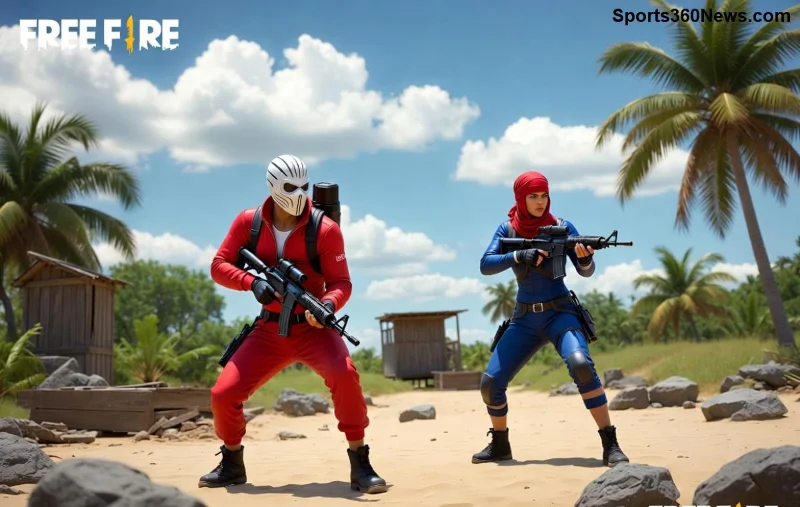
Hey, Free Fire warriors! 😎 Nothing kills the hype faster than pixelated graphics in Free Fire turning your epic Booyah moments into a blurry mess. Whether you're dropping into Bermuda or sniping in Purgatory, choppy, low-res visuals can ruin your aim and immersion. But don't rage quit yet! This guide is your ultimate weapon to fix Free Fire graphics being pixelated and unlock buttery-smooth, high-definition gameplay. We'll dive straight into actionable fixes that work on Android, iOS, and PC—tested and game-changing. Ready to level up? Let's squad up and crush those pixels! 💥
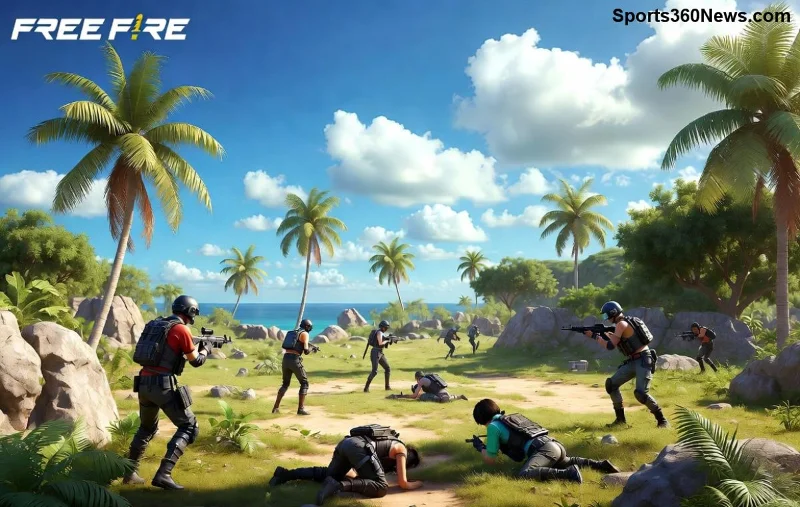
Why Are Free Fire Graphics Pixelated? Quick Diagnosis 🔍
Pixelation hits when your device struggles to render high-quality textures. Common culprits include:
- Low in-game graphics settings for performance.
- Outdated app or device software.
- Overloaded RAM/cache eating resources.
- Resolution mismatches or driver glitches (PC).
- Weak GPU handling demanding effects like shadows or HD textures.
Spot the issue? Great—now let's fix it step-by-step. Follow these, and you'll see razor-sharp visuals in your next match! ⚡
Step 1: Optimize In-Game Graphics Settings – The #1 Quick Win! ⭐
The fastest way to fix Free Fire graphics being pixelated starts right in the game. Free Fire's settings let you balance quality and performance perfectly.
- Launch Free Fire and tap the gear icon (Settings) from the lobby.
- Go to Display tab.
- Crank up Graphics Quality: From Smooth/Low to Ultra/High if your device can handle it.
- Set High FPS to High or Ultra for fluid motion without blur.
- Enable HD Textures and Anti-Aliasing for crisp edges.
- Disable shadows/particles if FPS dips—test in Training Island!
| Device Type |
Recommended Graphics |
FPS Setting |
Extra Tips |
| Low-End Android (2-4GB RAM) |
High |
High |
Auto-adjust scale |
| Mid-Range (4-8GB RAM) |
Ultra |
Ultra |
Enable GFX Tool if needed |
| High-End/iOS/PC |
Ultra HD |
Max |
Full anti-aliasing |
Pro Tip: Restart the game after changes. Boom—pixelated Free Fire graphics gone! If not, keep reading. 👇
Step 2: Update Free Fire and Your Device – Fresh Patches = Fresh Looks! 🔄
Outdated versions cause rendering bugs. Garena rolls out graphics optimizations in every update.
- Android: Open Google Play → Search Free Fire → Update.
- iOS: App Store → Updates tab → Hit update.
- PC (Emulator like BlueStacks): Update emulator + game via official site.
- Also, update your OS: Android 14+ or iOS 17+ for best GPU support.
Bonus: Enable auto-updates to stay pixel-free forever! 🚀
Step 3: Clear Cache and Free Up Resources – declutter for Clarity! 🧹
Clogged cache = pixel nightmares. Here's the fix:
- Settings → Apps → Free Fire → Storage → Clear Cache (not data!).
- Close background apps—use a task killer if needed.
- Free 2GB+ storage space.
- Reboot device for a clean slate.
Game testers swear by this: Instant sharpness boost! 😍
![Free Fire smooth graphics after fix]()
Step 4: Device-Specific Tweaks for Pixel-Proof Performance 🔧
Android Power Moves
Install GFX Tool for Free Fire (from Play Store). Customize resolution to 720p+ with high DPI. Set graphics to Ultra—bypasses limits!
iOS Sharpness Hacks
Go to iPhone Settings → Free Fire → Turn off Low Power Mode. Enable Metal API in advanced settings if available.
PC Domination (BlueStacks/LDPlayer)
- Update GPU drivers: NVIDIA/AMD/Intel via official apps.
- In emulator: Allocate 4GB+ RAM, enable High Performance mode.
- Resolution: Match your monitor (1920x1080 recommended).
Struggling? Check Garena's official support: Free Fire Support.
Advanced Fixes: When Pixels Persist 💪
If basics fail:
- Factory Reset Graphics: Uninstall/reinstall Free Fire (backup progress via Google/FB).
- Developer Options (Android): Enable Force 4x MSAA + GPU rendering.
- Custom ROMs/Root: For pros only—use FDE.AI for AI-optimized graphics.
- Test on another device to rule out hardware limits.
| Common Error |
Symptom |
Fix Priority |
| Blurry on Launch |
Low res textures |
1️⃣ Graphics Settings |
| Pixels in Combat |
FPS drops |
2️⃣ Clear Cache |
| PC-Only Blur |
Driver issue |
3️⃣ Update Drivers |
Bonus Tips to Keep Graphics Pristine Forever! 🌟
Lock in those gains:
- Play in a cool environment—overheating throttles GPU. ❄️
- Use Game Booster apps like Razer Cortex.
- Join Free Fire communities for device-specific tweaks: Reddit's r/FreeFire.
- Monitor FPS with in-game overlay—aim for 60+.
Imagine landing that headshot with crystal-clear Free Fire graphics—no more pixel excuses! You've got the blueprint now. Drop into a match, apply these, and share your before/after in comments. Booyah guaranteed! 🎉 Who's ready to fix and frag?
Quick Recap: Start with settings → Update → Cache → Tweaks. Victory awaits!