Imagine landing the perfect headshot in Fortnite, only for it to vanish like a ghost. That's the frustration of Fortnite ghost shots – bullets that don't register due to high latency or packet loss. If your ping spikes to 200ms+ and shots feel delayed, you're not alone. But here's the good news: ⭐ You can fix it with these battle-tested steps. Stick around – we'll turn your laggy nightmare into smooth Victory Royales!
What Are Fortnite Ghost Shots and High Latency? Quick Breakdown
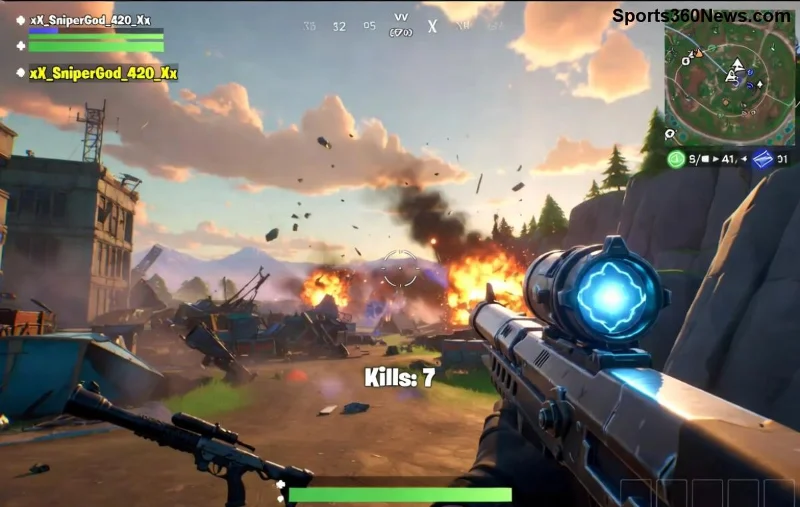
Ghost shots happen when your shots visually hit but don't damage enemies – a classic sign of poor hit registration. High latency (high ping) delays data between your PC and Epic's servers, causing rubber-banding, delayed actions, and packet loss. Common in crowded lobbies or unstable connections.
Why care? It ruins aim duels and build fights. Pro tip: Test your ping in-game (Settings > HUD > Net Debug Stats). Anything over 60ms? Time to fix! 👆
Top Causes of Fortnite Ghost Shots and High Latency
- WiFi instability (switch to wired!)
- Background apps hogging bandwidth
- Outdated network drivers
- ISP throttling or bad routing
- High in-game graphics overwhelming your rig
- Distant servers
Ready to crush these? Let's dive into fixes – start simple, escalate as needed. Your build battles await! 💥
🛠️ Step-by-Step: How to Fix Fortnite Ghost Shots and High Latency
1️⃣ Switch to a Wired Ethernet Connection (Easiest Win)
WiFi is the #1 killer. Plug in an Ethernet cable for stable, low-latency gaming. Expect 20-50ms ping drops instantly.
- Get a Cat6 cable (<$10).
- Plug into router/PC.
- Test ping – boom, smoother shots! 👍
2️⃣ Optimize Your Network Settings
Restart router/modem: Unplug 30s, plug back. Flush DNS:
Windows: Press Win+R, type cmd, run ipconfig /flushdns.
Change DNS to Google (8.8.8.8 / 8.8.4.4) or Cloudflare (1.1.1.1):
- Network Settings > Adapter Properties > IPv4 > Use these DNS.
- Save, restart Fortnite.
3️⃣ Update Network Drivers & Windows
Outdated drivers cause packet loss. Download latest from your PC maker (e.g., Realtek/NVIDIA):
![Fortnite smooth gameplay after fixing latency and ghost shots]()
4️⃣ Fortnite In-Game Tweaks for Zero Ghost Shots
| Setting | Recommended | Why? |
|---|
| Rendering Mode | Performance | Reduces CPU load, stabilizes ping |
| View Distance | Medium | Balances visuals & network strain |
| Shadows | Off | Frees resources for hit reg |
| Net Debug Stats | On | Monitor ping/packet loss live |
| Server Region | Closest (e.g., NA-East) | Cuts latency by 50ms+ |
Pro move: Set Matchmaking Region to your closest – no more 150ms pings! 🎯
5️⃣ Kill Bandwidth Hogs & Use QoS
Close Discord overlays, browsers, downloads. Enable QoS on router:
- Router login (192.168.1.1).
- QoS settings > Prioritize gaming ports (UDP 5222, 5795-5847).
6️⃣ Advanced Fixes: VPN? No – Better Alternatives
Skip VPNs (they add latency). Instead:
- ExitLag or WTFast for route optimization (try ExitLag – 7-day free trial).
- Disable IPv6 in adapter settings.
- Powerline adapters if wiring sucks.
Bonus: Play during off-peak hours for cleaner servers. Feeling the gains yet? Keep reading for hardware upgrades! 🚀
Hardware Upgrades to End Fortnite High Latency Forever
If software fixes aren't enough:
| Upgrade | Impact | Cost |
|---|
| Gigabit Router (e.g., TP-Link Archer) | Halves ping spikes | $50-100 |
| SSD (if on HDD) | Faster load = less stutter | $30+ |
| 16GB+ RAM | No background lag | $40 |
ISP check: Run speedtest.net. Need 50Mbps+ down, <20ms to server. Complain if throttling!
Testing & Maintenance: Stay Ghost-Shot Free
After fixes:
- Queue Solo Zero Build – monitor Net Debug.
- Ping <50ms, 0% packet loss? You're golden! 🏆
- Weekly: Restart router, update drivers.
Still issues? Join Fortnite Discord or Epic forums – community shares region-specific tips.
Final Victory: Your Fortnite Ghost Shots Are History!
Congrats, Battle Bus jumper! These fixes have helped thousands drop high latency and nail every shot. Implement one-by-one, track progress, and watch KD soar. What's your ping now? Drop a comment below – let's squad up lag-free! 👇
Optimized for latest patches – play smarter, win bigger! 🎮