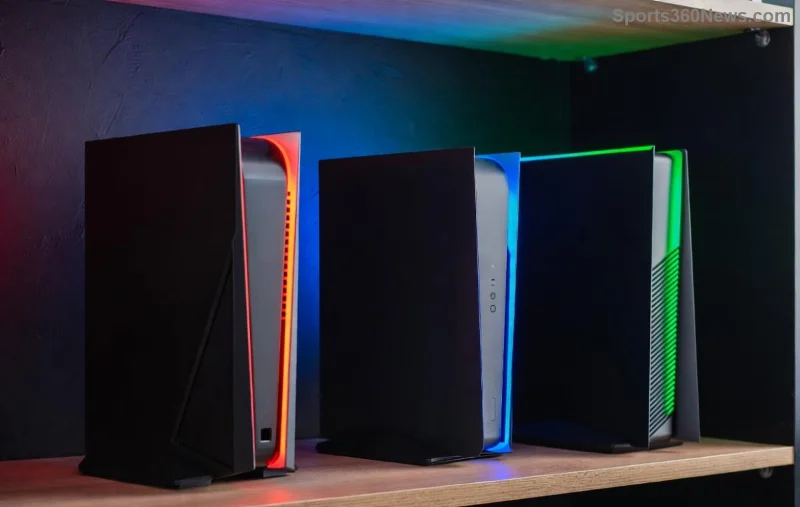
Imagine diving into an epic boss fight, only for the dreaded "Your PS5 is Too Hot" warning to flash on screen and shut everything down. 😩 Frustrating, right? Don't worry, fellow gamer—this is a common issue with straightforward solutions. Your PS5's built-in safety feature kicks in to protect the hardware from damage, but you can beat the heat and get back to gaming in no time. In this guide, we'll cover proven fixes for PS5 overheating, from quick wins to long-term prevention. Let's cool things down! ⭐

What Does the "Your PS5 is Too Hot" Warning Really Mean?
The "Your PS5 is Too Hot" message appears when internal sensors detect temperatures exceeding safe limits (around 80-90°C for key components). It's not a breakdown—it's your console's smart defense mechanism. Ignore it too long, and it could lead to shutdowns or rare hardware strain. Good news? Most cases stem from preventable causes, and fixing them restores peak performance. Ready to troubleshoot? Let's dive in.
🛑 Top Causes of PS5 Overheating (And Why They Happen)
- Dust buildup: The #1 culprit. Dust clogs vents and fans, blocking airflow. After months of intense sessions, it piles up fast.
- Poor ventilation: Placing your PS5 in enclosed spaces like TV cabinets traps hot air.
- Hot environments: Rooms above 30°C (86°F) or direct sunlight amplify heat.
- Heavy usage: Marathon gaming on high-graphics titles like God of War Ragnarök pushes the CPU/GPU hard.
- Faulty fan: Rare, but fans can wear out over time.
Spot any of these? You're already ahead. Now, let's fix it step-by-step. 👍
⚡ Quick Fixes for "Your PS5 is Too Hot" Warning—Try These First!
Power cycle and basic checks can resolve 70% of cases instantly. Follow these:
- Turn off and unplug: Wait 30-60 minutes for full cooldown. Never just pause—full shutdown is key.
- Check vents: Use compressed air to blow out visible dust from side/top vents. Hold PS5 upright.
- Relocate temporarily: Move to an open, cool spot with 4+ inches clearance on all sides.
- Restart in Safe Mode: Hold power button until second beep, select "Clear Cache and Rebuild Database." This flushes temp files without data loss.
Back online already? Great! If not, time for deeper action.
![Cleaning PS5 vents with compressed air to fix overheating]()
🧹 Step-by-Step Deep Cleaning: Banish Dust Forever
Deep clean every 3-6 months for heavy users. No need for disassembly unless you're confident—Sony recommends pros for that. Here's your toolkit:
| Tool |
Why It Works |
Where to Get |
| Compressed air can |
Blasts dust without contact |
Amazon, electronics stores |
| Microfiber cloth |
Wipes exterior safely |
Any store |
| Soft brush |
Dislodges stubborn particles |
Makeup brush works! |
| Isopropyl alcohol (90%+) |
Spot-cleans grilles |
Pharmacy |
Cleaning Steps:
- Unplug and cool down PS5 completely.
- Vertical position: Blow air into side vents (short bursts, straw attachment).
- Horizontal: Focus on top exhaust and bottom intake.
- Wipe exterior with microfiber dampened in alcohol (never liquid inside).
- Test: Run a demanding game for 30 mins.
Pro tip: Clean controller vents too—sweat and dust add up!
🏠 Optimize Your Setup: Prevent PS5 Overheating Long-Term
Placement is everything. Follow these gamer-approved setups:
- Ideal spot: Open shelf, 10cm (4in) from walls, away from carpets/heat sources.
- Use a stand: Vertical orientation improves airflow (official Sony stand recommended).
- Room tweaks: AC to 20-25°C, fans nearby, avoid direct sun.
- Accessories boost: Cooling stands with fans (check reviews for PS5 Slim/Disc models).
![Optimized PS5 setup with cooling stand and good ventilation]()
💻 Software Fixes: Update and Maintain
Latest firmware optimizes fan curves. Go to Settings > System > System Software > Update. Enable automatic downloads. For persistent issues:
- Rebuild Database in Safe Mode (option 5).
- Reset if needed (backs up saves first via USB/PS Plus).
Stuck? Check Sony's official troubleshooting: PlayStation Support.
🔧 When to Call in the Pros (Red Flags)
If warnings persist post-cleaning:
- Unusual fan noise or no spin.
- Random shutdowns under light load.
- Physical damage.
Contact Sony Support or authorized repair—warranty covers fans up to 1 year. Digital models might need mail-in.
🎮 Game On: Stay Cool, Play Hard!
There you have it—your complete arsenal against the "Your PS5 is Too Hot" warning. Start with quick fixes, maintain regularly, and you'll game worry-free. Which tip worked for you? Drop a comment below, and share with squad mates. Level up your setup today! 👊🚀