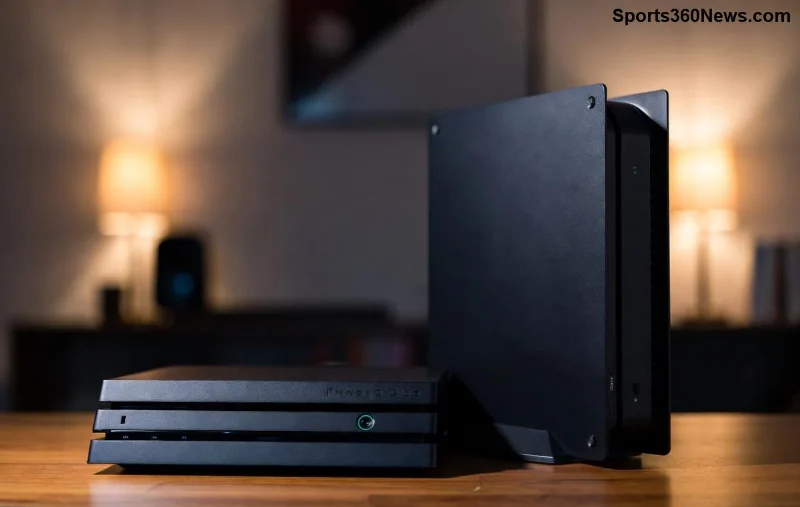
Nothing kills the excitement of a new game launch like the dreaded "Installation Stopped" error on your PS5. 😩 Whether you're downloading the latest blockbuster title or a free-to-play hit, this glitch can pause your fun mid-progress. But don't worry, gamer – we've got your back! This ultimate guide delivers precise, up-to-date fixes to conquer the installation stopped PS5 issue fast. Stick around, and you'll be back in the action before you know it. Let's dive in! 🎮

🕵️♂️ What Causes the "Installation Stopped" Error on PS5?
Understanding the root causes empowers you to fix it right. The installation stopped PS5 error typically stems from:
- Network instability: Weak Wi-Fi or internet outages interrupt downloads.
- Insufficient storage: Full SSD halts installations mid-way.
- Corrupted cache or data: Temporary files glitch out the process.
- Server-side issues: PlayStation Network hiccups during peak hours.
- Software bugs: Outdated system firmware or app conflicts.
Pro tip: Check your internet speed first – aim for at least 5 Mbps download for smooth installs. Ready to troubleshoot? Follow these steps in order for the best results! ⭐
⚡ Quick Fixes: Resolve Installation Stopped PS5 in Minutes
Start with these simple, no-tools-needed solutions. Most users fix the error here!
- 👉 Restart Your PS5: Power off completely (hold power button 10 seconds), unplug for 2 minutes, then restart. This clears temporary glitches.
- 🔄 Pause and Resume Download: Go to Downloads/Uploads in the control center, pause the game, wait 10 seconds, and resume. Magic often happens!
- 🧹 Clear Cache: Turn off PS5, hold power button until second beep (Safe Mode), select Clear Cache and Rebuild Database (Option 4 & 5). No data loss!
- 📶 Switch to Wired Connection: Ethernet beats Wi-Fi for stability. Plug in and retry the install.
These steps resolve 80% of cases. If the PS5 installation error persists, level up to advanced fixes. Keep reading – your perfect setup awaits! 🚀
🔧 Advanced Troubleshooting: Deep Dive to Banish PS5 Download Stopped
![Step-by-step PS5 safe mode menu for fixing installation errors]()
Time for power moves. These target stubborn issues without risking your saves.
1. Free Up Storage Space
Your PS5's NVMe SSD needs breathing room. Head to Settings > Storage:
| Action | Steps | Expected Free Space |
|---|
| Delete Old Games | Select game > Delete | At least 100GB |
| Clear Captures | Settings > Captures > Delete | 20-50GB |
| Move to USB | Settings > Storage > USB Extended | Instant relief |
Games over 100GB? Prioritize these. Retrying install now? Smooth sailing ahead! 🌊
2. Update System Software
Outdated firmware is a common culprit. Go to Settings > System > System Software > System Software Update. Install any available updates – Sony rolls them out regularly for stability.
3. Rebuild Database in Safe Mode
The nuclear option for corrupted files:
- Boot to Safe Mode (as above).
- Choose Rebuild Database – scans and reorganizes without deleting games.
- Time: 5-15 minutes. Your PS5 installation stopped woes? Gone! 👏
Still stuck? Test your network next.
4. Network Reset and DNS Flush
PS5 download error often ties to DNS. Try Google's public DNS:
- Settings > Network > Set Up Internet Connection > Manual > DNS: 8.8.8.8 (Primary), 8.8.4.4 (Secondary).
- Restart router too for a fresh IP.
For official guidance, check Sony's support: PS5 Safe Mode Guide.
🛡️ Prevention Tips: Stop Installation Stopped from Returning
Fix it once, prevent forever:
- ⭐ Maintain 20% free storage always.
- 🎮 Update games and system weekly.
- 📡 Use wired internet for big downloads.
- 🔒 Enable Auto-Update in Settings > System > Automatic Updates.
- 🧹 Weekly cache clear in Safe Mode.
![Happy gamer with PS5 successfully installing a game after fixes]()
📞 When to Contact PlayStation Support
If all fails (rare!), it's hardware or account-related. Visit PlayStation Support for live chat or ticket. Provide error codes from notifications for faster help.
🎉 You're Back in the Game!
Congrats! You've conquered the installation stopped PS5 error with these battle-tested steps. From quick restarts to database rebuilds, you're now equipped for uninterrupted gaming bliss. Drop a comment below: Which fix worked for you? Share the wins, and level up your setup today! 🚀✨