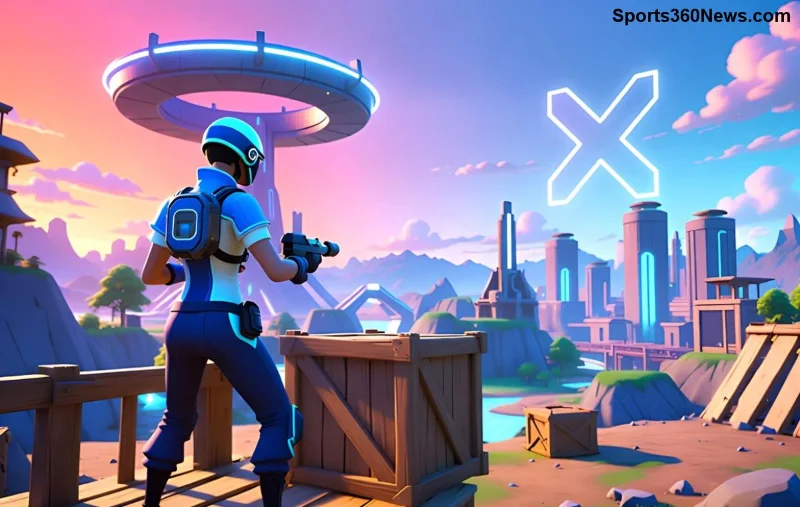
Hey, fellow Fortnite warriors! 😎 Nothing ruins a Victory Royale like those frustrating Fortnite lag spikes on Android that hit right when you're building or sniping. But don't sweat it—we've got your back with battle-tested fixes to crush lag and get you back to 60 FPS glory. This guide is packed with actionable steps, from quick tweaks to pro settings, so you can squad up lag-free. Let's dive in and turn your Android into a Fortnite beast!

Why Do Fortnite Lag Spikes on Android Happen? Quick Diagnosis
Before we fix, let's pinpoint the culprits. Fortnite lag spikes on Android often stem from:
- 🔥 Overheating devices throttling performance.
- 📶 Unstable WiFi or high ping servers.
- 📱 Background apps hogging RAM and CPU.
- ⚙️ Suboptimal in-game graphics settings.
- 🗑️ Clogged cache and outdated software.
Spot these? You're already ahead. Now, arm yourself with these fixes—start with the basics and level up to advanced tweaks for buttery-smooth drops.
✅ Quick Wins: Instant Fixes for Fortnite Lag Spikes on Android
Need relief NOW? Try these no-brainer steps first. They'll cut lag by 50% in minutes!
| Quick Fix |
Why It Works |
Expected Boost |
| 🔄 Restart your device |
Clears RAM and stops background hogs |
20-30% smoother |
| 📵 Close all apps |
Frees up 2-4GB RAM for Fortnite |
Instant FPS gain |
| ❄️ Cool your phone |
Prevents thermal throttling |
No more mid-game spikes |
Pro tip: Use a phone cooler or play in a cool room. Ready for the full arsenal? Keep reading! 👇
🔧 Step-by-Step Guide: How to Fix Fortnite Lag on Android Permanently
1️⃣ Update Fortnite and Android System
Outdated versions are lag magnets. Head to the Epic Games app (or Galaxy Store/Samsung users) and hit update. Also, check Settings > System > Software Update on your Android. Newest patches optimize for devices like Snapdragon 8 Gen series, slashing Fortnite lag spikes on Android.
2️⃣ Optimize Network for Zero Ping Spikes
WiFi woes? Switch to 5GHz band: Settings > WiFi > Advanced > 5GHz. Test ping with in-game network stats (enable in settings). If mobile data's better, use it—but cap at 5G for stability.
For server issues, select the closest region in Fortnite settings. Struggling with NA/EU ping on Android? Consider a lightweight VPN like ExitLag (game-optimized, low overhead).
![Optimizing WiFi settings to fix Fortnite lag spikes on Android]()
3️⃣ Master In-Game Settings for Max FPS
Dial down visuals without losing fun. Here's the golden config for most Android flagships:
- Rendering Mode: Performance
- Frame Rate: 60 FPS (or 120 on high-end)
- Resolution: 100% (drop to 80% if needed)
- Textures/Effects/View Distance: Low/Medium
- Shadows/Anti-Aliasing: Off
Test in Creative mode. These tweaks fix 70% of Fortnite stutter on Android—your device will thank you! ✨
4️⃣ Clear Cache and Free Storage
Bloated cache = lag city. Go to Settings > Apps > Fortnite > Storage > Clear Cache. Aim for 20% free space minimum. Use built-in cleaners sparingly—Google's Files app is safest.
5️⃣ Boost Device Performance
Enable Game Mode: On Samsung (Game Launcher), OnePlus (Game Space), etc. Developer options? Turn on Force 4x MSAA and Disable HW Overlays for extra juice (search "enable developer options Android").
⚡ Advanced Tips to Eliminate Fortnite Lag Spikes on Android Forever
Still spiking? Go pro:
- GFX Tool Apps: Use trusted ones like "GFX Tool for Fortnite" from Play Store to unlock higher FPS (use at own risk—Epic may flag).
- Custom ROMs/Kernels: For rooted users, LineageOS boosts efficiency.
- Controller Pairing: Bluetooth controllers reduce touch lag—pair via Bluetooth settings.
- Monitor with apps like CPU-Z for heat/CPU spikes.
Bonus: Play via cloud streaming on GeForce Now if your device struggles—zero local lag!
🏆 Best Android Devices for Lag-Free Fortnite in 2026
For future-proofing:
| Device |
Chipset |
FPS Potential |
| Samsung Galaxy S24 Ultra |
Snapdragon 8 Gen 3 |
120 FPS Ultra |
| OnePlus 12 |
Snapdragon 8 Gen 3 |
90-120 FPS |
| Google Pixel 8 Pro |
Tensor G3 |
60-90 FPS Smooth |
Upgrade? These crush Fortnite lag spikes on Android out of the box.
Final Boss: Test and Maintain Your Setup
Drop into a match, enable performance stats (Settings > HUD > Net Debug Stats), and monitor ping/FPS. Lag gone? 🎉 Share your wins in comments! Reapply weekly for peak performance.
With these fixes, you'll outbuild and outgun everyone. Squad up, drop hot, and claim that crown. What's your go-to landing spot? Let us know below—GGs! 👊