Imagine diving into Spider-Man 2's swinging action or the heart-pounding chaos of Call of Duty with buttery-smooth 120Hz frames, zero tearing, and colors that pop like never before. Your PlayStation 5 deserves a display that matches its power. In 2026, the best monitors and TVs for PlayStation 5 aren't just screens—they're gateways to epic wins. We'll cut through the hype to spotlight top picks optimized for PS5's HDMI 2.1, VRR, and 4K prowess. Ready to level up? Let's jump in! 🚀
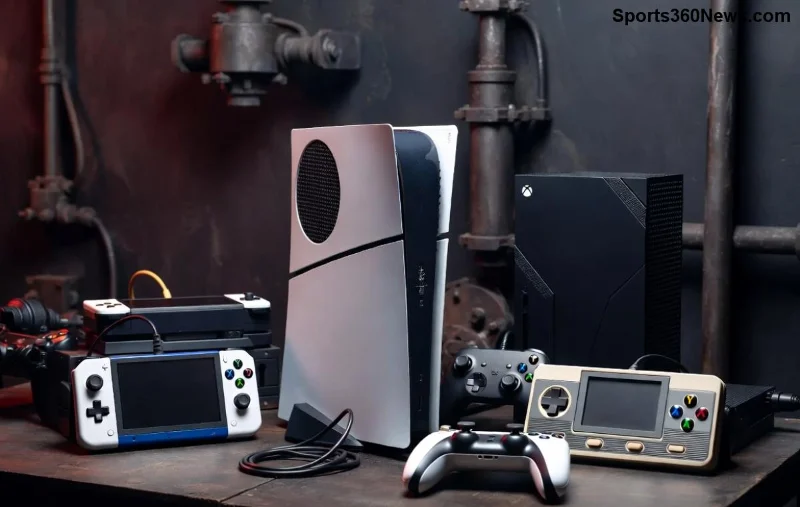
Why Your PS5 Needs a Premium Monitor or TV in 2026 ⭐
PS5 shines brightest on displays with:
- ✅ HDMI 2.1 for full 4K@120Hz.
- ✅ VRR (Variable Refresh Rate) via FreeSync Premium Pro or G-Sync Compatible to kill screen tearing.
- ✅ Low input lag (<10ms) for responsive controls.
- ✅ 4K resolution with HDR (Dolby Vision or HDR10) for jaw-dropping visuals.
- 🎯 High refresh rates and bright panels for competitive edge in games like Gran Turismo 7.
Skip budget screens—invest in these for tear-free, immersive play. Pro tip: Pair with PS5 Pro for even more future-proofing! 👆
Best Monitors for PlayStation 5 in 2026: Compact Powerhouses for Desk Warriors 🖥️
Monitors excel for close-up gaming with higher refresh rates and zero bezels. Here's our handpicked best monitors for PS5 2026:
1️⃣ Sony Inzone M10S – The PS5 King's Crown Jewel 👑
Sony's latest Inzone nails PS5 integration with exclusive firmware tweaks. 27-inch 4K OLED, 480Hz refresh (capped at 120Hz for PS5), full HDMI 2.1, and Auto HDR Tone Mapping.
- Pros: Infinite contrast, 0.03ms response, VRR perfection.
- Cons: Pricey at ~$1,200.
- Perfect for: Story-driven epics like God of War Ragnarök.
2️⃣ Samsung Odyssey OLED G8 (G85SD) – Ultrawide Immersion Beast 🌌
34-inch QD-OLED with 175Hz (PS5-locked 120Hz), curve for battlefield awareness in Fortnite. Dual HDMI 2.1, burn-in warranty.
- Pros: 1000 nits peak brightness, matte anti-glare.
- Cons: Slight curve distortion up close.
- Price: ~$1,000.
3️⃣ ASUS ROG Swift PG32UQX – Mini-LED Monster for Pros ⚡
32-inch 4K Mini-LED, 144Hz, 96-zone dimming. PS5-ready with DisplayPort adapter if needed, but HDMI 2.1 shines.
- Pros: Bloom-free blacks, esports low lag (4ms).
- Cons: Fans audible in quiet rooms.
- Price: ~$1,500.
These PS5 monitors transform your setup into a competitive arena. But craving couch co-op? TVs await... 😎
Quick Comparison: Top PS5 Monitors 2026 📊
| Model |
Size/Panel |
Refresh Rate |
HDMI 2.1 Ports |
Price (USD) |
Best For |
| Sony Inzone M10S |
27" OLED |
480Hz |
2 |
~$1,200 |
PS5 Fidelity |
| Samsung Odyssey G85SD |
34" QD-OLED |
175Hz |
2 |
~$1,000 |
Ultrawide Action |
| ASUS ROG Swift PG32UQX |
32" Mini-LED |
144Hz |
1 |
~$1,500 |
Esports |
![Epic PS5 gameplay on a large OLED TV showing dynamic HDR scenes]()
Best TVs for PlayStation 5 in 2026: Living Room Legends 📺
Bigger screens for multiplayer mayhem. Prioritize QD-OLED or WOLED for perfect blacks in The Last of Us Part II Remastered.
1️⃣ LG C6 OLED – Value Immersion Champ 🏆
55-83 inch options, 144Hz panels, 4 HDMI 2.1. PS5 auto-calibrates for Dolby Vision gaming at 120Hz.
- Pros: WebOS smart features, infinite contrast.
- Cons: Risk of burn-in (mitigated by features).
- Price: 55" ~$1,500.
2️⃣ Samsung S95E QD-OLED – Brightness Beast ☀️
65-inch 4K QD-OLED, 144Hz, anti-glare Mastery Shield. PS5 VRR + ALLM for lag-free play.
- Pros: 2000 nits HDR, Tizen OS.
- Cons: No Dolby Vision.
- Price: ~$3,000.
3️⃣ Sony Bravia 9 QLED – PS5 Native Hero 🛡️
65-inch Mini-LED/QD, 120Hz native, Acoustic Surface Audio. Exclusive PS5 features like Auto Genre Picture Mode.
- Pros: Studio-calibrated colors, low reflection.
- Cons: Bulkier stand.
- Price: ~$2,800.
Monitor vs. TV for PS5: Which Wins in 2026? 🤔
Choose monitors for desk setups, pixel-perfect response, and space-saving. Opt for TVs for family gaming, soundbars, and wall-mount glory. Budget under $1,000? LG C6 or Samsung G8. Baller status? Sony Inzone or Bravia 9.
| Category |
Monitors Edge |
TVs Edge |
| Refresh Rate |
Higher (up to 480Hz) |
Solid 120-144Hz |
| Viewing Distance |
Close-up precision |
Couch-optimized |
| Audio |
Headset focus |
Built-in speakers |
| Price per Inch |
Cheaper large sizes |
Premium scaling |
For benchmarks, check RTings.com or Tom's Hardware.
Pro Tips to Maximize Your PS5 Display in 2026 💡
- Enable Game Mode and VRR in PS5 settings. 🎮
- Use high-speed HDMI 2.1 cables (included with PS5 Pro).
- Calibrate HDR via PS5 menu for punchy visuals. ⭐
- Avoid 8K—PS5 maxes at 4K 120Hz. Focus there!
Final Verdict: Your Ultimate PS5 Display Pick 🥇
The Sony Inzone M10S reigns for monitors—pure PS5 synergy. For TVs, LG C6 OLED delivers unbeatable value. Whichever you choose, these best monitors and TVs for PlayStation 5 in 2026 will make every frame count. Grab one, fire up Elden Ring, and feel the rush. Your high score awaits! 🎉 What's your next buy? Drop in the comments!