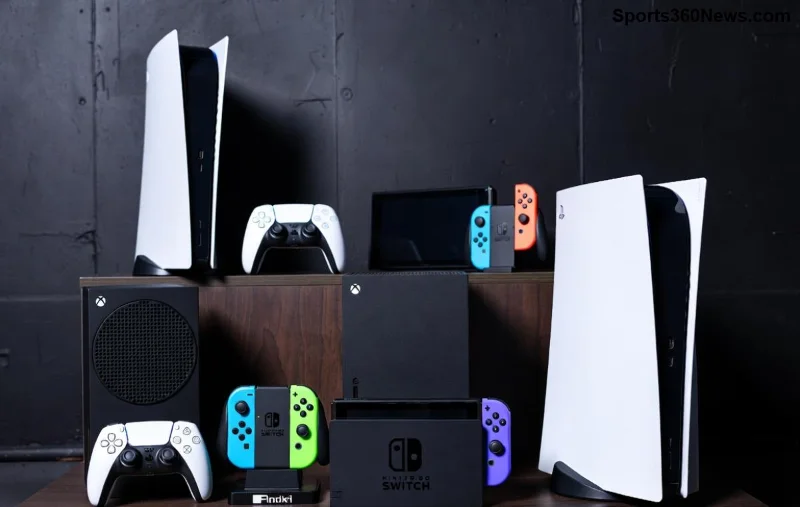
Hey fellow gamers! 👋 Ever dreamed of dominating Xbox controller precision on your sleek Mac? Whether you're blasting through action epics or racing at breakneck speeds, connecting your Xbox controller to Mac unlocks a world of comfort and control. No more fumbling with trackpads—get that authentic console feel right on your desktop. In this guide, we'll dive into the best ways to connect Xbox controller to Mac, from native Bluetooth magic to rock-solid wired setups. Let's level up your game! 🚀
Why Choose an Xbox Controller for Mac Gaming? ⭐
The Xbox controller is a gamer's dream: ergonomic grips, responsive triggers, and buttery analog sticks. macOS has native support for Xbox One, Series X|S, and Elite controllers, making integration smoother than ever. Perfect for titles like No Man's Sky, Resident Evil, or Steam gems. Ready to plug in? Let's explore the top methods! 🎯
Method 1: Bluetooth Connection – The Wireless Winner ✅
The best way to connect Xbox controller to Mac for most users? Native Bluetooth! Supported on macOS Big Sur and later, it's hassle-free and lag-free for casual play. Here's your step-by-step:
- 🔄 Power on your controller: Press the Xbox button. If it blinks rapidly, it's in pairing mode—skip to step 3.
- ⚙️ On Mac, go to System Settings > Bluetooth (Apple menu > System Settings).
- 📱 Your Xbox controller appears as "Xbox Wireless Controller." Click Connect.
- 🎮 Test in a game! Open Steam or Apple Arcade—vibration and all buttons work out of the box.
Pro Tip: For Series X|S controllers, hold the pair button (back of controller) near the USB port until the Xbox button flashes. Range? Up to 30 feet. Battery life? 40+ hours. Pure bliss! 😎
If Bluetooth flakes out, update macOS for the latest firmware support. No dongles needed—Apple's built-in magic shines here.
Method 2: Wired USB Connection – Zero Latency Powerhouse ⚡
Crave rock-solid stability for competitive esports? Go wired! This is one of the best ways to connect Xbox controller to Mac for zero input lag.
| Method |
Pros |
Cons |
Best For |
| Bluetooth |
Wireless freedom, easy setup |
Minor latency possible |
Casual gaming |
| Wired USB |
Zero lag, charges while playing |
Cable tether |
Competitive play |
| Adapter (below) |
Extended range |
Extra cost |
Multi-device |
Steps for Wired Glory:
- ✅ Use a USB-C cable (included with newer controllers) or USB-A to Micro-USB for older ones.
- 🔌 Plug into your Mac's USB port.
- 🎮 Xbox button lights up—drivers auto-install. No restarts needed!
Bonus: Charges your controller simultaneously. Ideal for marathon sessions in Call of Duty or Fortnite. macOS recognizes it instantly as a gamepad.
Method 3: Third-Party Adapters for Advanced Setups 🎛️
For ultimate flexibility, grab an 8BitDo Wireless USB Adapter. It's a game-changer among best ways to connect Xbox controller to Mac, especially if Bluetooth is crowded.
![Advanced Xbox controller Mac setup with adapter for gaming]()
- 🛒 Buy the adapter (8BitDo official site).
- 🔌 Plug into Mac USB.
- 🔄 Hold pair button on adapter + controller's pair button.
- ⭐ Switch modes via adapter button for Xbox layout.
Why love it? 1000Hz polling rate, gyro support, and works with any Bluetooth controller. Perfect for Apple Silicon Macs too!
Troubleshooting: Fix Connection Hiccups Fast 🛠️
Controller not showing? Don't rage quit! Common fixes:
- ❌ Forget Device: Bluetooth settings > Right-click controller > Remove. Re-pair.
- 🔋 Low Battery: Charge via USB—blinking lights mean it's pairing-ready.
- 📱 Interference: Move away from Wi-Fi routers. Reset controller: Hold Xbox + pair buttons 10s.
- ⚙️ Update Firmware: Connect wired to Xbox console or use Xbox Accessories app on Windows (then transfer).
- 💻 macOS Check: System Report > USB/Bluetooth for detection.
Still stuck? Restart Mac. 99% solved! 👍
Pro Gamer Hacks: Elevate Your Mac Setup 🔥
Connected? Now optimize:
- 🎮 Steam Big Picture: Maps buttons perfectly. Enable in Steam > Settings > Controller.
- ⭐ Joystick Mapper App: Customize for non-native games (App Store).
- 📱 Multiple Controllers: Pair up to 4 via Bluetooth—party time!
- 🏆 Best Games: Death Stranding, Cyberpunk 2077, Apple Arcade hits like ASOBI. Controller elevates them all!
Feeling the adrenaline? Your Mac just became a gaming beast. Share your wins in comments! 👇
Final Boss: Pick Your Path to Victory 🏅
Bluetooth for freedom, wired for precision, adapters for pros—these are the best ways to connect Xbox controller to Mac. No fuss, all fun. Dive in, frag out, and conquer! What's your go-to method? Drop it below and keep gaming strong. GG! 🎉
Optimized for latest macOS—happy fragging!