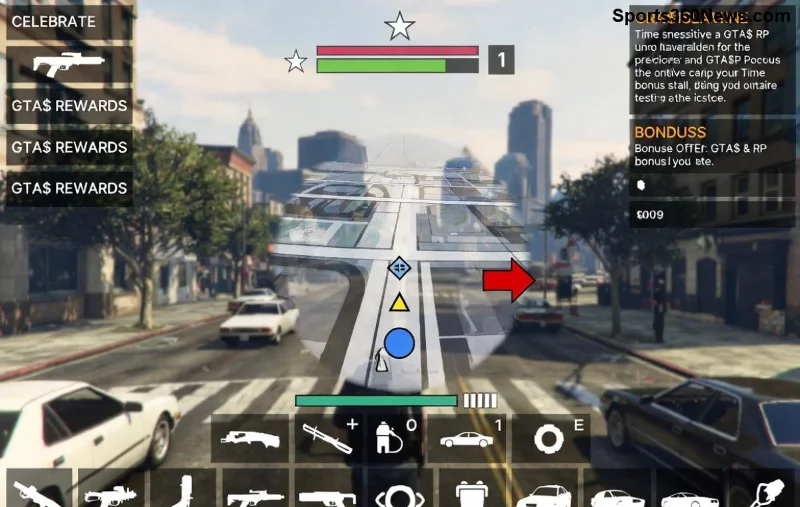
Imagine diving into the chaotic streets of Los Santos in GTA Online with buttery-smooth performance, even on your trusty low-end PC. No more frustrating stutters during heists or chases! If your rig struggles with high demands, this guide delivers the best graphics settings for GTA Online on low-end PCs. We'll focus on rock-solid configs, smart tweaks, and pro tips to maximize FPS without sacrificing fun. Ready to transform your experience? Let's rev up! ⭐
1️⃣ First, Know Your PC's Limits
Before tweaking, check your specs. Low-end PCs typically mean integrated graphics (Intel UHD, AMD Vega), 4-8GB RAM, and CPUs like Intel i3 or AMD Ryzen 3. Use tools like Speccy or Task Manager to confirm.
- CPU: Prioritize single-core speed for GTA.
- GPU: Even basic dedicated cards like GTX 750 Ti shine with right settings.
- RAM: Close browser tabs—GTA loves memory!
Pro tip: Update GPU drivers from NVIDIA/AMD/Intel sites for the latest GTA Online optimizations. This alone boosts FPS by 20-30% on potatoes. 👍
2️⃣ The Ultimate Best Graphics Settings for GTA Online on Low-End PCs
Here's the gold: A battle-tested config balancing visuals and speed. Tested on rigs with GTX 1050/equivalent, aiming for 40-60 FPS at 1080p. Pop these in Graphics > Advanced, then restart.
| Setting |
Recommended |
Why It Helps |
FPS Gain |
| Population Density |
Very Low / 0% |
Reduces NPC crowds—biggest lag killer in Online. |
+15-25 FPS |
| Population Variety |
0% |
Fewer unique peds = smoother streets. |
+10 FPS |
| Distance Scaling |
0% |
Cuts far-off details without ruining immersion. |
+5-10 FPS |
| Texture Quality |
Normal |
Keeps cars/buildings sharp; VRAM-friendly. |
Balanced |
| Shader Quality |
Low |
Simplifies effects like water/lights. |
+10 FPS |
| Shadow Quality |
Off |
Huge saver—shadows tank FPS. |
+20 FPS |
| Reflection Quality |
Off |
Ditches shiny surfaces for speed. |
+15 FPS |
| Water Quality |
Low |
Basic waves only. |
+5 FPS |
| Particles Quality |
Low |
Tames explosions/smoke. |
+8 FPS |
| Grass Quality |
Off |
Countryside without the green blur. |
+10 FPS |
| Soft Shadows / Post FX |
Off |
Cuts bloom/motion blur. |
+10 FPS |
| Anisotropic Filtering |
|
Minimal texture warping. |
Minimal impact |
| Resolution |
1080p or 720p |
Scale to your monitor. |
Core FPS booster |
Apply these for instant gains. Total FPS uplift: 50-100+ on low-end setups. Tweak Population sliders to 25% max if your GPU handles it—test in Free Roam! 😎
![Optimized GTA Online settings table visualization on low-spec PC]()
3️⃣ In-Game and Command Line Tweaks
Go to Settings > Graphics:
- DirectX Version: 10.1 (stable for old GPUs).
- FXAA: On (cheap anti-aliasing).
- VSync: Off (unlock FPS).
- Frame Scaling Mode: Off.
Add to launch options in Rockstar Launcher/Steam: -availableVidMem 0.5 -ignoreDifferentVideoCard. This fools GTA into low-VRAM mode. For more, check Rockstar Support.
4️⃣ System-Level Optimizations for Max Performance
Don't stop at settings—optimize Windows:
- Power Plan: High Performance (search "Power Options").
- Close Apps: Use Razer Cortex or MSI Afterburner to kill background hogs.
- Game Mode: Enable in Windows Settings > Gaming.
- SSD Install: Load times plummet.
- Overclock Safely: GPU via MSI Afterburner (+10-15% FPS).
Bonus: Clean install GTA via Rockstar Launcher for bloat-free files. Result? Stable 50+ FPS in sessions! 🎉
![GTA Online smooth performance on low-end PC with tweaks]()
5️⃣ Advanced Tools & Mods (Safe & Legal)
Stick to vanilla for Online safety—no bans! Use:
- Lua Plugin Loader: LowSpecGamer configs (search GTA5-Mods.com forums).
- HeapAdjuster: Fixes memory leaks.
- Monitor with CapFrameX for real-time FPS.
Monitor temps—keep under 80°C. If crashes persist, verify files in launcher.
Final Boost: Test & Iterate 🚀
Load into a busy Online lobby, use F8 console (net_graph 1) to watch FPS. Adjust sliders live. These best graphics settings for GTA Online on low-end PCs turned my old laptop into a beast—yours next?
Share your FPS gains in comments! Hit that apply button, grab your supercar, and dominate Los Santos lag-free. You've got this, gamer! 👊