Ultimate Guide: How to Import Blender Models into Roblox Like a Pro!

🚀 Ready to bring your epic Blender models to life in Roblox? Whether you're crafting custom characters, environments, or props, mastering how to import Blender models into Roblox unlocks endless creative potential. This guide cuts through the clutter, delivering precise, up-to-date steps to get your assets shining in Roblox Studio. No fluff—just actionable tips to level up your game dev game. Let's dive in! 💥
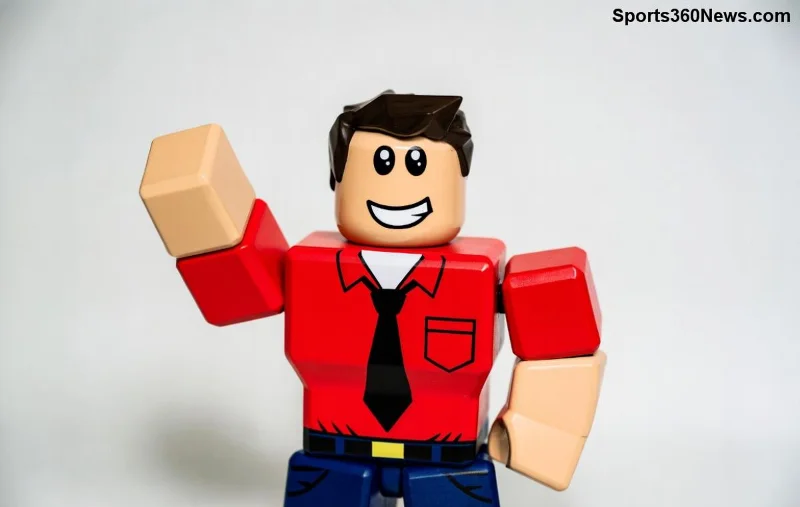
Blender model ready for Roblox import

Prerequisites: Gear Up Before You Start

Before exporting, ensure you have:

  • Blender (latest version—free from blender.org).
  • Roblox Studio (download from the official Roblox site).
  • Your model optimized: Under 10,000 triangles for smooth performance ⭐.

Pro tip: Scale your model to Roblox units (1 stud = 1 Blender unit) to avoid resizing headaches later. Feeling pumped? Next, prep that model! ➡️

Step 1: Prepare Your Blender Model for Roblox

Roblox loves clean, optimized meshes. Here's how to prime yours:

  1. 1️⃣ Delete Unnecessary Parts: Remove hidden geometry, extra verts, or empties. Use Edit Mode (Tab) and select > Delete.
  2. 2️⃣ Fix Scale & Orientation: Select all (A), then Ctrl+A > Apply All Transforms. Rotate to match Roblox's Y-up axis (Roblox uses forward-Z, up-Y).
  3. 3️⃣ Optimize UVs & Textures: Unwrap UVs properly (U > Smart UV Project). Bake textures if complex—keep resolutions under 1024x1024 for speed.
  4. 4️⃣ Name Conventions: Prefix parts like "Part_Weapon" for easy identification in Studio.
  5. 5️⃣ Triangulate & Decimate: Right-click > Triangulate Faces. Use Decimate modifier if poly count is high (target 5k-8k tris).

Why bother? Poor prep leads to import fails. Test with a simple cube first to build confidence! 😎

Export Settings: The Secret to Perfect Blender to Roblox Transfer

Export as FBX—Roblox's gold standard for meshes. Here's a quick reference table for foolproof settings:

Setting Value Why?
Format FBX (.fbx) Native Roblox support
Scale 1.0 Matches Roblox studs
Forward Axis -Z Forward Aligns with Roblox view
Up Axis Y Up Standard for Roblox
Include Selected Objects + Armature (if rigged) Keeps animations intact
Geometry Smoothing: Face Preserves hard edges

Hit Export FBX, save as "MyModel.fbx". Boom—your file is Studio-ready! Curious about animations? Keep reading. ✨

Exporting FBX from Blender for Roblox

Step 3: Import Blender Models into Roblox Studio

Fire up Roblox Studio and let's import:

  1. Open a new place or your project.
  2. Right-click Workspace > Insert Object > Folder (name it "Imports").
  3. Go to Avatar tab > right-click > Import 3D (or drag-drop FBX directly—newest Studio supports it seamlessly).
  4. Select your FBX file. Studio auto-generates MeshParts, Unions, or SpecialMeshes.
  5. Position & Anchor: Drag into your folder, set PrimaryPart if grouped.

Textures? Roblox auto-imports if embedded in FBX. For custom ones, upload to Roblox via Asset Manager and apply via Properties > TextureID.

✅ Success! Your model is live. Test in Play mode—looks pro? Share in comments below! 👇

Troubleshooting: Fix Blender to Roblox Import Issues Fast

Glitches happen. Here's your fix-it toolkit:

  • Model Too Big/Small?: Re-export with correct scale. Use Studio's Scale tool as backup.
  • Missing Textures?: Embed materials in Blender (Material Properties > Base Color > Image Texture). Re-upload decals.
  • Flipped Normals?: Blender > Edit Mode > Mesh > Normals > Recalculate Outside.
  • High Poly Lag?: Use Roblox's Union tool or LOD (Level of Detail) meshes.
  • Animations Broken?: Ensure armature is selected on export. Retarget in Studio's Animation Editor.

For official fixes, check Roblox Creator Docs—always gold. 😤 No more frustration!

Roblox Studio with imported Blender model

Advanced Tips: Elevate Your Roblox Imports

Go beyond basics:

  • Rigging & Animations: Use Blender's Rigify addon, export with armature. Import > Animation Editor for Roblox tweaks.
  • PBR Materials: Bake metallic/roughness maps. Roblox supports them natively now.
  • Batch Import: Zip multiple FBX files for bulk uploads via Studio plugins.
  • Plugins for Efficiency: Try "Blender Roblox Exporter" from Roblox Toolbox—speeds workflow 2x! ⭐

Want particle effects or scripting? Group your import as a Model, add Scripts for interactivity. Your games will pop! 🎮

Wrap-Up: Conquer How to Import Blender Models into Roblox Today

You've got the blueprint—now build! From prepping in Blender to troubleshooting in Studio, you're set to import jaw-dropping assets. Experiment, iterate, and watch your Roblox worlds transform. What's your first model? Drop it in the comments and inspire others! 👍

Bookmark this for your next project. Happy developing! 🚀


Leave a Comment

🚨 Fix Edition Java 422 Version Minecraft Error: Classic Crashes in 5 Minutes – Proven 2026 Guide!

🚨 Fix Edition Java 422 Version Minecraft Error: Classic Crashes in 5 Minutes – Proven 2026 Guide!

Tired of Edition Java 422 Version Minecraft Error: Classic Crashes ruining your game? Get step-by-step fixes for Java Edition crashes, mod conflicts, and more. Back online fast!

Unlock Pro Secrets: Best League of Legends Pro Players to Watch for Learning Mastery!

Unlock Pro Secrets: Best League of Legends Pro Players to Watch for Learning Mastery!

Discover the best League of Legends pro players to watch for learning elite mechanics, macro plays, and game-changing strategies. Elevate your LoL skills by studying these top pros like Faker, Caps, and Chovy in the latest metas. Perfect for climbers aiming for mastery!

Ultimate Guide: How to Import Blender Models into Roblox Like a Pro!

Ultimate Guide: How to Import Blender Models into Roblox Like a Pro!

Master how to import Blender models into Roblox with this step-by-step guide. Export FBX files, fix common issues, and create stunning Roblox assets effortlessly. Perfect for game devs!

🚀 How Many Times Can You Change Your PlayStation Name? Unlimited Changes Revealed!

🚀 How Many Times Can You Change Your PlayStation Name? Unlimited Changes Revealed!

Discover how many times you can change your PlayStation name (PSN Online ID). Get the latest rules, fees, risks, and step-by-step guide to avoid issues. Perfect for gamers!

Badland Eroded: Singular Sands - Epic Minecraft Adventure Map Revealed!

Badland Eroded: Singular Sands - Epic Minecraft Adventure Map Revealed!

Dive into Badland Eroded: Singular Sands, the ultimate Minecraft adventure map. Explore eroded badlands, conquer challenges, and uncover secrets in this thrilling survival quest. Tips, features, and download guide inside!

🚨 Fix 100 U Minecraft Error: Century Unknowns Instantly – Ultimate 2026 Guide for Epic Builds!

🚨 Fix 100 U Minecraft Error: Century Unknowns Instantly – Ultimate 2026 Guide for Epic Builds!

Tackle the frustrating 100 U Minecraft Error: Century Unknowns with proven fixes! Learn causes, step-by-step solutions, and prevention tips for Minecraft Java 1.21+. Get back to surviving and creating without crashes.

🌟 Unlock Hidden Wonders: Top Secrets and Easter Eggs in Brookhaven RP You Cant Miss!

🌟 Unlock Hidden Wonders: Top Secrets and Easter Eggs in Brookhaven RP You Cant Miss!

Dive into the ultimate guide on secrets and Easter eggs in Brookhaven RP. Discover hidden rooms, secret locations, and thrilling Easter eggs to level up your Roblox adventure today!

PS5 Crashing in Rest Mode? 10 Proven Fixes to Stop Crashes and Resume Gaming Seamlessly!

PS5 Crashing in Rest Mode? 10 Proven Fixes to Stop Crashes and Resume Gaming Seamlessly!

Tired of your PS5 crashing during rest mode? This ultimate guide reveals proven fixes for PS5 rest mode crashes, from quick restarts to advanced troubleshooting. Get your console stable and dive back into epic gaming sessions without interruptions!

🚀 Instant Fix: Banish League of Legends Not a Verified App Error & Summon the Rift!

🚀 Instant Fix: Banish League of Legends Not a Verified App Error & Summon the Rift!

Tired of the League of Legends "The App You Are Trying to Install is Not a Verified App" error blocking your games? Discover proven, step-by-step fixes for Mac users to get back to dominating Summoner's Rift fast – no tech headaches!

🚨 Free Fire Verification Code Not Received? 10 Proven Fixes to Get Your Email OTP Instantly!

🚨 Free Fire Verification Code Not Received? 10 Proven Fixes to Get Your Email OTP Instantly!

Can't get your Free Fire verification code via email? Fix the 'Verification Code Not Received' error in Garena Free Fire with these proven steps. Quick solutions for smooth login and account recovery.

