How to Enable Quick Cast on Press in Heroes of the Storm

Set Heroes of the Storm abilities to Quick Cast On, learn the difference between On and On Release, and test the setup before using it in a combo.
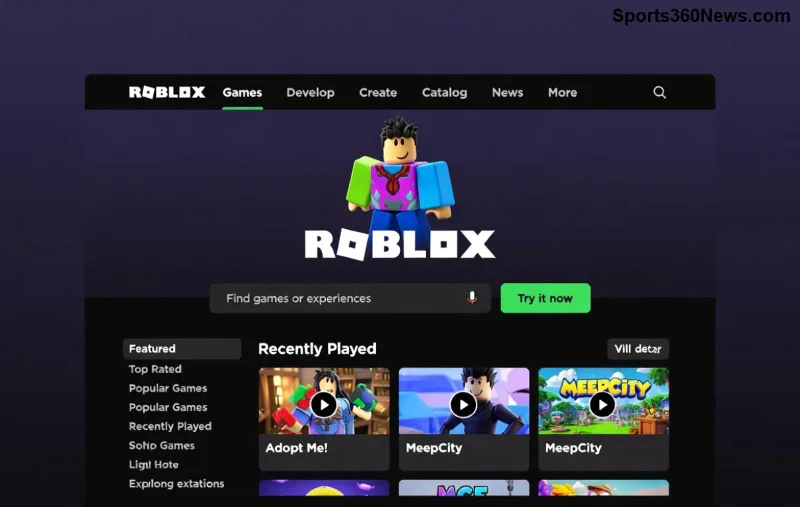
Hey, fellow Roblox creator! 😊 Ever dreamed of building your own thrilling obby (obstacle course) that keeps players jumping, sliding, and cheering? An obby is the ultimate test of skill on Roblox, packed with platforms, traps, and triumphs. Whether you're a total newbie or just want a quick win, this guide shows you how to create a simple obby on Roblox using Roblox Studio. No advanced coding needed—just pure fun and creativity!
By the end, you'll have a playable obby ready to share with friends. Let's dive in and turn your ideas into jumps! 👉
Before we build, picture this: Players spawn at the start, navigate jumps, dodge lava, hit checkpoints, and race to victory. Keep it simple—5-10 stages with increasing challenge. Use free models for speed, but customize for that personal touch. Pro tip: Test as you go to avoid rage-quits! ⭐
Ready? Fire up Roblox Studio. It's your canvas for Roblox obby creation. Let's build! 🚀
We'll craft a 7-stage obby: Spawn → Jumps → Lava pit → Moving platforms → Checkpoints → Traps → Win!
Open Roblox Studio. Click New → Baseplate. This gives you a flat world to build on.
Spawn point set—players will start here! 🎉
Use the Part tool (Home tab → Part). Create your first platform:
| Platform Type | Size (X,Y,Z) | Position Tips | Material/Color |
|---|---|---|---|
| Starting Platform | 20,4,20 | (0,4,0) | Neon/Green |
| Jump 1 | 10,2,10 | (15,6,0) | Plastic/Blue |
| Lava Pit Gap | 5,1,5 (Kill Part) | (30,0,0) | Neon/Red |
| Safe Land | 12,3,12 | (45,8,0) | Concrete/Gray |
Duplicate parts (Ctrl+D) for speed. Anchor platforms (Properties → Anchored = true) so they don't fall. Add a red lava part under gaps—script it later to kill players. Chain 5-7 platforms with gaps of 8-12 studs. Feel the excitement building? 😎
Checkpoints save progress—essential for any obby!
local checkpoint = script.Parent.Parent -- Adjust path
local debounce = {}

checkpoint.ClickDetector.MouseClick:Connect(function(player)
    if not debounce[player] then
        debounce[player] = true
        player.leaderstats.Stage.Value = checkpoint.Name:gsub("Checkpoint", "")
        wait(2)
        debounce[player] = nil
    end
end)
Name parts "Checkpoint1", "Checkpoint2". Boom—progress saved! Test in Play mode (F5). 👏
Track player stages with leaderboards.
game.Players.PlayerAdded:Connect(function(player)
    local leaderstats = Instance.new("Folder")
    leaderstats.Name = "leaderstats"
    leaderstats.Parent = player

    local stage = Instance.new("IntValue")
    stage.Name = "Stage"
    stage.Value = 0
    stage.Parent = leaderstats
end)
Players see their stage count—motivation maxed! 🌟
For lava: Select red part → Properties → CanCollide = false, add script:
script.Parent.Touched:Connect(function(hit)
    local humanoid = hit.Parent:FindFirstChild("Humanoid")
    if humanoid then
        humanoid.Health = 0
    end
end)
Moving platform: Insert Part, add BodyVelocity or use TweenService for smooth motion. Free models (Toolbox → Marketplace) speed this up—search "moving platform".
Last platform: Huge win pad, green neon. Add script for victory:
script.Parent.Touched:Connect(function(hit)
    local player = game.Players:GetPlayerFromCharacter(hit.Parent)
    if player and player.leaderstats.Stage.Value >= 7 then
        -- Fireworks or GUI win screen
        print(player.Name .. " won the obby!")
    end
end)
Add sounds/particles from Toolbox for epic wins! 🎊
File → Publish to Roblox. Set public, add thumbnail (capture in Studio). Share the link—watch friends play! For monetization, add gamepasses later.
Pro SEO tip: Title your game "Epic Simple Obby | Stage 1-10 Challenges" with keywords. Roblox Creator Docs has more inspo.
Your first obby is just the start. Experiment, share on Roblox forums, and climb creator leaderboards. You've got this—what's your obby theme? Drop ideas in comments! Keep creating! 🎮
Set Heroes of the Storm abilities to Quick Cast On, learn the difference between On and On Release, and test the setup before using it in a combo.
Find practical PC keybinds for hip-fire leaning in Rainbow Six Siege, compare Q/E and mouse-button layouts, and learn how to test conflicts before a match.
Change Hearthstone’s language on PC through Battle.net Game Settings. Learn when language files download, how this differs from app language and region, and what to try if the update stalls.
Start with 50% waypoint opacity in Overwatch 2, then adjust for objective visibility, map familiarity, and marker clutter without losing essential cues.
Compare VALORANT’s yellow, purple, and red enemy outlines. Learn which color to test first, where to change it, and how to check visibility across maps and effects.
Find a practical PUBG PC keybind setup for quick over-the-shoulder aim, clean ADS transitions, and shoulder-side swaps without conflicting with lean controls.
Set the right stick to Tilt Attack in Smash Ultimate, then tune stick jump and sensitivity around your play style. Follow a quick training-mode check to confirm your inputs.
Fix Free Fire high ping on mobile data with practical connection checks, LTE vs. 5G tests, background download fixes, and tips for reporting persistent lag.
Brawl Stars opens to a black screen on your iPad? Try these safe checks for the app, connection, iPadOS, and updates before reinstalling or contacting Supercell.
Learn how to clear Free Fire’s cache on Android, what iPhone users can do, and how to avoid deleting game data while troubleshooting lag.

