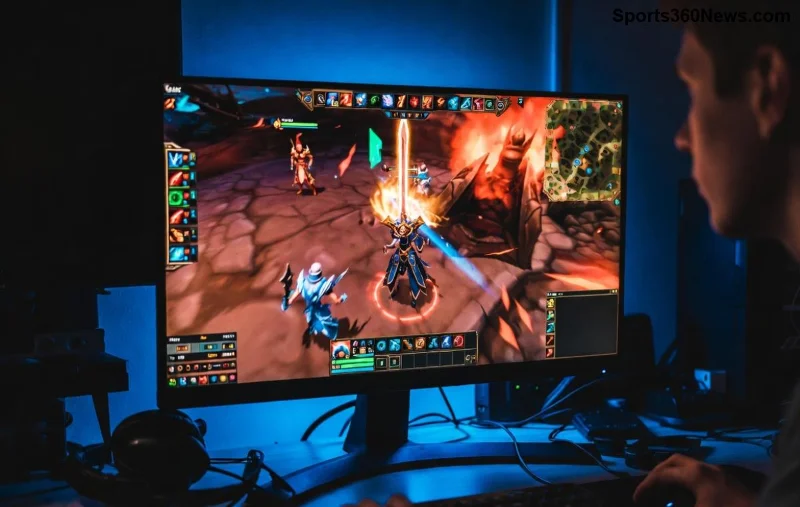
Imagine diving into a intense League of Legends teamfight, only for ugly horizontal lines to slice across your screen. That's League of Legends screen tearing – a buzzkill for every gamer. The good news? You can fix League of Legends screen tearing without V-Sync, dodging that pesky input lag. This guide delivers battle-tested methods for NVIDIA, AMD, and Intel users, keeping your framerate sky-high and visuals flawless. Let's crush those tears and climb those ranks! ⭐
What Causes Screen Tearing in League of Legends? 🤔
Screen tearing happens when your GPU pushes frames faster than your monitor refreshes, desyncing the image. In League of Legends, high FPS (like 144+ on a 60Hz monitor) worsens it. V-Sync locks FPS to refresh rate but adds lag – unacceptable in a fast-paced MOBA. Instead, we'll use smarter tweaks for tear-free play.
Method 1: Enable Adaptive Sync (G-Sync or FreeSync) – The #1 Fix 👆
Adaptive sync tech dynamically matches monitor refresh to GPU output, eliminating League of Legends screen tearing without V-Sync. Here's how:
For NVIDIA (G-Sync):
- Open NVIDIA Control Panel (right-click desktop).
- Go to Manage 3D Settings > Global Settings.
- Set Monitor Technology to G-Sync Compatible.
- In Display > Set up G-Sync, enable for fullscreen.
- In LoL, launch in Fullscreen mode.
For AMD (FreeSync):
- Right-click desktop > AMD Radeon Settings.
- Display tab > Enable AMD FreeSync.
- Ensure your monitor supports it (check specs).
Pro Tip: Update to the latest NVIDIA drivers or AMD Adrenalin for optimal compatibility. Users report 100% tear-free League of Legends at 144-240Hz! 😎
Method 2: Cap FPS Smartly – No Tools Needed! ⚡
Cap your FPS just below your monitor's refresh rate (e.g., 141 FPS on 144Hz) to prevent tearing. LoL's engine loves this.
| Monitor Refresh Rate |
Recommended FPS Cap |
Why It Works |
| 60Hz |
57 |
Buffer against spikes |
| 144Hz |
141 |
Matches adaptive sync |
| 240Hz |
237 |
Ultra-smooth LoL fights |
| 360Hz |
357 |
Pro-level responsiveness |
In LoL:
- Settings > Video > Frame Rate Cap > Custom > Set your value.
- Test in Practice Tool – tears gone? Victory! 🎉
Combine with Low Spec Mode off for max performance.
![Smooth League of Legends gameplay after screen tearing fix - no jagged lines]()
Method 3: NVIDIA/AMD Advanced Tweaks for Zero Lag 🛠️
NVIDIA Users:
- Control Panel > Low Latency Mode: Ultra (reduces frame buffering).
- Power Management: Prefer Maximum Performance.
- Vertical Sync: Fast (not Adaptive – tear-free alternative).
- Enable Max Frame Rate globally to your cap.
AMD Users:
- Radeon Chill: Set min/max FPS to your cap.
- Radeon Anti-Lag: On for instant response.
Bonus: Use RivaTuner Statistics Server (RTSS) from MSI Afterburner for precise external FPS limiting – perfect if in-game cap fails.
Method 4: Windows & LoL Optimizations – Quick Wins! 💥
- Fullscreen Optimizations Off: Right-click LoL.exe (in Riot Games folder) > Properties > Compatibility > Disable fullscreen optimizations.
- Run as Admin.
- Disable Game Mode in Windows Settings (it can cause tearing).
- Set LoL to High Priority in Task Manager (Details tab).
- Custom Resolution: NVIDIA/AMD panel > Create 1440p@144Hz if native mismatches.
![League of Legends settings menu for FPS cap and anti-tearing tweaks]()
Troubleshooting Common Issues 😤
Still tearing?
- Monitor cables: Use DisplayPort over HDMI for high refresh.
- Overheating: Clean fans, undervolt GPU.
- Background apps: Close Discord overlay, GeForce Experience.
- Test in other games – LoL-specific? Reinstall client.
Here's a quick checklist:
| ✅ Check | Status |
|---|
| Adaptive Sync On | Your Note |
| FPS Capped | Your Note |
| Drivers Updated | Your Note |
| Fullscreen Exclusive | Your Note |
Why These Fixes Rock for League of Legends Players 🎮
No more distractions – just pure skill expression. Pros swear by G-Sync/FreeSync combos for tournaments. Your KDA will thank you! Ready to dominate? Apply one method now and share your results in comments. What's your setup? 👇
Stick around for our next guide on boosting LoL FPS by 50% – tear-free is just step one! 🚀