How to Check Real-Time Server Latency in the PUBG HUD

Enable PUBG’s network statistics HUD to monitor ping and packet loss in a match. See where to find it, what the numbers mean, and what they cannot diagnose.
If a Minecraft block turns purple and black, a surface flickers, or a texture pack stops working after an update, begin by disabling custom packs and testing a clean world. If the glitch disappears, re-enable packs one at a time to find the one that is outdated, damaged, or being overridden. If it remains with default resources, check mods, shaders, and the game’s content log. This process fixes many Minecraft texturing errors without deleting world files or changing memory settings at random.
The purple-and-black checkerboard usually points to a texture or model the game cannot load. Flickering seams and unusual transparency can have different causes, including a shader or renderer. Treat each symptom as a clue, and test on a copy of an important world before changing its add-ons.
| What you see | First thing to test |
|---|---|
| Purple-and-black checkerboard on one block or item | Disable custom packs, then check the pack version and its missing texture reference. |
| The wrong texture appears only with one pack enabled | Check for duplicate packs or another pack that replaces the same asset. |
| Flickering, flashing, or odd transparency | Temporarily remove shaders and renderer mods; compare with a clean game profile. |
| The issue began after a game update | Check whether the pack author has released a build for your exact Minecraft edition and version. |
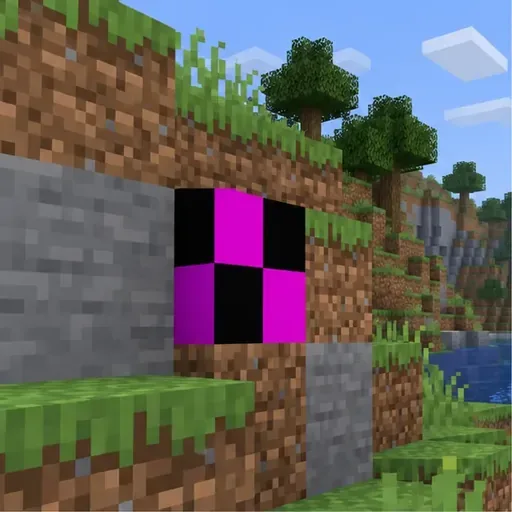
First check whether the problem is limited to one pack. In Java Edition, open Options > Resource Packs, move every non-default pack out of the active list, and restart the world. For a clear comparison, create a temporary new world with the default resources only. If the surface looks normal, turn packs back on one at a time until the texture error returns. If the problem happens only on a server, compare the same block in a local world; a server-provided pack may be involved.
In Bedrock Edition, make a copy of the world before changing its active packs. Open that copy’s world settings, select Resource Packs, and remove one optional pack at a time. Minecraft’s support guidance recommends backing up before disabling add-ons; worlds that depend on behavior packs may lose add-on mobs or replace add-on blocks when a pack is removed. A world template may also require its included resource pack. For a Realm, the owner must make the change.
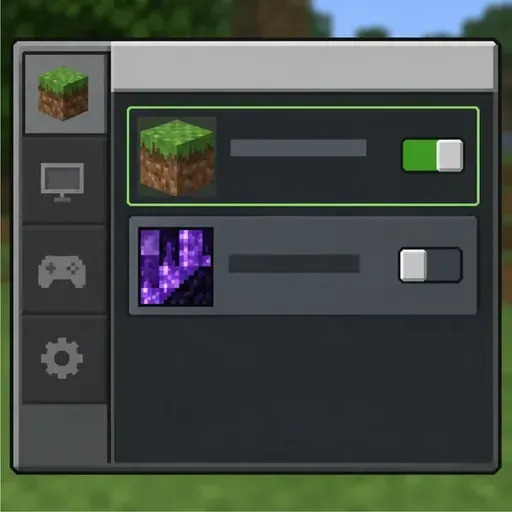
A Java resource pack will not work as a Bedrock add-on, and a pack built for an older game release may not define newer textures correctly. Check the pack’s own release notes for the exact edition, game version, and any required loader. Then remove duplicate or older copies and download a fresh copy from the pack author’s original page. In Java, use the resource-pack folder opened by the game profile you actually launch; separate launchers and instances can use separate game folders.
If the pack does not appear in the menu, check that you placed the downloaded archive or folder in the correct instance’s resource-pack location. If the pack appears but only some assets fail, the pack itself may have a bad path or incomplete files. For creators working with Bedrock packs, Microsoft’s resource-pack guide explains the required pack structure and advises checking texture paths and file names when content does not load.
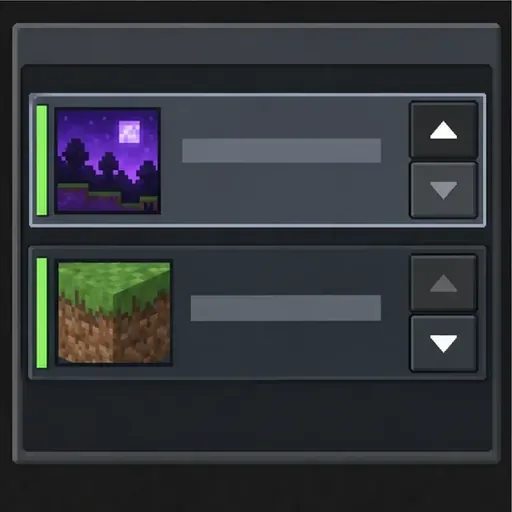
When two packs change the same block, the higher-priority pack can replace the texture supplied by the other. Re-enable packs individually first; then adjust their order and test again. Bedrock’s official troubleshooting explains that the highest-ranked pack is applied when multiple packs affect the same asset. Keep only the pack you intend to win at the top of the active stack, and remove duplicate copies that are easy to confuse.
For a modded Java setup, test without shaders and renderer mods before changing anything else. If textures return in a clean profile, add the shader or mod back one at a time and match each download to your Minecraft version and mod loader. Update the affected project from its publisher rather than combining files from different releases. A higher render distance or extra RAM is not the right first fix for a missing texture reference.
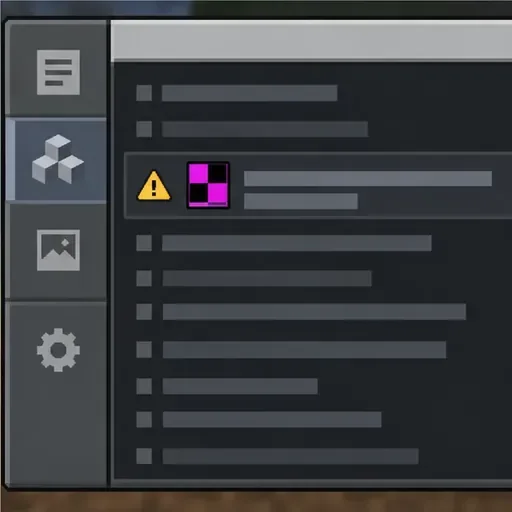
If the checkerboard remains, reproduce it once and inspect the log for the pack name, file path, or missing asset. In a standard Java game directory, check logs/latest.log; modded launchers may keep a separate log for each instance. Look for messages about assets that could not be loaded, but do not treat every warning as the cause. Use the full missing path to identify which pack supplied the broken reference.
For Bedrock custom content, open Settings > Creator and enable the Content Log GUI or file option where available. Minecraft’s creator documentation explains that errors and warnings appear in the log when content is processed, including references to texture files that are missing from a pack. Reproduce the problem, then look for the first relevant error rather than unrelated informational entries.
If a clean world with no custom packs still has broken surfaces, restart Minecraft and install the latest game update available for your platform. For Java graphics symptoms, also follow Minecraft’s official video and graphics troubleshooting. If the issue is limited to one world, preserve the original and test a copy. Do not delete region files to fix a texture problem: those files contain world data, and deleting them can remove builds without repairing a broken pack.
Bedrock players can use the official add-on troubleshooting steps to restart, update, disable optional add-ons, reorder packs, or redownload a corrupted pack. For specific worlds, follow Minecraft’s backup and disable guidance before removing anything that may contain behavior changes.
Most Minecraft texture pack problems become easier to diagnose once you know whether the issue follows one pack, one launcher profile, or one world. Start with default resources, restore compatible packs in a controlled order, and use the log to find the exact file that failed.
Enable PUBG’s network statistics HUD to monitor ping and packet loss in a match. See where to find it, what the numbers mean, and what they cannot diagnose.
Learn how to import VALORANT crosshair codes, compare presets with manual settings and spectator copy, and fix common import issues.
Choose Dota 2 minimap size, hero icons, team colors, and background settings by readability, fewer misclicks, and clear results on your own display.
Fix Fortnite texture pop-in on PC with official steps for GPU drivers, file verification, DirectX 12, high-resolution textures, VRAM, SSDs, and stutter.
Learn what Heroes of the Storm minimap size and position options are verified, improve readability, and choose camera-click controls that suit you.
Set Super Smash Bros. Ultimate Quickplay to prefer hazards-off stages. Follow the Preferred Rules menu steps and learn why matchmaking may not always honor them.
Enable Server Latency and Packet Loss in Warzone to monitor connection quality, read the overlay, and use recurring spikes to guide troubleshooting.
Learn how to carry from mid lane in League of Legends by setting up waves, choosing safe roam windows, reading side lanes, and converting pressure into objectives.
Fix Minecraft Evoker spell problems with a safe vanilla test, version checks, log review, and a step-by-step way to isolate mod or datapack conflicts.
Fix PUBG stuck on Initializing on Steam with a focused checklist for PC service notices, launch options, game files, downloads, and connection issues.








