How to Check Real-Time Server Latency in the PUBG HUD

Enable PUBG’s network statistics HUD to monitor ping and packet loss in a match. See where to find it, what the numbers mean, and what they cannot diagnose.
Minecraft Error 422 horror is a fan-made creepypasta and the name used by several unofficial projects, not a confirmed hidden mode or self-spreading bug in standard Minecraft. The core story imagines a game that behaves as if it has taken control. There are also community-made versions: the ERROR422 mod listing describes a slow-burn horror experience in which the game itself is the antagonist. That is different from an ordinary Java Edition crash or a documented Mojang error code.
If you found “Error 422” after installing a file, first identify whether it was a story/video, a Java mod, or a separate executable. Back up worlds, isolate modded profiles, and use the official launcher for a clean comparison. Claims about players being targeted by name, a curse spreading into backups, or a secret Mojang build are not supported by the primary sources reviewed for this rewrite.
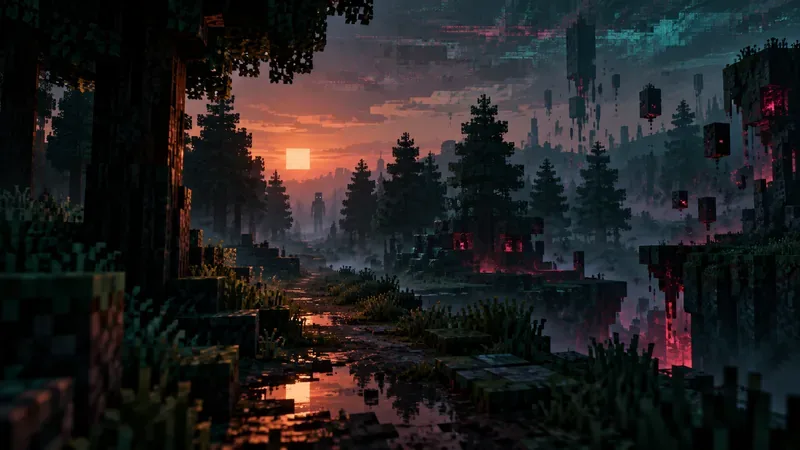
The phrase refers to a horror premise and to different fan projects that borrow its title. The original ERROR422 page by its creator on itch.io presents a fictional “lost version” narrative: an unknown snapshot supposedly goes wrong and a glitch-like presence takes over. It is a story setup, not documentation of a Mojang release or an authenticated account of a real game build.
There are also actual community projects inspired by the premise. For example, the CurseForge ERROR 422 listing describes a horror mod port and identifies Minecraft 1.21.1 with NeoForge for its listed release, updated August 4, 2025. Its author says the mod changes vanilla code, is not compatible with every mod, disables multiplayer by default, and may crash in Creative mode or with cheats enabled under its default settings. Those are descriptions of that specific mod—not evidence that unmodified Minecraft contains a haunted Error 422 mode. Check the project’s current file page and requirements before installing anything.
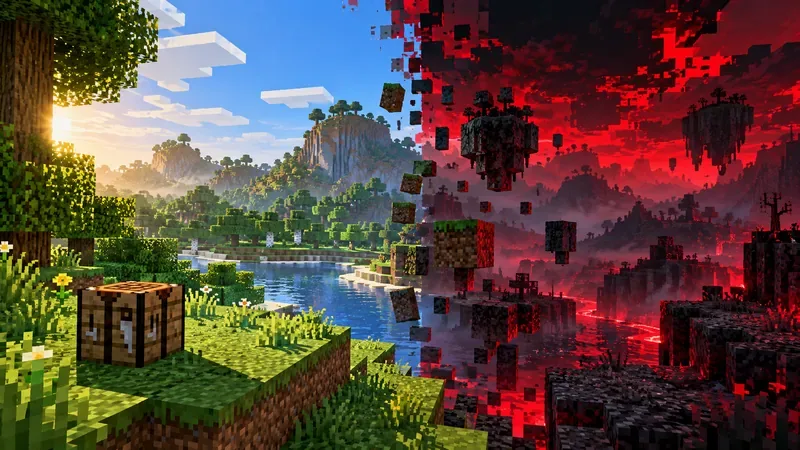
Videos and posts may show corrupted menus, scrambled inventory, strange sound, changing daylight, unexpected blocks, or a crash. Those effects can be part of a scripted horror mod, edited video, deliberate recreation, or an ordinary conflict; a clip alone cannot establish which. The ERROR422 mod author lists several designed anomalies, including static in place of music, obfuscated item names, shifting daytime, error messages, and a corrupted final phase. Because those effects are stated on the mod page, they are better described as features of a particular fan project than as independently verified player encounters.
The old article’s named streamer and Reddit “case files,” personalized figures, voices imitating friends, self-propagation, and claims of thousands of matching reports could not be verified through reliable original evidence. They should not be repeated as true stories. If you want to share a story, label it as fiction, a firsthand but unverified account, or a documented mod behavior. Keep those categories clear.
| Claim | What the evidence supports |
|---|---|
| “Mojang hid a sentient Error 422 release.” | No official Minecraft source reviewed confirms such a release; the cited origin is presented as horror fiction. |
| “Error 422 spreads into every world and backup.” | No reliable source supports self-propagation. A mod can alter the current game profile or a world it touches, so backups still matter. |
| “Every strange visual proves an infection.” | No. Mods, resource packs, shaders, graphics drivers, corrupted files, and edited footage can all produce unusual results. |
| “It is an official Minecraft error code.” | The sources reviewed document fan works using the name, not an official Mojang Error 422 diagnosis. |
The horror story itself is fiction, but files offered under its name can be a real security risk if they come from an unknown site. A Java mod is executable code, and a standalone EXE or JAR deserves at least as much caution as any software download. Do not assume a file is safe because a video calls it “the original,” or because its icon resembles Minecraft. Do not run a suspicious file as administrator, disable antivirus to launch it, or enter Microsoft account credentials into an unfamiliar launcher.
If you choose to try a mod, use a reputable project listing, read its author, game version, mod-loader, dependencies, update history, and known issues, and keep it in a separate launcher installation. The CurseForge page explicitly warns about compatibility limits and unsupported multiplayer for its ERROR422 release. A listing is useful provenance, not a guarantee that every download or mirror is harmless.

.minecraft folder as a first step. If you are unsure which files belong to a profile, preserve a copy and consult the project’s instructions.The premise twists familiar cues—menus, block placement, ambience, and save files—so small surprises can feel personal. Horror creators can use random-looking changes or carefully timed glitches to make a world seem unpredictable. Once a player expects the next anomaly, an ordinary crash or visual artifact can be read as part of the story. That effect can make a compelling video, but it is not evidence of sentience, a “personalized” entity, or a real curse.
One technical distinction can also confuse searches: HTTP uses status code 422 for a request whose content cannot be processed. That web-server meaning does not, by itself, identify a Minecraft client error. In the material reviewed here, “Minecraft Error 422” mainly points to fan horror fiction and projects built around it. For an actual crash, use the exact text in the launcher or crash report and the installed version/mod-loader to troubleshoot the concrete problem.
This rewrite checked the original creator’s ERROR422 project page, the specific CurseForge mod listing, and Mojang/Minecraft Help articles for world backups, installation repair, and manual uninstall precautions. Community pages establish what their authors describe, not that a supernatural event happened. No independently authenticated “true player stories” matching the older article’s named anecdotes were located, so this guide does not present them as fact.
Enable PUBG’s network statistics HUD to monitor ping and packet loss in a match. See where to find it, what the numbers mean, and what they cannot diagnose.
Learn how to import VALORANT crosshair codes, compare presets with manual settings and spectator copy, and fix common import issues.
Choose Dota 2 minimap size, hero icons, team colors, and background settings by readability, fewer misclicks, and clear results on your own display.
Fix Fortnite texture pop-in on PC with official steps for GPU drivers, file verification, DirectX 12, high-resolution textures, VRAM, SSDs, and stutter.
Learn what Heroes of the Storm minimap size and position options are verified, improve readability, and choose camera-click controls that suit you.
Set Super Smash Bros. Ultimate Quickplay to prefer hazards-off stages. Follow the Preferred Rules menu steps and learn why matchmaking may not always honor them.
Enable Server Latency and Packet Loss in Warzone to monitor connection quality, read the overlay, and use recurring spikes to guide troubleshooting.
Learn how to carry from mid lane in League of Legends by setting up waves, choosing safe roam windows, reading side lanes, and converting pressure into objectives.
Fix Minecraft Evoker spell problems with a safe vanilla test, version checks, log review, and a step-by-step way to isolate mod or datapack conflicts.
Fix PUBG stuck on Initializing on Steam with a focused checklist for PC service notices, launch options, game files, downloads, and connection issues.








