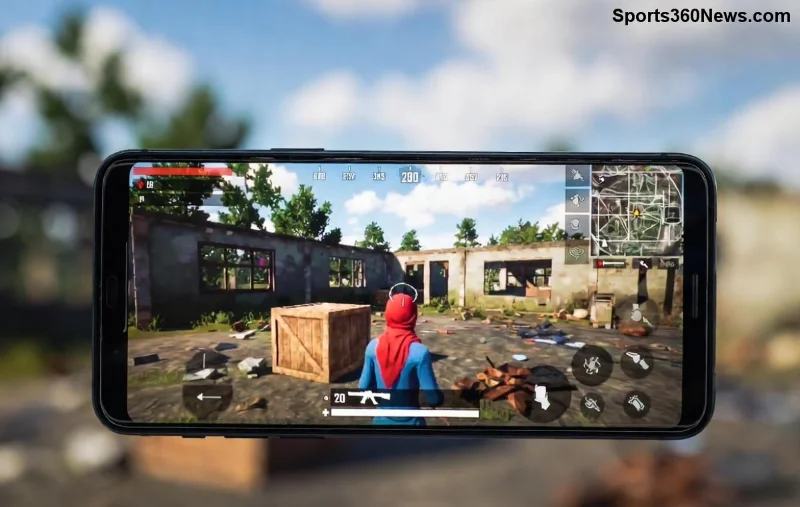
Imagine landing hot drops, spraying enemies mid-air, and clutching 1v4s like a pro— all thanks to the 4-finger claw setup in PUBG Mobile. This grip transforms your thumbs from mere movers into multi-taskers, freeing you to aim, shoot, and move simultaneously. If you're tired of thumb-only struggles, this guide is your ticket to god-tier control. Let's dive in and level up your game! 🚀
What is the 4-Finger Claw Setup in PUBG Mobile and Why It Wins Matches ⭐
The 4-finger claw (or quad-claw) uses both thumbs for movement and looking, while index fingers handle firing, aiming, jumping, and crouching. It's the go-to for competitive players because it boosts reaction time by 30-50% compared to 2-thumb setups—perfect for those nail-biting endgames.
Pro Tip: Pros like Paraboy and Order swear by it for PUBG Mobile's fast-paced battles. Ready to claw your way to the top? Start with these essentials.
Step-by-Step: Building Your Perfect 4-Finger Claw Layout in PUBG Mobile 🛠️
- 1️⃣ Enter Settings: Launch PUBG Mobile > Tap the arrow icon > Controls > Customize. Enable Peek & Fire and Peek & Open Scope for seamless plays.
- 2️⃣ Position Thumbs: Left thumb on joystick (movement), right thumb on camera (aiming/free look).
- 3️⃣ Index Finger Zones:
- Left index: Jump (top-left), Crouch/Prone (below jump).
- Right index: Fire button (top-right), Aim/ADS (below fire).
- 4️⃣ Scale & Opacity: Set buttons to 50-70% opacity for visibility. Resize fire button to ~120% for easy taps.
- 5️⃣ Save & Test: Use Training Grounds to tweak—no shame in iterating!
This layout minimizes finger travel, letting you hip-fire while strafing. Feeling pumped? Your first layout is just a swipe away.
Optimal Sensitivity Settings for 4-Finger Claw PUBG Mobile 📊
Sensitivity is the secret sauce. Use this table as your baseline—adjust in Training Mode based on your device (e.g., higher for larger screens).
| Setting |
Recommended Value (No Scope) |
Red Dot/Holo |
2x/3x/4x |
AWM/8x |
| Camera Sensitivity |
120-140% |
100-120% |
80-100% |
60-80% |
| ADS Sensitivity |
100-120% |
90-110% |
70-90% |
50-70% |
| Gyroscope Sensitivity |
300-350% |
280-320% |
250-300% |
200-250% |
Enable Gyroscope at 300% for claw mastery—tilt to fine-tune aim while fingers dominate movement. Test in TDM for quick feedback. These settings shine in the latest patches for buttery-smooth tracking.
Training Drills to Master 4-Finger Claw Grip 💪
Setup alone won't cut it—drill like a beast:
- 🔥 Warm-Up (5 mins): Training Grounds > Run circles while ADS spraying dummies. Focus on no-recoil sprays.
- 1️⃣ Tracking Practice: Strafe left-right, track moving targets with M416 + 4x. Aim for 80% headshots.
- 2️⃣ Jump-Shoot Combos: Jump > Fire mid-air on bots. Nail this for hot drop supremacy.
- 3️⃣ 1v1 Customs: Queue with friends—simulate end circles.
- ⭐ Daily Goal: 30 mins practice = visible KD boost in a week.
Pro players hit 10,000+ practice hours. Start small, stay consistent—you'll feel the claw "click" soon! 😎
![Pro player using <strong>4-finger claw setup</strong> in PUBG Mobile tournament]()
Advanced 4-Finger Claw Tips for PUBG Mobile Domination 🚀
Level up with these gems:
- Gyro + Claw Hybrid: Thumbs move, gyro aims—unbeatable for vehicles and leans.
- Button Remapping: Swap lean buttons to index for quick peeks.
- Device Tweaks: 90Hz+ screen refresh + game booster apps for zero lag.
- Thumb Guards: Slippery screens? Add claw grips for endurance.
- Match Mindset: Breathe steady—claw shines under pressure.
Watch official PUBG Mobile YouTube for pro claw demos. Integrate one tip per session for steady gains.
Common 4-Finger Claw Mistakes and Fixes ⚠️
Avoid these pitfalls:
| Mistake |
Symptom |
Fix 👍 |
| Oversized Buttons |
Fat-finger misfires |
Resize to 100-120%; practice precision taps |
| Low Sensitivity |
Slow tracking |
Bump camera to 130%; gyro at 320% |
| Poor Grip |
Finger cramps |
Stretch hands; use ergonomic cases |
| No Gyro |
Clunky aim |
Enable & calibrate daily |
Spot these? You're already improving. Keep tweaking—your muscle memory will thank you.
Final Claw Command: Go Get Those Chicken Dinners! 🏆
Mastering the 4-finger claw setup in PUBG Mobile isn't overnight magic—it's smart setup + relentless practice. From layout basics to gyro tweaks, you've got the blueprint. Drop into a match now, feel the power, and watch your KD soar. Share your claw wins in comments—what's your best clutch? Let's squad up and conquer! 👊
Stay claw-some, legends.