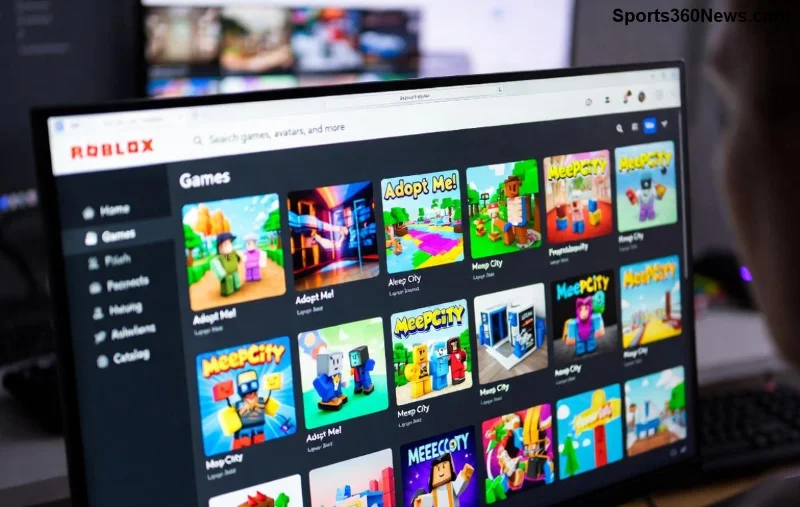
Imagine your Roblox GFX thumbnails lighting up the feed, drawing clicks like a magnet. That's the power of killer Roblox GFX lighting! Whether you're crafting eye-catching banners for your game or slick logos for your group, mastering lighting turns average designs into pro masterpieces. In this guide, we'll dive straight into actionable steps to light your Roblox GFX like a pro. Get ready to level up your graphics game and watch your creations shine. 👆
Why Roblox GFX Lighting Matters for Game Devs and Artists
Great lighting isn't just pretty—it's essential. It adds depth, mood, and professionalism to your Roblox GFX. Poor lighting makes designs flat and forgettable, while pro lighting creates drama, highlights key elements, and boosts viewer engagement. Roblox players scroll fast; make yours stop the scroll!
Pro tip: Lighting mimics real-world physics, using highlights, shadows, and glows to fool the eye into seeing 3D on a 2D canvas. Ready to start? Let's gear up. ⭐
Essential Tools for Pro Roblox GFX Lighting
To light your Roblox GFX like a pro, you need the right arsenal. Photoshop remains the gold standard, but free alternatives like GIMP or Photopea work wonders too.
| Tool |
Best For |
Pro Feature |
| Photoshop |
Advanced gradients & brushes |
Layer styles for quick glows |
| GIMP |
Free lighting effects |
Custom dodge/burn tools |
| Photopea |
Browser-based Roblox edits |
No install, full PS clone |
Download your fave and import a Roblox avatar render or game screenshot as your base. Now, onto the magic! 🚀
Step-by-Step: Basic Roblox GFX Lighting Setup
- Prep Your Canvas: Start with a 512x512px canvas for thumbnails. Add your subject (avatar, item) on a new layer. Duplicate it for non-destructive edits. 😎
- Set the Light Source: Decide on one main light—top-left is classic for Roblox style. Use the Gradient Tool (Radial or Linear) in soft white-to-transparent for subtle fill.
- Add Highlights: Grab the Dodge Tool (Midtones, 20% exposure). Gently brush edges facing the light. Watch it pop!
- Carve Shadows: Switch to Burn Tool (Shadows, 15% exposure) on opposite sides. Blend with a soft brush for realism.
This foundation makes your GFX feel alive. But pros go further—keep reading for glows that scream epic. ✨
![Pro Roblox GFX thumbnail with dynamic lighting and glows]()
Advanced Techniques: Elevate Your Roblox GFX with Glows and Rims
Time to pro-level up! These tricks separate amateurs from GFX gods.
- Rim Lighting ⭐: New layer behind your subject. Clip a bright blue/purple gradient (Outer Glow style). Set blend mode to Screen, opacity 40%. Instant edge pop for avatars!
- God Rays (Volumetric Light): Use Brush Tool with soft round brush on a new layer. Paint faint rays from your light source, blur (Gaussian 10-20px), blend to Overlay. Epic for dramatic scenes.
- Color Grading Lights: Instead of white, tint lights—warm orange for cozy games, cool neon for sci-fi. Layer > New Adjustment > Color Balance. Shift mids toward your vibe.
- Specular Highlights: Tiny white brushes on shiny surfaces (guns, chrome). Add noise filter for realism.
Experiment: Duplicate your lit layer, tweak hues, and merge the best. Your thumbnails will dominate Roblox searches! Curious about mistakes to dodge? Next up... ⚠️
Common Roblox GFX Lighting Pitfalls and Fixes
Even pros slip—avoid these to keep your work flawless:
| Mistake |
Fix |
Pro Result |
| Overly harsh shadows |
Soften with Layer > Blur > Gaussian (5px) |
Natural depth |
| Flat glows |
Multiple layers, varying opacity |
Dynamic shine |
| Inconsistent direction |
One primary source rule |
Cohesive pro look |
Quick check: Zoom out—does it read well at thumbnail size? If yes, you're golden! 👏
Pro Workflow: From Sketch to Lit Masterpiece
Here's the full pro pipeline:
- Sketch composition roughly.
- Render/block in base colors.
- Light pass 1: Main source + shadows.
- Light pass 2: Rims and glows.
- Color grade + effects (vignette for focus).
- Export PNG (transparent bg) at 1080p for versatility.
For Roblox-specific flair, study top games like Adopt Me or Brookhaven thumbnails. Replicate their neon rim lights for that viral edge. 🔥
Bonus: Integrate Roblox Studio renders with Roblox DevForum lighting presets for authentic bases.
Final Glow-Up: Test and Iterate
Upload to Discord or Roblox groups for feedback. Tweak lighting based on comments—pros iterate relentlessly. Your first lit GFX might wow, but practice makes legendary.
Now armed with these Roblox GFX lighting secrets, create something epic today. Share your before/after in comments—what's your go-to light color? Drop it below and inspire the community! You've got this—go make those graphics glow! 🎉