How to Mute Opponent Little Legend Taunts in TFT

Mute TFT opponent emotes globally or for one player, learn what the setting affects, and check why some Little Legend animations may remain visible.
Imagine turning every Fortnite fight into your personal trap zone. With piece control, you dictate the battlefield, forcing enemies into deadly setups while staying untouchable. This guide dives deep into mastering piece control in Fortnite—the art of owning every wall, ramp, and cone to trap your enemies effortlessly. Ready to level up? Let's build your path to Victory Royale! 🚀
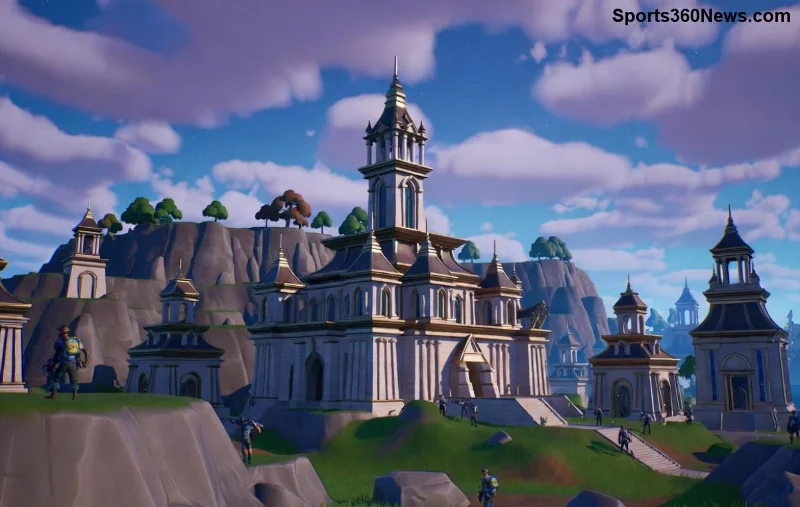
Piece control is the cornerstone of high-level building. It's about claiming and maintaining dominance over individual structural pieces—walls, floors, ramps, cones, and pyramids. Pros use it to create impenetrable defenses, deny enemy movement, and set inescapable traps.
Why does it matter? In fast-paced Fortnite battles, raw building speed loses to smart piece control. Control the high ground, edit strategically, and watch foes panic. Master piece control, and you'll turn chaotic scraps into calculated wins.
Players who master piece control in Fortnite climb leaderboards faster. It's not just building; it's psychological warfare. Keep reading for builds that make trapping second nature!
Start with fundamentals. Practice these in Creative mode to internalize them.
Double ramp into a 90-degree turn. Place a cone at the peak for peak piece control. Enemies can't follow without exposing themselves—perfect for trapping enemies.
Spam cones under ramps. Edit the tip to peek and shoot. This denies enemy piece control and sets up traps.
| Build Type | Purpose | Trapping Power | Pro Tip |
|---|---|---|---|
| 90s Ramp | High ground push | High | Edit cone for vision |
| Cone Spam | Deny entry | Very High | Layer 2-3 deep |
| Double Wall | Box defense | Medium | Replace enemy walls instantly |
| Pyramid Trap | Kill box | Extreme | Drop floor, edit cone roof |
These builds form your arsenal. Next, learn how to weaponize them for traps! 💥
Trapping isn't random—it's surgical. Here's how to trap your enemies with precision:
For visuals, check Epic's official Creative hubs or pro VODs. Practice these, and you'll master piece control in no time.
Pro players like Bugha swear by these. Integrate them, and feel the shift from average to elite.
Even pros slip up. Dodge these pitfalls:
Avoid them, and your Fortnite KD skyrockets. Ready for the endgame edge?
In late-game, piece control rules. Build minimal: cone roofs for vision, wall replaces for borders. Trap rotating enemies by coning storm edges—force them into your line of sight.
Combine with mobility: zip lines under ramps for quick piece claims. Your enemies? Stuck rebuilding forever. Victory Royale awaits! 🏆
Head to Creative codes like 8388-4486-7851 for piece control drills. Watch pros on Twitch—mimic their traps. Track progress: aim for 80% piece ownership in box fights.
Mastering piece control in Fortnite transforms you into a trap master. Build smarter, trap harder, win bigger. Drop a like if this fired you up, and share your best trap clip below! What's your go-to build? 👇
Fortnite evolves, but piece control is timeless. Stay sharp, squad up, and dominate!
Mute TFT opponent emotes globally or for one player, learn what the setting affects, and check why some Little Legend animations may remain visible.
Customize SCV, Probe, and Drone production hotkeys in StarCraft: Remastered, avoid selection mistakes, and verify your bindings in a practice game.
Compare Halo Infinite enemy outline colors by background, friendly-team contrast, and visual preference, with practical opacity and thickness checks.
Compare Fortnite colorblind modes for Storm visibility, try a moderate strength, and check terrain, silhouettes, and item colors before keeping a preset.
Find a practical Dead by Daylight HUD scale starting point, learn the difference between UI Scale and In-Game HUD Scale, and fine-tune visibility for your screen and role.
Compare cyan, magenta, lime, and orange RGB values for CS2, learn the tradeoffs, and test a crosshair color and outline across varied map backgrounds.
Troubleshoot StarCraft II’s graphics device error on Windows with a beginner-friendly sequence: restart, reset game options, check GPU selection, update drivers, and repair files.
Learn what Target Compensation does in Apex Legends, why On is the best starting point for most controller players, and how to test it safely in the Firing Range.
Set up Apex Legends tap-strafe keybinds with wheel up for forward and wheel down for jump, then check weapon conflicts, timing, and comfort on PC.
Hide the FC Trainer during a match or disable only selected prompts. Learn how to distinguish Trainer arrows from player markers, PlayStyle icons, and input overlays.


