Home
» 🎮 Esports
»
Zombie Drowned Minecraft Error: What’s Normal and How to Fix Hybrid Hazards in 1.21
Zombie Drowned Minecraft Error: What’s Normal and How to Fix Hybrid Hazards in 1.21
Zombie Drowned Minecraft Error: What’s Normal and How to Fix Hybrid Hazards in 1.21
If you’re searching for the Zombie Drowned Minecraft Error, start with this: a zombie turning into a drowned underwater is an intended Minecraft mechanic, not by itself a corrupted “hybrid” mob. If the creature is duplicating, freezing, behaving strangely, or crashing the world, treat that as a separate issue and test safely before changing the save.
The phrases “hybrid hazards” and “zombie drowned error” are useful search terms, but they are not an official Minecraft error code. Mojang’s release notes describe zombies converting into drowned when they stay underwater too long. They do not establish a general 1.21 bug that causes drowned to keep zombie AI, spawn more often after rain, crash ocean chunks, or produce a known seed-specific hazard.
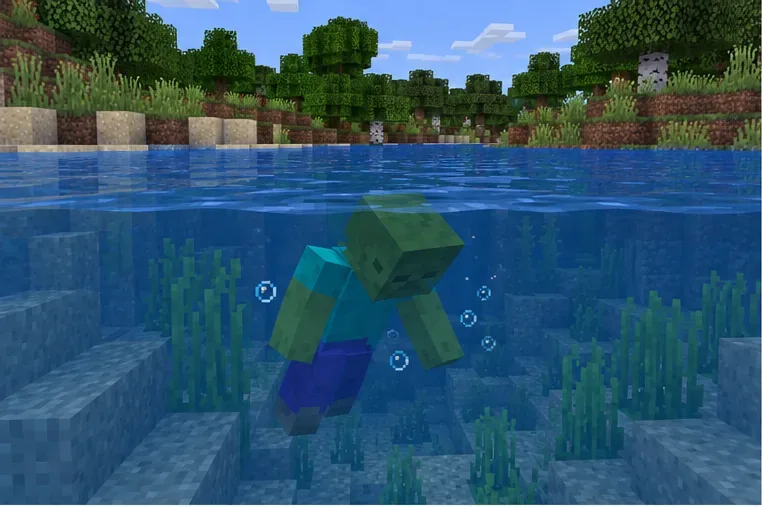
A zombie underwater is the starting point for the normal zombie-to-drowned conversion mechanic.
What the Zombie Drowned Minecraft Error usually describes
Drowned are a real hostile mob. They can spawn naturally in water, and zombies can convert into drowned after remaining underwater long enough. Mojang’s Java 1.13 notes document both the Drowned mob and zombie conversion; its Bedrock Update Aquatic notes also say zombies transform into drowned. This is long-standing game behavior, including in worlds that later update to a 1.21 release.
That change of appearance can look like a hybrid if you expected the zombie to simply disappear. A drowned carrying a trident is not proof of a conversion glitch either: Mojang’s Java notes say drowned can spawn with tridents. Equipment, names, and other carried state can also depend on the exact edition and build. In a Java snapshot note, Mojang documented selected properties that can transfer during mob conversion; that snapshot detail is not a guarantee that every 1.21 Java or Bedrock build behaves identically.
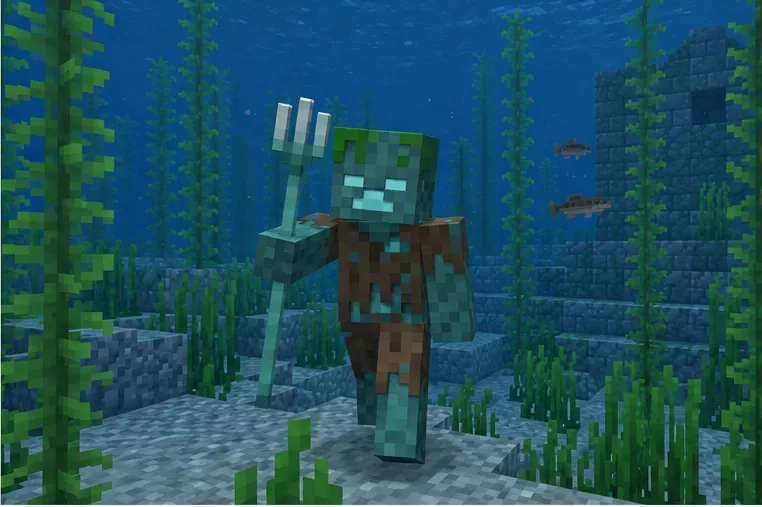
A drowned with a trident can be a normal drowned; the weapon alone does not identify a bug.
What you see
What it can mean
Useful first check
A zombie sinks, then looks like a drowned
Expected underwater conversion
Watch whether the new drowned behaves normally
A drowned holds a trident
May be a naturally spawned drowned
Do not infer its origin from the weapon alone
A converted mob appears to keep gear or a name
Conversion details vary by edition and version
Record the exact build and compare a copied vanilla world
Mobs duplicate, freeze, or crash the game
A separate world, pack, server, or game issue is possible
Back up first, then reproduce without add-ons
How to troubleshoot a real problem safely
Use these four checks in order. They help separate normal conversion from an issue without risking your main world.
1. Confirm the edition, version, and exact symptom
Write down whether you are using Java or Bedrock, the full version number (not just “1.21”), and whether the world is single-player, a Realm, or a server. Note what the mob does: does it merely change type, retain an item, fail to move, reappear after being removed, or cause a crash? A short description is more useful than calling every odd-looking drowned an error.
Run the same observation in a new, untouched world on the same build. If the conversion looks the same there, it is likely normal behavior. If the problem only occurs in one existing world, keep that distinction in your notes.
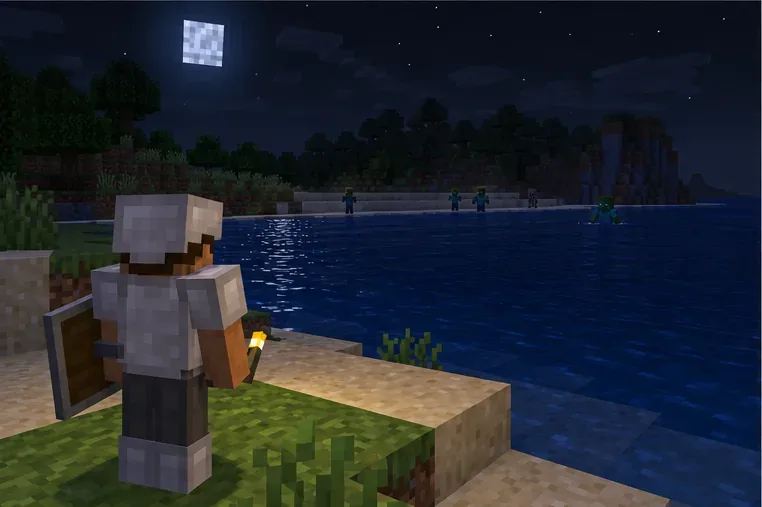
Observe the behavior in a separate test world from a safe distance before changing the original save.
2. Make a backup before testing
Copy or export the affected world using the option available on your platform. For Java Edition, follow the official Minecraft world-backup instructions. For Bedrock, use the in-game world-copy or export option when available and keep the copy somewhere separate. Do not edit region files or delete entity data as a first response; a mistaken edit can damage more than the mob you are investigating.
Perform experiments only in the backup or a disposable copy. This also gives you a clean way to compare results after changing a pack or server setting.
3. Isolate packs, mods, and server changes
On a test copy, disable behavior and resource packs in Bedrock. In Java, test with a clean vanilla profile and without mods or data packs. If you run a server, make sure the server and clients use compatible builds, then test the copied world without plugins or custom mob data where practical. Re-enable one change at a time. If the strange behavior returns only after one pack or plugin is enabled, update it or contact its creator with your reproduction steps.
This is a diagnostic path, not proof that a particular mod causes a “Zombie Drowned Minecraft Error.” The old article’s specific seed claim, crash-at-ocean claim, and claimed percentage improvement were not supported by the cited official notes.
4. Choose a fix based on what the test shows
Normal conversion, normal behavior: no repair is needed. Defeat the drowned if it threatens your base, and improve lighting or secure entrances if hostile mobs are getting inside.
One stuck or unwanted mob: remove that individual through normal gameplay. Avoid broad entity-kill commands that can erase every drowned or zombie in a radius.
Issue only with a pack, mod, or plugin: update or remove that component in the test copy, then verify the result before applying the change to the main world.
Repeatable issue in a clean world: keep the backup, note the full version and steps, and report it through the official Minecraft bug tracker. Attach logs or a short clip if the tracker accepts them for that issue.
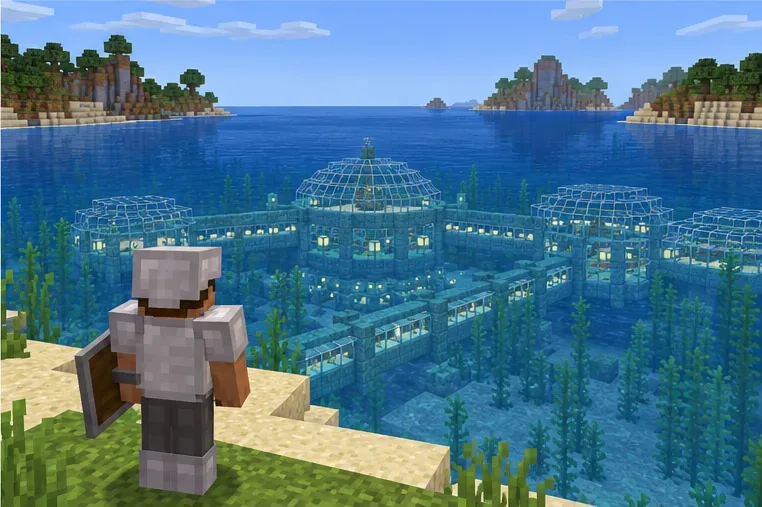
A clear, well-lit shoreline makes it easier to inspect mob behavior and keep a base secure.
Version notes for Minecraft 1.21
“1.21” covers multiple releases and editions, so avoid assuming a fix applies to every installation. Mojang’s Java 24w37a snapshot notes discuss which data can carry over during mob conversion, including equipment and names. Those are snapshot notes, not evidence that every 1.21 build has a hybrid-mob defect.
Bedrock behavior can change in later releases. Mojang’s Bedrock 26.50 changelog says Zombies and Husks retain held and equipped items when transforming into Zombies and Drowned. That later note is useful if you are comparing a current Bedrock build with an older 1.21 world, but it should not be presented as a 1.21 patch or as proof of an ocean-spawn crash.
Chunk pre-generation, forcing chunks to stay loaded, turning off mob spawning, or allocating more memory are not established fixes for ordinary zombie-to-drowned conversion. Use them only for a separate, diagnosed performance or server problem—not as a blanket cure for a mob changing type.
Quick answers
Is a zombie turning into a drowned an error?
No. Mojang documents this as intended behavior when a zombie stays underwater long enough. The conversion alone does not show that the world is broken.
Does a trident or carried item prove the mob is a hybrid?
No. Drowned can spawn with tridents, and item retention during conversion is version-dependent. Check your edition and exact build before drawing conclusions.
When should I report a bug?
Report it when you can reproduce a concrete failure—such as duplicated entities or a crash—in a backed-up test world, especially with add-ons disabled. Include the edition, full version, steps, and relevant logs. That gives maintainers something specific to investigate.