If Minecraft Java Edition disconnects with “Badly compressed packet”, DecoderException, or DataFormatException, start by checking whether the problem follows one server, one modded profile, or a local world. A packet decompression message means Minecraft could not decode data it received; by itself, it does not prove that your saved world is corrupted. Use the checks below in order, and back up a world before attempting any repair.
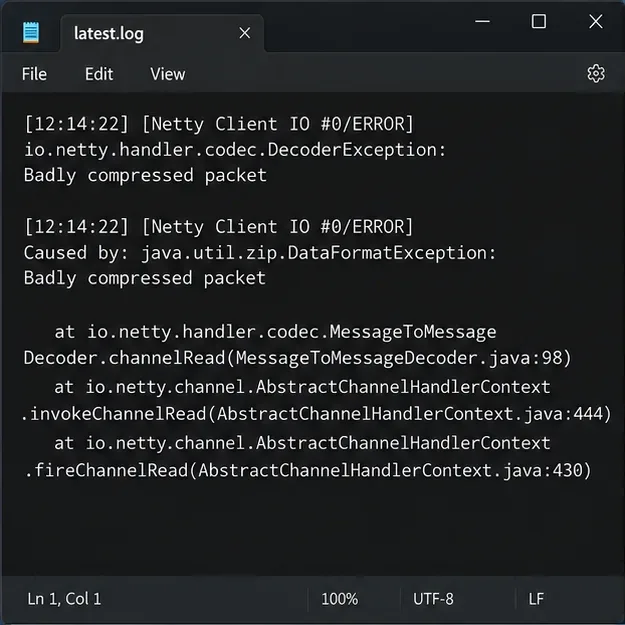
Look for the exact exception and the lines immediately before it in latest.log.
What a Minecraft decompression error usually means
Java Edition compresses some network packets to reduce the amount of data sent between a server and a client. During login or play, a decoder error can appear if the received packet is malformed, the connection's compression expectations do not match, or a mod, proxy, or server plugin is interfering with the protocol. Mojang’s public bug tracker includes reports using the exact “Badly compressed packet” wording, but that message alone does not identify one universal cause.
“Decompression error” is also used informally for unrelated failures, such as a resource pack that will not download or a local save that will not open. Those need different checks. Use the symptom to choose a path:
What you see
Where to investigate first
DecoderException or “Badly compressed packet” while joining or playing online
Client/server version, mods, proxy, plugin, or server packet handling
The disconnect happens on one server, but other servers work
That server’s software, proxy, plugins, modpack, or a particular packet it sends
A modded profile fails while a clean profile works
Mod loader and mod compatibility for the exact game version
A single-player save reports a region or world-file read error
The local save; make a backup before trying recovery
The launcher or resource-pack download fails during extraction
Download integrity, available storage, and the pack’s configured URL or checksum
Step-by-step fixes for Minecraft packet decompression errors
1. Capture the complete error from the log
Close the disconnect screen only after noting the full message. Open logs/latest.log inside the game directory used by the affected installation. The standard Windows folder is %AppData%\.minecraft\logs; on macOS it is ~/Library/Application Support/minecraft/logs. A custom launcher or installation directory can use a different location. Search around the error timestamp for DecoderException, DataFormatException, and the first “Caused by” line. Save a copy of the log before testing so you can compare runs.
Record the exact Minecraft version, whether the profile uses Forge, Fabric, NeoForge, or another loader, and whether the error happens at login, while loading a resource pack, or near a particular area. That context is more useful than a paraphrase like “the world won’t unpack.”
2. Check whether the error is limited to one server
Try connecting to a different server that supports the same game version. If only one server fails, your local world files are unlikely to be the first place to look. Ask the server owner whether anything changed recently in the server version, proxy, plugins, or modpack, and share the timestamp and exact exception from your log. If the problem happens on several servers, continue with a clean client test.
Server administrators should review the server and proxy logs at the same timestamp and confirm that every proxy, backend, plugin, and mod is intended for the running server version. Paper documents network-compression-threshold in server.properties; its value controls when packets are compressed, and a negative value disables compression. Do not change this setting as a blind client-side fix. Test any configuration change on a backed-up or staging server, change one variable at a time, and revert it if it does not resolve the logged failure. Paper’s documentation also describes the server resource-pack URL and optional SHA-1 setting, which are useful checks when the failure occurs during a pack download rather than during login.
3. Test a clean profile using the same game version
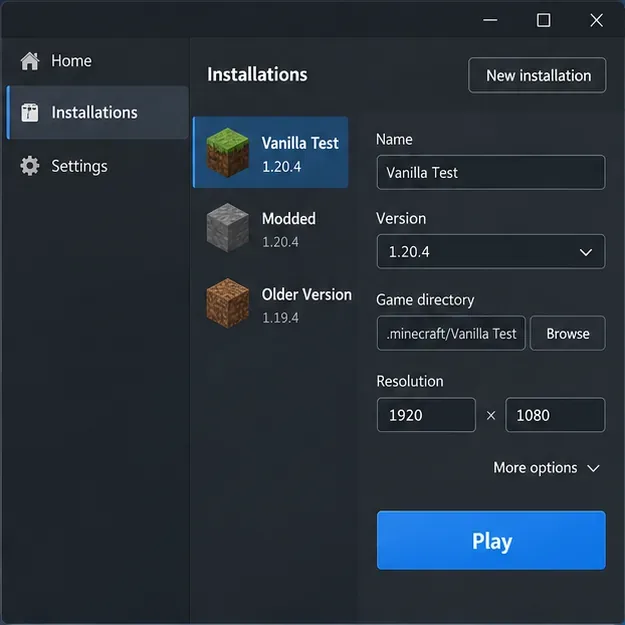
Create a separate vanilla installation in the Minecraft Launcher, selecting the same game version as the one that fails. Give it a new game directory so the test does not share mod files or settings with your usual profile. Minecraft Help recommends creating a new Java installation as a way to troubleshoot launcher crashes. If the clean profile connects successfully, the original profile or one of its add-ons is a strong lead; if it fails on only one server, send the log to that server’s administrator.
A separate vanilla profile helps isolate the client while preserving the original installation.
4. Isolate mods without deleting your setup
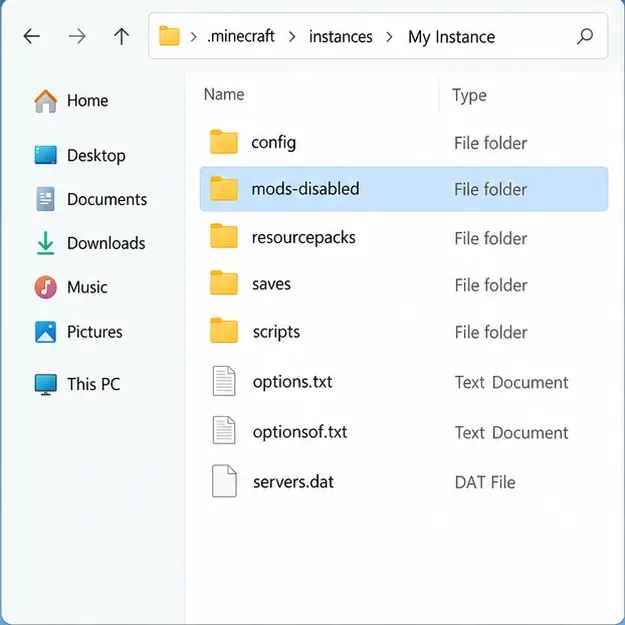
For a modded profile, make a copy of the instance or move the mods folder to a temporary name such as mods-disabled. Keep your configuration and saves untouched. Test the affected server with the required loader and version, then restore mods in small groups until the disconnect returns. Check that each mod supports the exact game version and loader, and compare the client’s required mods with the server’s modpack. Avoid replacing every mod with the newest download at once; servers often pin specific builds.
Temporarily isolating the mods folder preserves the files while checking for a mod conflict.
5. Protect a local world before trying recovery
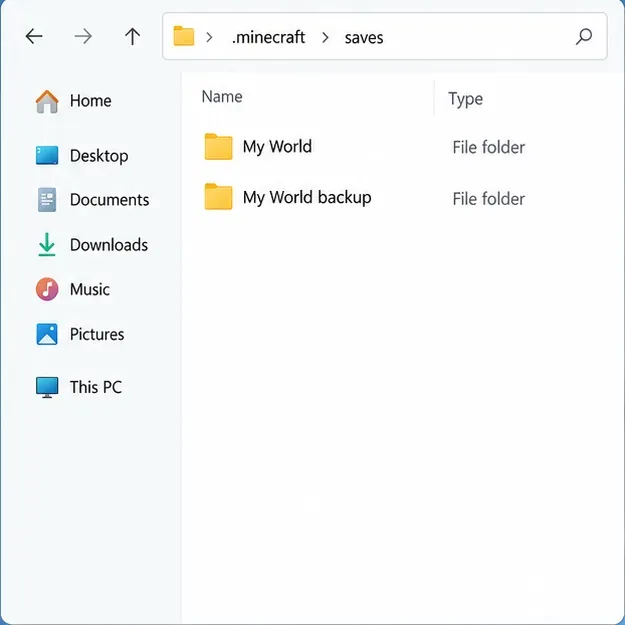
If the error occurs while opening a single-player save, first confirm it is a world-file problem rather than a network disconnect. With Minecraft closed, create a backup from the world’s Edit screen using Make Backup, or copy the world folder to a separate location. Minecraft Help documents the built-in Java Edition backup steps and where to find the backup archive. Work only on a duplicate if you later use a recovery tool; do not edit region or NBT files in the only copy.
Keep an untouched copy of the save before testing any repair.
If the failure happens during a resource-pack or game download
A server resource-pack download problem is not automatically a corrupted save or a bad packet decoder. Retry the download, check that the device has free storage, and ask the server owner to verify that the pack URL is reachable and that any configured hash matches the file being served. If the launcher fails while downloading or extracting game files, use the official launcher troubleshooting guidance before removing game data. Minecraft warns users to back up worlds before manually uninstalling Java Edition because deleting its game folder can also delete saves.
What not to do
Do not delete the entire .minecraft folder as an early troubleshooting step; it can contain worlds, screenshots, and settings.
Do not assume a packet decoder error means a world is corrupt, and do not run repair tools against the only save copy.
Do not install a random Java version or change JVM memory arguments unless the log points to a runtime or memory problem. The official launcher manages its runtime for standard installations; custom launchers should follow their own version guidance.
Do not treat commands such as /optimize or broad server setting changes as universal fixes for malformed or incompatible packets.
When to contact the server owner or Minecraft Support
Send the server owner the exact error, the relevant log lines, your game version, loader and mod list, and whether a clean profile or another server reproduces the issue. Remove account tokens or other private details before sharing a full log publicly. If a clean installation also fails outside one server, consult Minecraft Launcher troubleshooting. For the specific packet wording, see the Mojang bug-tracker report; it is an example of the message, not proof that every player has the same cause.