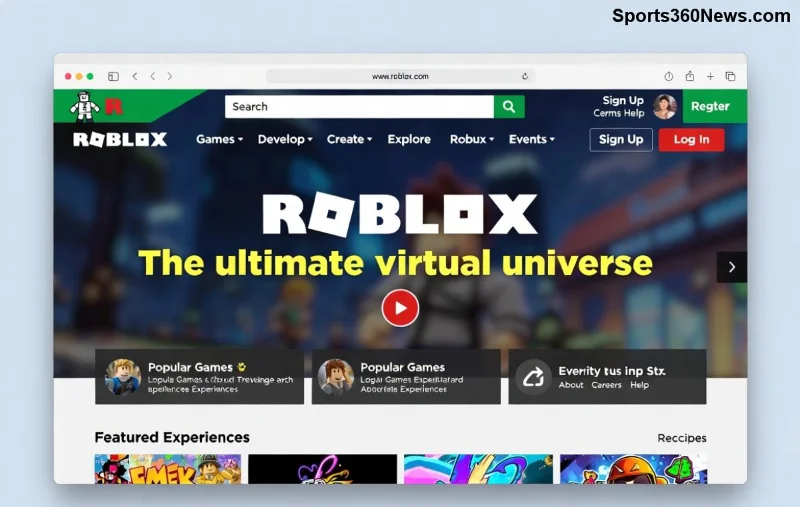
Ever dreamed of crafting your own epic adventure that millions could play? Making a game in Roblox is easier than you think! With Roblox Studio's powerful tools, anyone can turn ideas into interactive worlds. This step-by-step guide walks you through creating a Roblox game from zero to launch. Get ready to unleash your inner game dev genius – let's dive in! 🎮
🛠️ Prerequisites: What You Need Before Starting
Before jumping into Roblox game development, ensure you're set up for success:
- ✅ A Roblox Account: Free and quick to make.
- ✅ A Decent PC: Windows or Mac with 8GB RAM minimum for smooth Studio performance.
- ✅ Internet Connection: Essential for downloading assets and publishing.
- ✅ Basic Curiosity: No coding experience? No problem – Lua scripting is beginner-friendly!
Pro Tip: Join the Roblox Developer Forum for community tips that supercharge your journey. Ready? Let's build! ➡️
1️⃣ Step 1: Create Your Roblox Account and Verify It
Your gateway to creating a Roblox game starts here.
- Head to roblox.com and click "Sign Up".
- Enter your birthday (must be 13+ or with parental consent), username, password, and gender.
- Verify via email or phone for full access to Studio features.
Why verify? It unlocks monetization options like Robux earnings later. Boom – you're in the Roblox universe! 🌟
2️⃣ Step 2: Download and Install Roblox Studio
Roblox Studio is the heart of how to make a Roblox game. It's free and packed with drag-and-drop magic.
| Platform |
Download Link |
System Requirements |
| Windows |
Via Roblox website |
Windows 10+, 8GB RAM |
| Mac |
Via Roblox website |
macOS 10.13+, 8GB RAM |
- Log in to Roblox.com, click the Create tab at the top.
- Hit "Start Creating" – Studio downloads automatically (about 1GB).
- Launch Studio and log in with your account.
Studio's interface? Explorer (hierarchy), Properties (tweak settings), Toolbox (free models), and Output (debug). Excited yet? Your first world awaits! 😎
![Roblox Studio tools and interface for building games]()
3️⃣ Step 3: Create a New Place and Build Your World
Time to sculpt your game environment – no art skills required!
- In Studio, click File > New and choose a template (e.g., "Baseplate" for starters).
- Use the Home tab: Drag Parts (blocks) to spawn terrain.
- Resize, color, and material-ize: Select a part, tweak in Properties (e.g., BrickColor to Neon).
- Grab free models from Toolbox: Search "trees" or "vehicles" – insert instantly!
- Group with Folders in Explorer for organization.
Build a simple obby (obstacle course)? Spawn platforms, add ladders. Teaser: Scripting comes next to make it interactive. Keep going! 💪
4️⃣ Step 4: Add Interactivity with Lua Scripts
Static worlds are boring – scripts bring life! Roblox uses Lua, super simple.
- Insert a Script or LocalScript (Server vs. Client) from Model tab.
- Double-click to edit. Example for a jumping pad:
local part = script.Parent
part.Touched:Connect(function(hit)
    local humanoid = hit.Parent:FindFirstChild("Humanoid")
    if humanoid then
        humanoid.JumpPower = 100
    end
end)
Paste, test with Play button (F5). Errors? Check Output tab.
Advanced: Use DataStores for saves or RemoteEvents for multiplayer. Feeling like a pro? You've nailed core Roblox game development! ⭐
5️⃣ Step 5: Test, Polish, and Optimize Your Game
Don't launch buggy – test rigorously!
- 🧪 Solo Test: Click Play, explore as player.
- 👥 Multiplayer Test: Use "Start Server" for friends.
- 📱 Mobile Test: Emulate devices via View tab.
- 🔧 Polish: Add lighting (Lighting service), sounds (Sound objects), GUIs (ScreenGui).
Optimization tip: Anchor unused parts, limit scripts. Smooth 60 FPS keeps players hooked! 🚀
![Testing and playing a custom Roblox game in action]()
6️⃣ Step 6: Publish Your Roblox Game to the World
Share your masterpiece!
- Click File > Publish to Roblox.
- Name it (e.g., "My Epic Obby"), set description with keywords like "fun Roblox obby".
- Choose public/private, add thumbnail (capture in Studio).
- Hit Create – get your game link!
Promote on Discord, Twitter, or Roblox groups. Track plays via Creator Dashboard.
💰 Bonus: Monetize and Scale Your Roblox Game
Turn passion into profit:
| Method |
How It Works |
Potential Earnings |
| Game Passes |
Sell perks like speed boosts |
35% Robux revenue |
| Developer Products |
In-game purchases |
70% cut after fees |
| Private Servers |
Monthly subs |
Robux per month |
Study top games like Adopt Me for inspiration. DevEx converts Robux to real cash (100k min).
🎉 Final Thoughts: Your Roblox Empire Starts Now!
Congrats! You've mastered how to make a game in Roblox. From blank canvas to live experience, you're now equipped to create hits. Iterate based on feedback, experiment with UGC, and climb leaderboards. What's your game idea? Drop it in comments and start building today – the next viral sensation could be yours! 👏
For deeper dives, check official Roblox Creator Documentation. Happy developing! 🌍