Home
» 🎮 Esports
»
Fix the Minecraft Transforming Mixin Error: Diagnose Mod Conflicts
Fix the Minecraft Transforming Mixin Error: Diagnose Mod Conflicts
Fix the Minecraft Transforming Mixin Error: Diagnose Mod Conflicts
A crash that says Mixin transformation failed, MixinApplyError, or InvalidInjectionException means a mod’s code change could not be applied while Minecraft was loading. It does not, by itself, prove that two mods are fighting. The cause may be an incompatible Minecraft or loader version, a missing dependency, an outdated mixin target, a duplicate mod file, or an interaction between mods. Work through the checks below in order: protect your world, confirm the profile, inspect the complete log, and isolate the failing mod without altering its JAR.
What a transforming mixin error means
A mixin lets a mod change or extend a game class during startup. If the expected class, method, or injection point is different from what the mod expects, the loader can stop with a transformation error. The wording and stack trace vary by loader and mod, so treat Minecraft mixin errors as a clue to investigate rather than a diagnosis with one universal fix. The SpongePowered Mixin documentation describes mixin configurations and their role in the transformation process.
Log clue
What to check next
InvalidInjectionException or a target “could not be found”
Check that the mod supports your exact Minecraft version and look for an outdated or interacting mod.
ClassNotFoundException or NoClassDefFoundError
Check the mod’s required dependencies and whether each file is for the selected loader.
UnsupportedClassVersionError
Check the Java runtime required by that Minecraft or mod version.
A duplicate mod ID or repeated JAR name
Check for duplicate copies in the active profile’s mods folder.
These clues are not conclusive on their own. Use the full crash report and latest.log to confirm the context.
8 steps to fix a Minecraft transforming mixin error
1. Back up the world and make a test copy
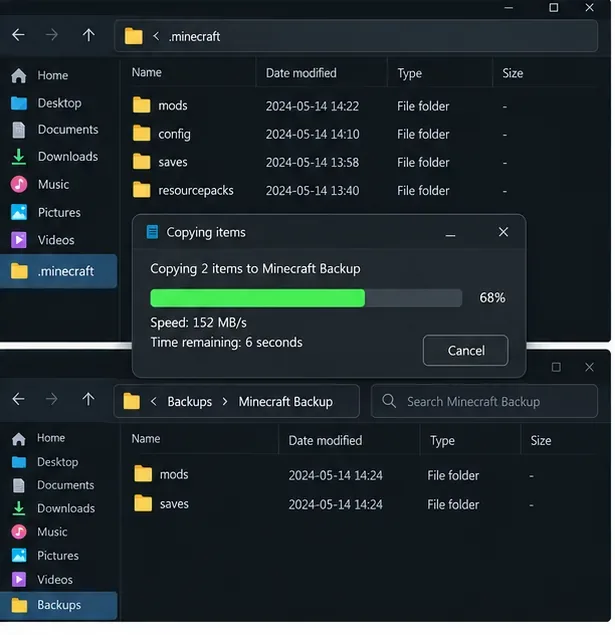
Close the game and launcher first. Back up the affected world and keep a copy of the current mod profile, including its mod list and configuration. If your launcher supports separate instances, duplicate the instance and troubleshoot the duplicate. That gives you a clean way to undo a change and protects the original save while you test.
Copy the active profile and world saves before changing the mod setup.
2. Confirm Minecraft, loader, and Java versions
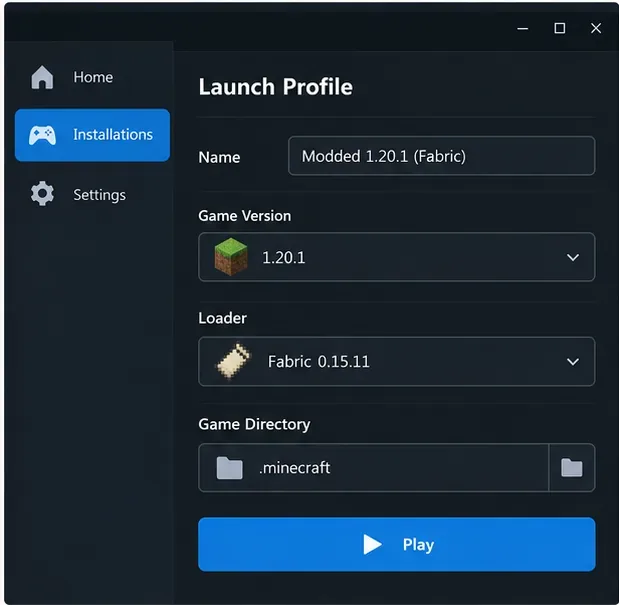
Open the exact launcher profile that crashes and write down its Minecraft version, loader, and loader version. Make sure the profile is for Java Edition. Every mod in that profile must support the same game version and loader; a Fabric build is not interchangeable with a Forge or NeoForge build. Fabric’s official installation guide specifically advises choosing mods for the Minecraft version and loader you are using.
Also check the Java runtime selected by the launcher. Minecraft 1.20.5 introduced Java 21 as a requirement, and the 1.21 series uses that generation as well. For later Minecraft releases, follow that release’s current requirement instead of assuming Java 21 will always be sufficient. The official 1.20.5 release notes document the Java 21 change.
Check the selected game version and loader in the same profile that produces the crash.
3. Look for duplicate or misplaced mod files
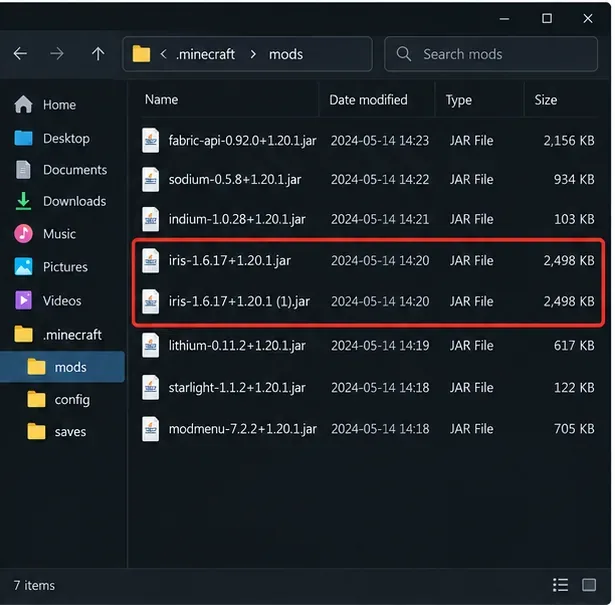
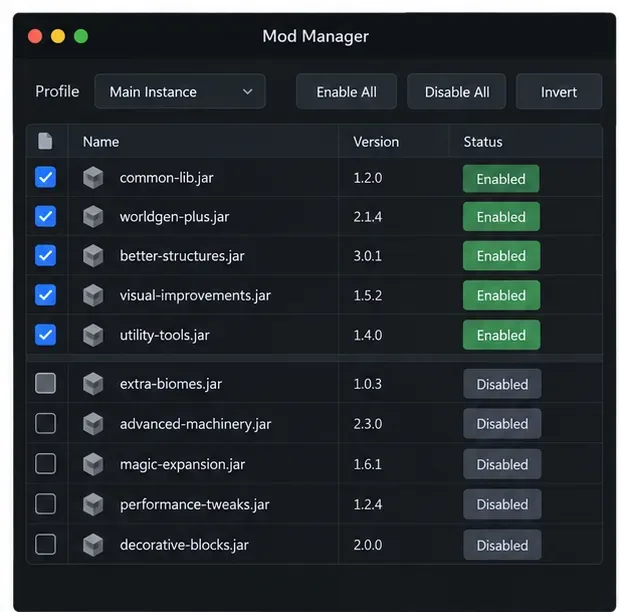
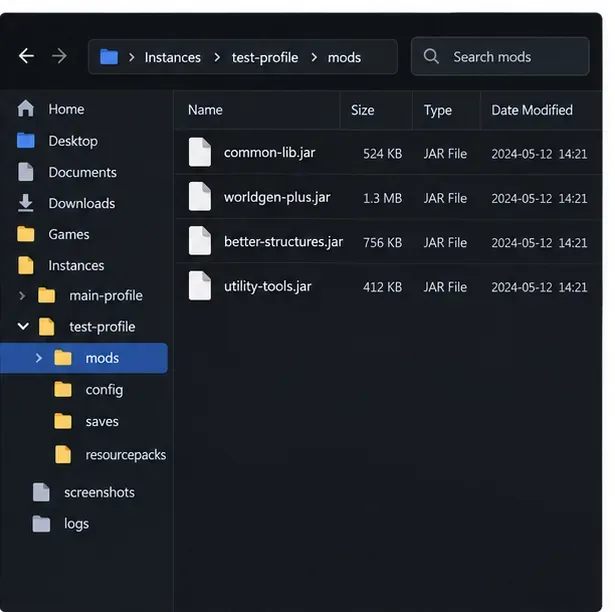
Open the mods folder belonging to the crashing instance—not a different Minecraft installation. Look for the same mod copied twice, a second download with a suffix such as (1), or a file for another game version or loader. Move a suspected duplicate out of the active folder into a temporary holding folder; do not delete it until the profile works. A launcher’s built-in mod list can help you identify which instance is active.
A duplicate JAR in the active profile is an easy issue to rule out.
4. Check each mod’s compatibility and dependencies
Use the mod’s own project page or release notes to confirm its Minecraft version, loader, and required companion libraries. Install only the dependency versions listed for that release. If a mod page offers separate Fabric, Forge, or NeoForge files, select the one matching the profile. Forge’s mod file documentation explains how Forge mod metadata declares requirements; players should follow the requirements published by each mod author.
Do not mix files from two modpacks or copy a dependency from another profile just because its name looks familiar. A dependency mismatch can produce a mixin failure that appears to point at a different mod.
5. Read the complete crash report and latest log
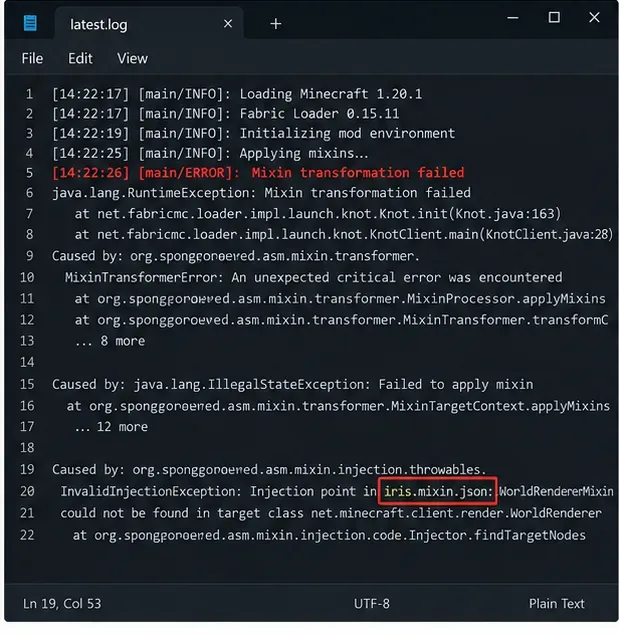
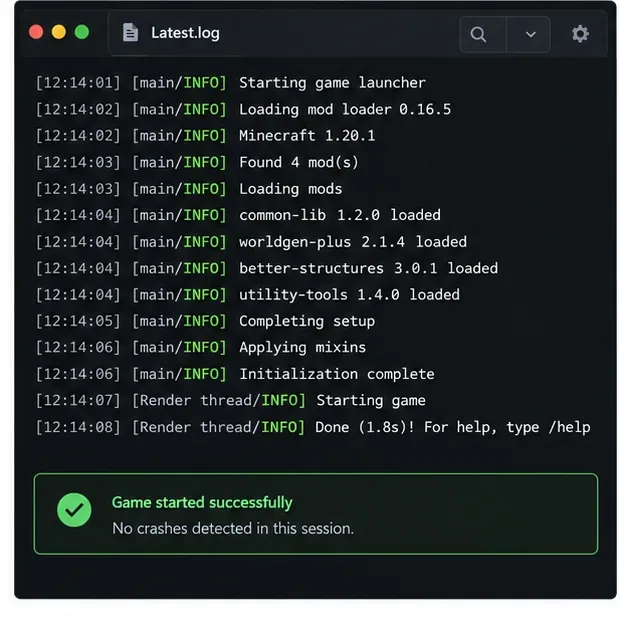
Check the newest file in the instance’s crash-reports folder and its logs/latest.log. Search around the first detailed Caused by, MixinApplyError, or InvalidInjectionException entry. Note the mod ID, mixin configuration, target class, and any missing dependency named nearby. The first visible line may only say that transformation failed; the surrounding lines often provide the actionable detail. Fabric’s log-upload instructions explain how to share logs for troubleshooting.
Use the surrounding stack trace to identify the mod or target named in the failure.
6. Isolate the mod or interaction in a copied profile
First test without a mod you just added or updated. If the log does not point to a clear candidate, use a controlled half-and-half test: disable one group of mods, launch the copied profile, then narrow the failing group. Keep required libraries with the mods that depend on them; otherwise, a new “missing dependency” error can confuse the result. Change one group at a time and note what you changed.
Disable a group at a time in the copied profile, keeping required dependencies together.
7. Retest, then add compatible mods back in small groups
Once the reduced profile reaches the title screen, test a copy of the affected world before using the original save. Add the removed mods back in small groups, restarting after each change. When the crash returns, check the most recently restored group and its dependencies. If one mod is confirmed, replace it with a build that supports the exact profile or leave it out until its author updates it.
Use a small test instance so the original modpack remains intact.Illustrative log view; check your own profile’s log after each retest.
8. Send the right evidence if the crash remains
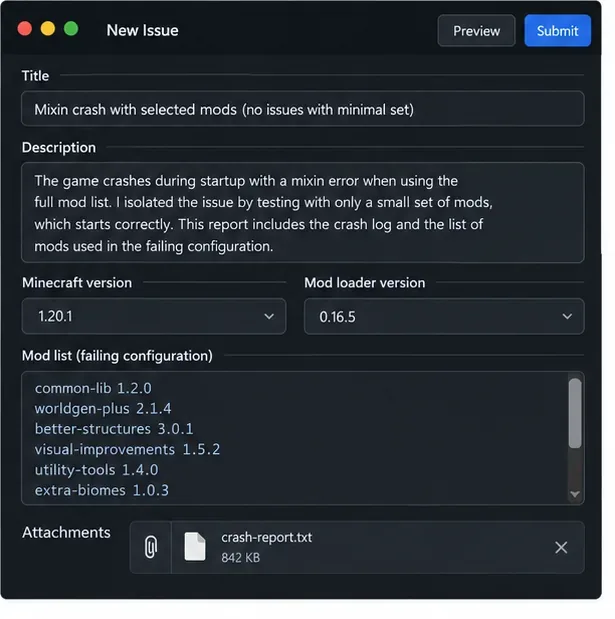
Report the issue to the mod author or the support channel for your loader. Include the exact Minecraft and loader versions, Java version, full mod list, complete crash report, and latest.log. Describe what you changed and whether a reduced profile launches. Share the full log through the loader’s recommended method rather than pasting only the final error line. Review the log for personal paths or account details before posting publicly.
A useful report includes version details, the full mod list, and the complete crash report.
Fixes to avoid
Do not edit a mod’s JAR or its mixins.json. These files are maintained by the mod author, and a manual change can make the file invalid or hide the real compatibility issue.
Do not randomly raise mixin priority. Priority is part of how configurations are ordered; it is not a general player-side repair for a failed injection.
Do not switch loaders or add MixinExtras as a guess. Use another loader or library only when the mod author explicitly supports and requires that setup.
Do not keep launching a profile that crashes during startup. Resolve the cause in a copy first, then test a backup of the world.
Keep future modpack updates predictable
Use a separate instance for each Minecraft version and loader, save a working mod list, and update a few mods at a time. Before a major update, check each project’s compatibility notes and back up important worlds. These habits make a Transforming Mixin Minecraft Error easier to trace because you can compare the last known-good setup with the changed one.
Quick answers
Does a mixin error always mean two mods conflict?
No. A single outdated mod, wrong game version, missing dependency, or unsupported loader can cause a transformation failure. The log and compatibility information determine the next check.
Can I ignore a transforming mixin error?
If Minecraft stops loading, no. Treat it as a startup failure and fix the profile before opening the affected world.