Home
» ⚽ Football
»
How to Verify Nations League Kickoff Times After Europe Changes Its Clocks
How to Verify Nations League Kickoff Times After Europe Changes Its Clocks
The easiest way to miss a Nations League match is to save a kickoff time before the seasonal clock change and assume the same offset will still apply in November. That risk is especially relevant in the 2026/27 UEFA Nations League: the league phase runs from 24 September to 17 November, while the European Union’s 2026 summer-time period ends on Sunday, 25 October at 01:00 UTC. UEFA’s current league-phase fixture list also states that its published times are in CET, with 20:45 the default kickoff unless another time is shown.
The practical consequence is simple: September and early-October fixtures, the October clock change, and the November matchdays should not be treated as one continuous timezone block. UEFA lists Matchdays 5 and 6 for 12–17 November 2026, after the EU change back to standard time. If you are watching from another country, the reliable method is to verify the source timezone first, then let a timezone-aware calendar or converter handle your local time.
There are three different concepts that often get mixed together: the time printed by the competition organizer, the local time at the stadium, and the time where you are watching. They can match, but they do not have to.
In 2026, EU summer time ends on 25 October. From that date, Central European Time is UTC+1. Before the change, many central European countries are on Central European Summer Time, UTC+2. The distinction matters because a label such as “20:45 CET” is a timezone reference, not just a number on a clock.
There is another complication: “Europe” is not one timezone and not every European country is governed by the EU summer-time directive. That is why manually memorizing a fixed offset is fragile. The safer approach is to identify the exact timezone label used by the official source, convert from that label, and verify the resulting local time.
For U.S. viewers, there is a second seasonal change to consider. NIST explains that most of the United States returns from daylight saving time to standard time on the first Sunday in November. In 2026, that occurs after Europe’s October change but before the Nations League’s November matchdays. See the NIST daylight saving time FAQ for the U.S. rule and exceptions.
Which source should you trust?
Source
Best use
Main advantage
Main limitation
UEFA fixtures page
Confirming the official date and kickoff reference
Competition organizer and current fixture status
You still need to read the timezone label correctly
UEFA team or match page
Checking one specific fixture
Less clutter than a full competition list
Display behavior can depend on page or device context
National association site
Cross-checking a national team’s fixture
Often written for that team’s local audience
May use local time without emphasizing the timezone
Calendar subscription or saved event
Keeping the correct time as clocks change
Timezone-aware apps can update local display automatically
Only reliable if the event was imported with the correct timezone data
Broadcaster schedule
Planning when to tune in
Usually presented in the viewer’s local market time
Broadcast listings can change and are not the competition authority
There is no single best source for every purpose. UEFA is the strongest starting point for the competition schedule. A national association is useful as a second official check. A broadcaster is useful for local viewing logistics. A calendar is best for reducing timezone mistakes after you have already verified the underlying fixture.
Step 1: Start with UEFA, not a search-result snippet
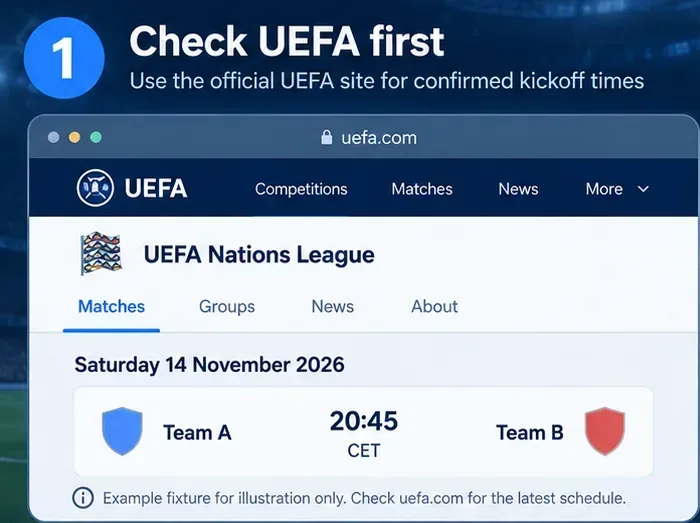
Open the official Nations League fixtures page and find the exact match. Check the date, the teams, the listed kickoff time, and the timezone notation on the page or article. Avoid treating a search-engine preview, social-media post, or old screenshot as the final authority, because fixture details can be updated.
Step 1: Use UEFA as the primary schedule source. This is an illustrative fixture layout, not a live UEFA screenshot or a real Team A versus Team B fixture.
UEFA’s current 2026/27 league-phase article says the competition runs through 17 November and that the published list uses CET, with 20:45 as the normal kickoff unless a different time is stated. That makes the timezone label especially important for November fixtures.
Step 2: Read the timezone before converting the number
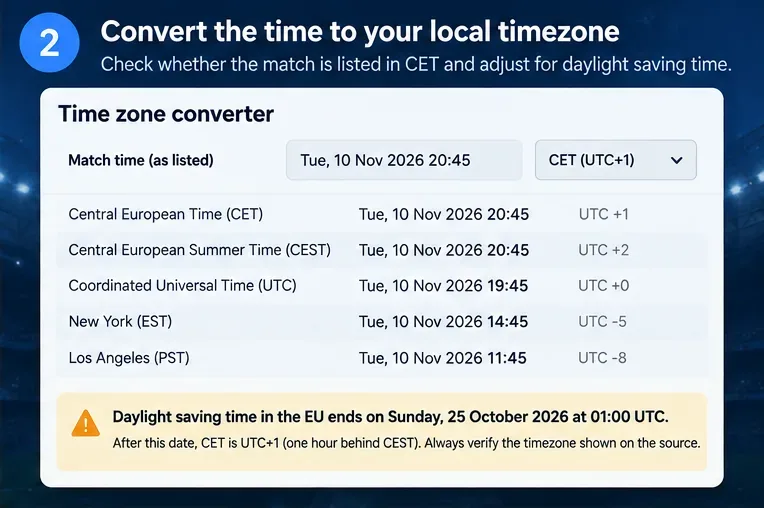
After 25 October 2026, CET means UTC+1. Therefore, a November kickoff listed as 20:45 CET corresponds to 19:45 UTC. From there, you can convert to your own timezone.
A converter is usually safer than mental arithmetic because your own region may have changed clocks on a different date, may not use daylight saving time at all, or may cross midnight after conversion. The latter is easy to overlook: a European evening match can become a next-day fixture for viewers in parts of Asia and Oceania.
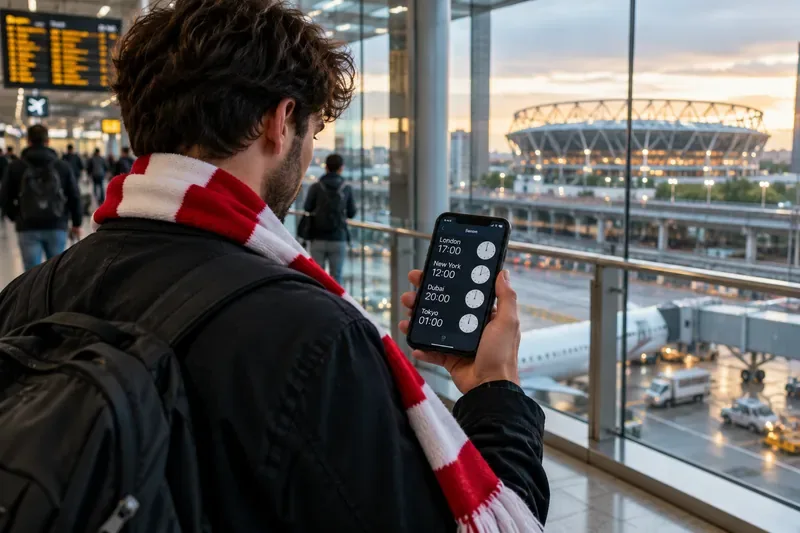
Step 2: Convert from the timezone stated by the source. The sample date and teams are hypothetical; the panel demonstrates how CET becomes UTC+1 after the EU summer-time period ends.
Do not simply search “20:45 Europe time.” Europe contains several timezones, and timezone abbreviations matter. A conversion is only as good as the source timezone you enter.
Step 3: Save the match as a timezone-aware calendar event
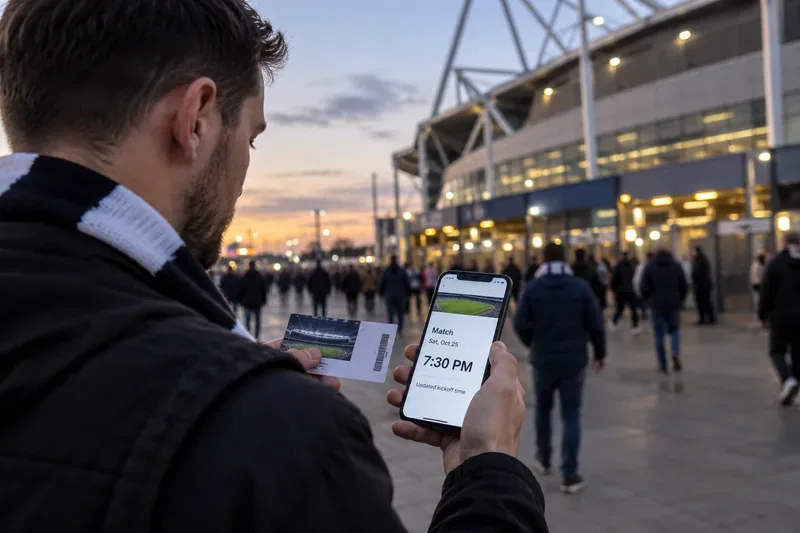
Once the official time is confirmed, save it in a calendar that preserves timezone information. UEFA’s fixtures page currently offers an “Add to calendar” function, which is preferable to typing a bare clock time into a note.
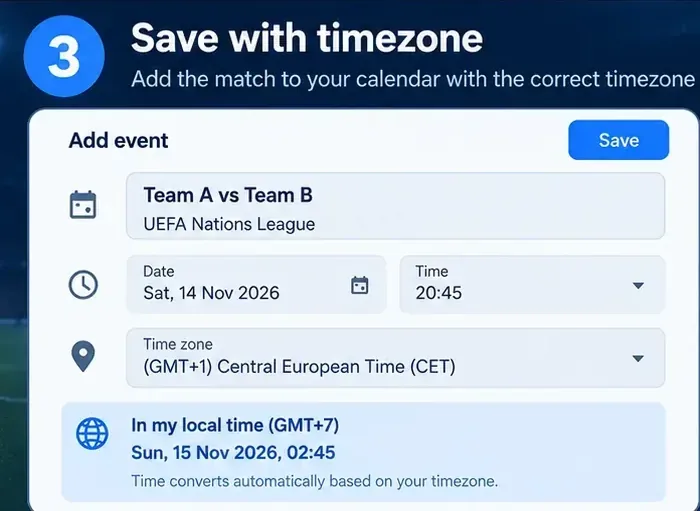
If you create the event manually, enter the source timezone explicitly rather than changing 20:45 into your local time first and then saving it as an unqualified event. A properly timezone-aware calendar can display the same instant correctly when you travel or when your device changes between daylight and standard time.
Step 3: Save the verified source timezone with the event. The example shows why a European evening kickoff can appear on the next calendar day in a UTC+7 location.
This option has a tradeoff: automation is convenient, but it can hide a bad input. If the original event was created with the wrong timezone, the calendar will faithfully convert the wrong time. That is why calendar automation belongs after source verification, not before it.
Step 4: Cross-check important matches with a second official source
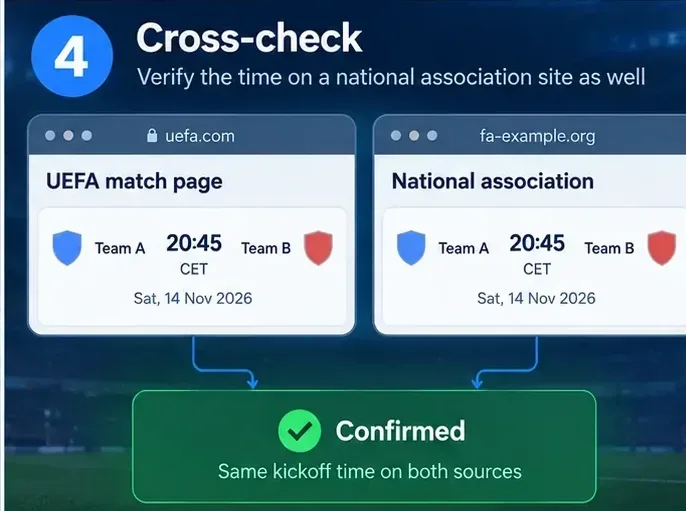
For a match you plan to attend, travel for, or build a work schedule around, compare UEFA’s listing with the relevant national association. The two sources should agree on the underlying kickoff instant even if one displays CET and the other displays local time.
Step 4: For high-stakes planning, verify that UEFA and the relevant national association point to the same kickoff. The screens shown are illustrative examples, not live websites.
If the two official sources disagree, do not resolve the conflict by guessing. Check the update timestamps, reopen the match page, and look for a fixture-change notice. For a broadcast-only question, then check the rights-holding broadcaster for its local on-air time.
A useful 2026/27 Nations League timing checkpoint
UEFA’s published competition calendar provides a clean way to separate the clock-change issue:
Matchdays 1 and 2: 24–29 September 2026.
Matchdays 3 and 4: 30 September–6 October 2026.
EU summer time ends: 25 October 2026 at 01:00 UTC.
Matchdays 5 and 6: 12–17 November 2026.
That means the November league-phase matches occur after the EU clock change. Most U.S. locations that observe daylight saving time will also have returned to standard time by then under the NIST rule. This removes one common “mismatch week” problem for those November matchdays, but it does not eliminate timezone conversion entirely.
When manual conversion is reasonable—and when it is not
Manual conversion is fine when the timezone is explicit, the offset is known, and you are checking one match. For example, after the October 2026 EU change, 20:45 CET equals 19:45 UTC. That calculation is straightforward.
Switch to a timezone-aware calendar or converter when any of the following applies:
You are following several teams or multiple matchdays.
Your local region changes clocks on a different date from Europe.
The conversion crosses midnight.
You are traveling between timezones.
The fixture is important enough that being one hour wrong would cause a real problem.
The tradeoff is between transparency and convenience. Manual arithmetic makes the offset visible but is easy to repeat incorrectly. Calendar conversion is convenient but depends on accurate timezone metadata. Cross-checking takes more time but is the most defensible choice for travel, tickets, work shifts, or watch-party planning.
How to self-check before matchday
Use this final check the day before the game:
Open the official UEFA match or fixtures page again.
Confirm that the date and opponents have not changed.
Read the timezone label, not only the clock number.
Compare your calendar event with the official listing.
For important plans, confirm the same kickoff through the relevant national association.
If you are watching on television or streaming, verify the broadcaster’s local listing separately.
If all of those agree, you have a much stronger basis than relying on an old screenshot, a search snippet, or a manually remembered offset. The key is not to memorize one “Nations League time.” It is to preserve the chain from official fixture, to explicit timezone, to local conversion, and then recheck it close to kickoff.