How to Fix PUBG Stuck on “Initializing” on Steam

Fix PUBG stuck on Initializing on Steam with a focused checklist for PC service notices, launch options, game files, downloads, and connection issues.
If your PUBG Mobile K/D ratio barely moves after several matches, the main problem may be the stat you are tracking. PUBG MOBILE’s official Season 13 patch notes say the K/D value in player information changed to “Average K/D per match.” That means it reflects your match average, so a strong game can be diluted by a large existing sample, and playing only to survive will not raise the number if your kills per match stay the same. The same notes also show that the game has documented sensitivity tutorials and death-replay features, but they do not promise a particular K/D gain from using them.
Start by checking that you are comparing the same profile stat and time period each time. Then work on repeatable decisions that increase your kills per match without turning every drop into a coin flip. The 10 fixes below focus on measurable improvement rather than magic settings or guaranteed results.
For the player-information statistic, use the in-game label and the selected season or mode as your reference. PUBG MOBILE announced that player-info K/D would be shown as average K/D per match beginning with Season 13. In practical terms, a match block averaging three kills per game will hold near 3.0; to raise it, your next block needs to average more than three. It is not safe to assume that every third-party tracker or older guide uses the same definition.
For example, if you have 30 kills in 10 matches, your average is 3.0. If you then earn 40 kills across 10 more matches, the combined average becomes 70 ÷ 20, or 3.5. A single low-kill match can pull the average down, while one unusually high-kill win may barely change a long-running total. This is why a K/D ratio can seem stuck even when your recent play is improving.
Read the official PUBG MOBILE Season 13 patch notes for the K/D change. If your display offers different stat views, keep the same view selected when you compare results.
Open your profile and note the exact K/D entry you are watching. Record its season or other time-period label and any visible mode selection. Comparing a seasonal value with an all-time or different-mode value can make progress look inconsistent. Take a screenshot or write the number down, then check it again after a fixed block of matches instead of after every game.
Write down your current average kills per match and choose a small next target, such as improving your next 10-match block by a fraction of a kill per game. The target has to be above your current average for the combined number to rise. Do not judge the plan by one match; compare the complete block and adjust based on what actually happened.
Hot drops create more immediate fights, but they also add randomness: you may land without a usable weapon or face several opponents before you can heal. Landing far from every opponent can leave you with too few chances to earn kills. Pick a familiar area with a practical loot route and a nearby route into likely fights. If the first building is crowded, break away and re-enter with cover instead of forcing a bad opening duel.
Spend a short, consistent warm-up on target tracking, recoil control, and moving targets before queuing. Practice at the distances where you usually lose fights; do not spend the entire session firing at stationary targets from one range. The official notes have described sensitivity guidance in the game’s settings and training features, though menu names can change between versions. See the official PUBG MOBILE settings and training notes.
There is no universal sensitivity percentage that guarantees better aim. Change one control at a time, then test it in the training area with your usual weapon and scope. If your crosshair repeatedly overshoots, reduce the relevant sensitivity slightly; if you cannot turn or track quickly enough, raise it in small steps. Keep a setting long enough to learn it before making another change. If you use gyroscope controls, practice them deliberately rather than copying a pro player’s numbers without testing.
Keep your crosshair near likely enemy height before rounding a corner, fire in controlled bursts when distance makes a full spray unreliable, and stop shooting when recoil has carried the weapon off target. Move between cover when reloading. At close range, use the weapon and firing mode you have practiced; at longer range, avoid giving away your position with repeated low-probability shots. A hit that leads to a controlled finish is more useful than a long spray that reveals you and wins nothing.
Before you start a fight, identify your nearest solid cover and a route out. Peek briefly, change your angle after being spotted, and avoid repeating the same exposed peek. If another squad has a better position or your health is low, heal or disengage before re-engaging from a safer angle. Staying alive matters when it gives you another chance to take a favorable fight; staying alive while avoiding every fight will not improve an average-kills stat.
Choose weapons that cover the ranges you actually encounter and that you can control consistently. Spend loot time on a usable primary weapon, basic protection, ammunition, healing items, and a few utility items rather than searching indefinitely for a perfect attachment set. Upgrade armor when the opportunity is safe, but do not cross open ground for a small equipment improvement. Familiarity usually helps more than switching to a different “best” loadout every match.
Share enemy locations, distance, and direction; move together when pushing; and agree on who watches the flank. Avoid starting a fight alone while your teammates are still looting or healing. In solo mode, apply the same principle yourself: scout first, make one clear approach, and keep an exit available. Coordination does not guarantee a kill, but it can prevent the isolated fights that end a match before you have a chance to contribute.
After a match, name one specific cause of your elimination: poor landing, missed shots, an exposed rotation, a rushed push, or a late heal. Choose one correction for the next match. PUBG MOBILE’s official update notes have described a death-replay feature; if it is available in your current mode and version, use it to check positioning and damage timing. Otherwise, make a quick note while the match is fresh. Stop or take a short break when frustration starts driving your decisions. A tired string of rushed games can undo the benefit of practice.
Use the same profile stat, mode, and period each time you review. Track average kills per match alongside the number of matches and a short note about your most common death cause. Review every 10 to 20 matches; that is a practical tracking window, not a promise that the number will rise in that span.
| Match block | Matches | Total kills | Average kills per match | One pattern to review |
|---|---|---|---|---|
| Baseline | Record yours | Record yours | Total kills ÷ matches | Where most deaths happened |
| Next block | Use the same count | Record yours | Compare with baseline | Which fix you applied |
If the average is flat, identify whether you are earning too few kills, losing fights before you can finish them, or taking too few intentional engagements. Change one habit at a time so you can see what helped.
Do not use cheats, plugins, unauthorized tools, or account-boosting services to inflate stats. Those shortcuts can put your account at risk and teach you nothing about the fights that are keeping your PUBG Mobile K/D ratio low. Check the official PUBG MOBILE Security Center for the game’s current security guidance. The durable way to improve is to raise the quality of your next match block: warm up, choose your fights, review your mistakes, and repeat.
Fix PUBG stuck on Initializing on Steam with a focused checklist for PC service notices, launch options, game files, downloads, and connection issues.
Fix Brawl Stars stuck at 92% loading with an ordered checklist for service notices, network tests, safe updates, Android cache, and account-safe reinstalling.
Best Dead by Daylight visual filter settings start with a small Gamma lift, neutral color and contrast, and a quick check for dark corners, fog, and bright lights.
Find the Steam and EA app fields for Apex Legends launch options, use EA’s documented FPS command, and see why +exec autoexec.cfg remains unverified.
Reduce input lag on a Nintendo Switch dock for Smash Ultimate with TV Game Mode, a direct HDMI test, controller checks, and online-latency troubleshooting.
Find the best EA SPORTS FC audio settings for a clearer referee whistle: tune Stadium Ambience and Commentary, then troubleshoot output or timing issues.
Compare the best Attack Move Click keybinds in League of Legends—A, Shift + right-click, mouse side buttons, and left-click—with setup and kiting tips.
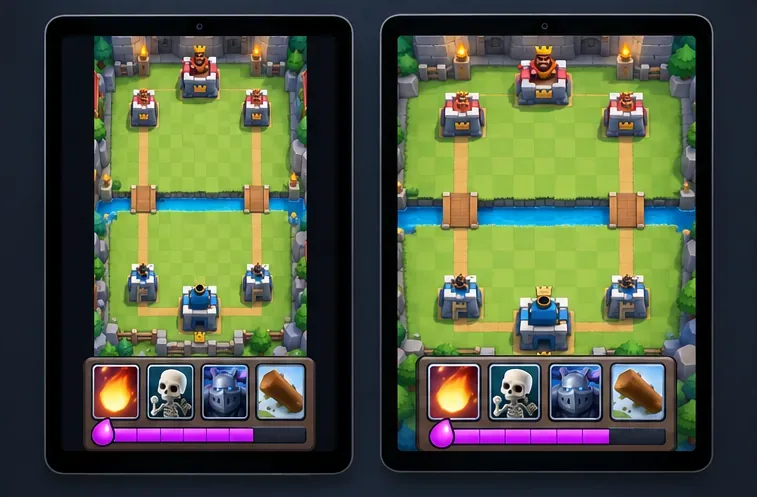
Find the best tablet aspect ratio setup for Clash Royale, compare Android display-fit choices, and check iPad full-screen framing without cropping the arena.
Fix Warzone Dev Error 6068 on startup with safe PC checks for updates, overlays, graphics drivers, game-file repair, and clean boot troubleshooting.
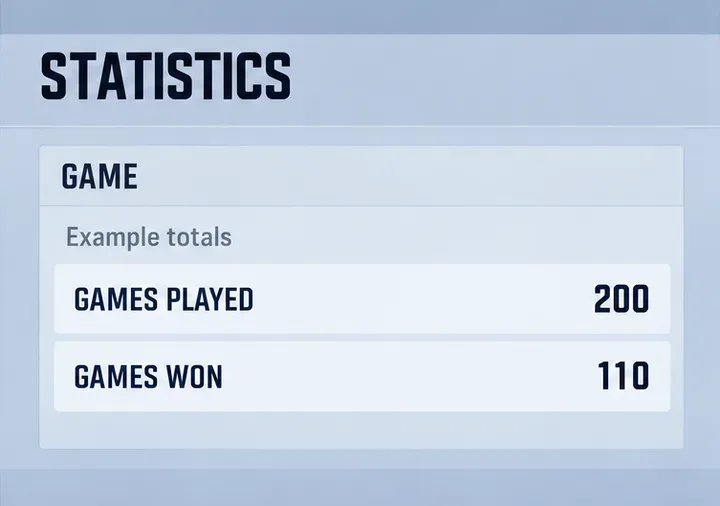
Check your Overwatch 2 overall match win rate with Career Stats, matching game totals, and the right filters—without mistaking hero percentages for match results.