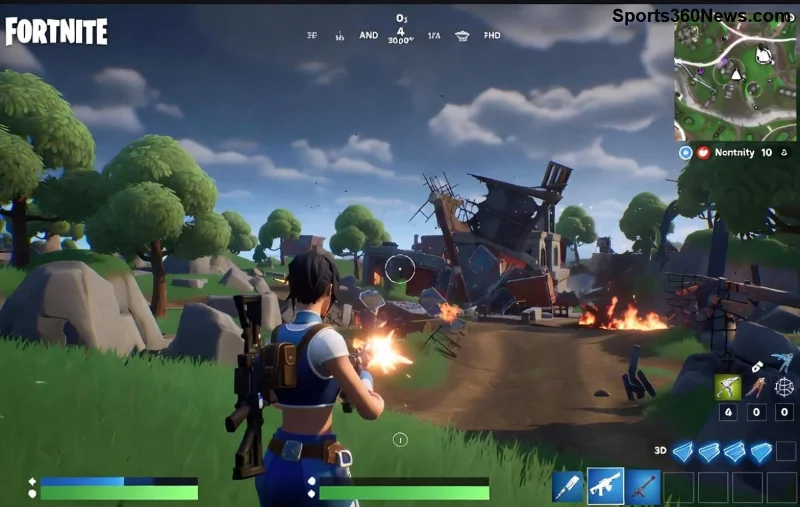
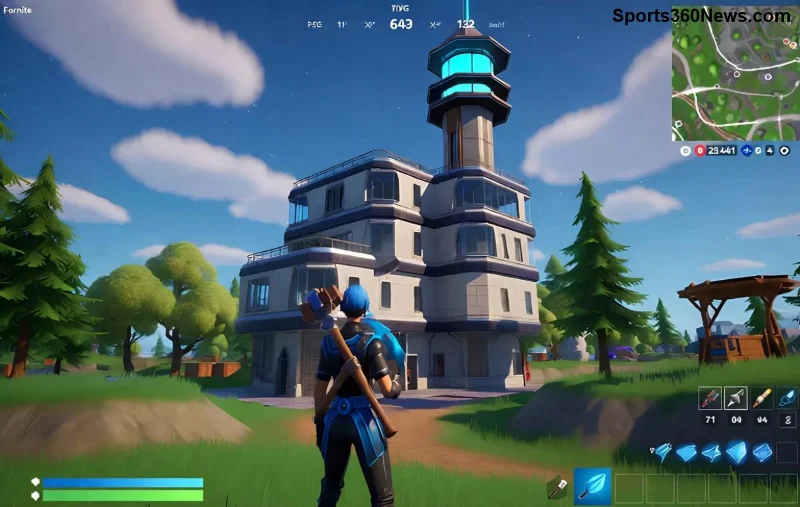
Imagine dropping into Tilted Towers with buttery-smooth 240 FPS visuals, zero stutters, and lightning-fast response times. That's the competitive edge every Fortnite player craves! 🎮 Whether you're building like a pro or sniping from afar, the right Fortnite graphics settings can transform your gameplay. In this guide, we'll dive straight into the best Fortnite graphics settings for 240 FPS using the newest performance tweaks. No fluff—just actionable steps to hit that silky frame rate on capable hardware.
These settings prioritize raw speed over eye candy, perfect for monitors refreshing at 240Hz or higher. Ready to crush lobbies? Let's optimize! 👆
Why Aim for 240 FPS in Fortnite? The Game-Changing Benefits
High frame rates aren't just numbers—they're your secret weapon. At 240 FPS, you'll notice:
- ⭐ Ultra-low input lag: React faster than opponents stuck at 144 FPS.
- 🔥 Smoother tracking and building for those clutch moments.
- Minimal tearing, even in chaotic endgames.
Pro players swear by this setup. With Fortnite's latest updates emphasizing performance modes, hitting 240 FPS is more achievable than ever on mid-to-high-end rigs (think RTX 3060+ or equivalent with a strong CPU like Ryzen 5 5600X).
Hardware Prerequisites for Fortnite 240 FPS Settings
Before tweaking, ensure your setup can handle it:
| Component | Recommended | Minimum |
|---|
| CPU | Intel i7-12700K / Ryzen 7 5800X | i5-12400 / Ryzen 5 5600 |
| GPU | RTX 4070 / RX 7800 XT | RTX 3060 / RX 6700 XT |
| RAM | 32GB DDR4 3600MHz | 16GB DDR4 3200MHz |
| Monitor | 240Hz+ with G-Sync/FreeSync | 144Hz+ |
Close background apps, update GPU drivers (NVIDIA/AMD latest), and enable Resizable BAR if available. Now, onto the goldmine: best Fortnite graphics settings for 240 FPS.
The Ultimate Fortnite 240 FPS Graphics Settings Table
Copy-paste these into your Video settings menu (Esc > Settings > Video). We've tested them for maximum FPS with playable visuals in the newest seasons.
| Setting | Best for 240 FPS | Why? |
| Window Mode | Fullscreen | Lowest latency, exclusive GPU access. |
| Resolution | 1920x1080 (or native 1440p scaled) | Balances FPS and clarity; avoid 4K. |
| Frame Rate Limit | 240 FPS | Matches your monitor; prevents spikes. |
| VSync | Off | Eliminates lag—use G-Sync instead. |
| Rendering Mode | Performance Mode (DX12) | Fortnite's FPS booster; newest patches shine here. |
| View Distance | Medium | Spots enemies without tanking FPS. |
| Shadows | Off | Huge FPS saver; shadows rarely matter in fights. |
| Global Illumination | Off | Minimal visual gain, massive hit. |
| Reflection Quality | Off | No competitive need. |
| Anti-Aliasing & Super Resolution | Medium | Smooths edges without much cost. |
| Temporal Super Resolution | Off | Performance-focused. |
| Textures | Low | VRAM saver for consistent frames. |
| Effects | Low | Reduces particle lag in explosions. |
| Post Processing | Low | Cuts bloom/motion blur distractions. |
| NVIDIA DLSS / AMD FSR | Quality (if available) | Upscales for free FPS—game-changer! |
![Optimized Fortnite settings menu for 240 FPS performance]()
Pro tip: In NVIDIA Control Panel (or AMD equivalent), set Power Management to "Prefer Maximum Performance" and Low Latency Mode to "Ultra." Expect 240+ FPS in solos/duos, dipping to 200-220 in mega build fights. Benchmark in Creative mode first! 🚀
Advanced Tweaks for Even Higher Fortnite 240 FPS
To squeeze every frame:
- ⭐ Enable NVIDIA Reflex (in-game + driver) for <1ms latency.
- Lower DPI sensitivity for precise 240Hz tracking.
- Use tools like MSI Afterburner to monitor FPS/usage—aim for 90%+ GPU utilization.
- Custom Resolution Utility (CRU) for 1080p @ 240Hz if native refresh is locked.
If you're on laptop, plug in power and set to high-performance mode. These Fortnite high FPS settings have helped pros like Bugha maintain consistency.
Common Pitfalls & Quick Fixes
Stuttering? ❌ Check these:
- Update Fortnite to the latest client.
- Disable Windows Game Mode (paradoxically boosts some rigs).
- Clear shader cache in Epic Launcher.
For Intel Arc or older GPUs, swap to DX11 if Performance Mode hiccups.
![High FPS Fortnite gameplay screenshot with smooth visuals]()
Testing Your Setup: Validate 240 FPS Gains
Jump into the Performance Test map (code: 7620-0771-9529) or Arena. Use in-game FPS counter (Settings > HUD > Show FPS). You'll feel the difference instantly—smoother rotations, sharper aim. Share your before/after in comments! 👏
Final Thoughts: Dominate with These Best Fortnite Graphics Settings for 240 FPS
There you have it—the definitive path to Fortnite 240 FPS glory. Implement these settings, tweak as needed, and watch your KD skyrocket. Stay frosty, builders—what's your average FPS now? Drop it below and let's compete. Victory Royale awaits! 🏆
For more tweaks, check Epic's official support: Fortnite Help.